Copilot Prompts for Proposal Writing: 30 Proven Prompts to Win More Clients
These copilot prompts for proposal writing help you turn a blank Word document, a messy RFP and a folder of old bids into a clear, persuasive proposal in a fraction of the usual time. Every prompt below is ready to paste into Copilot in Word or Microsoft 365 Copilot Chat, with placeholders in square brackets for your own client, files and numbers.
Proposals are a strange kind of writing. They have to be specific enough to prove you understand one client’s problem, yet consistent enough that your team can produce them every week without burning out. That is exactly where an AI assistant earns its place. It is good at the repetitive parts, such as extracting requirements, building outlines, tightening language and checking for gaps, while you stay in charge of strategy, pricing and the promises you actually make.
Why Use Copilot Prompts for Proposal Writing?
Most proposal time is not spent on the clever part. It goes into reading a long request document, hunting for the last bid that looked similar, rewriting the same “About us” paragraph, formatting tables and chasing colleagues for case studies. Copilot can take a large share of that busywork.
Here is where it tends to help the most:
- Reading fast. It can summarise a 40-page RFP into requirements, deadlines and evaluation criteria so you can decide quickly whether to bid.
- Reusing your own material. In Word you can type
/in the Copilot box to reference files you have access to, such as a previous proposal or a capabilities deck, so drafts are grounded in your real content. - Changing tone and length. It is quick at turning an internal, jargon-heavy paragraph into something a procurement officer can follow.
- Spotting gaps. Asked properly, it will compare your draft against the client’s requirements and list what is missing.
What it cannot do is know your margins, your delivery capacity or the relationship history with the buyer. Treat every draft as a starting point, and check every fact, figure and commitment before it goes out. Microsoft’s own guide to drafting content with Copilot in Word explains the basic Draft, Rewrite and reference-a-file features if you have not used them yet.
The Proposal Workflow, Step by Step
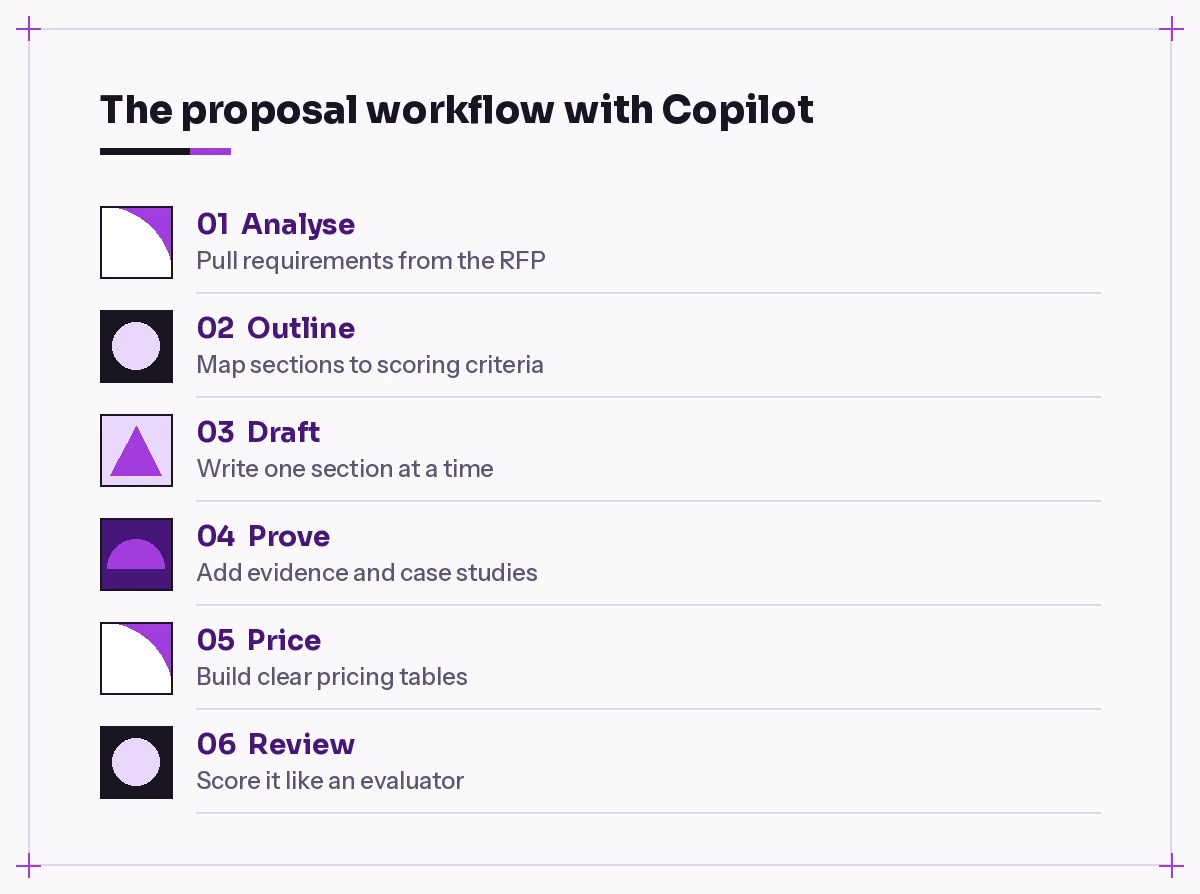
Good proposals follow a rhythm: understand the ask, plan the response, write it, back it up, price it and review it. The copilot prompts for proposal writing in this guide are grouped in that order, so you can work through a bid from top to bottom.
A quick tip before you start: give Copilot one job per prompt. “Write my proposal” produces generic filler. “Write the ‘Understanding of your needs’ section using the three pain points in /Discovery-notes.docx” produces something you can actually use. If you want a refresher on structuring requests, our Copilot prompt template breaks a prompt into goal, context, source and expectations.
Step 1: Analyse the RFP or Brief
Before you write a word, you need to know what the buyer is really asking for and how they will score it. The first copilot prompts for proposal writing work well in Copilot Chat with the RFP attached, or in Word with the RFP open.
Prompt 1 – Requirement extraction
Read /[RFP file name]. List every requirement in a table with four columns: requirement ID or section, what they are asking for, whether it is mandatory or optional, and the page it appears on. Do not paraphrase mandatory wording.Prompt 2 – Evaluation criteria
From /[RFP file name], pull out the evaluation criteria and their weightings. If weightings are not stated, say so instead of guessing. Then suggest which sections of our response should get the most space based on those criteria.Prompt 3 – Deadlines and submission rules
List all dates, deadlines, page limits, font or format rules, file naming rules and submission instructions in /[RFP file name]. Present them as a checklist I can tick off.Prompt 4 – Bid or no-bid check
Act as a bid manager. Using /[RFP file name] and /[our capabilities document], list where we clearly meet the requirements, where we partly meet them and where we have gaps. End with three questions we should answer before deciding to bid.Prompt 5 – Clarification questions
Identify anything in /[RFP file name] that is ambiguous, contradictory or missing. Draft up to eight polite clarification questions we could submit to the buyer before the question deadline.Step 2: Build an Outline That Mirrors the Scoring
Evaluators score against their own structure, not yours. A proposal that follows their headings is easier to mark, and easier marking usually means better marks. These business proposal prompts turn the analysis above into a skeleton.
Prompt 6 – Compliant outline
Create a proposal outline that follows the section order and numbering in /[RFP file name]. Under each heading, add two or three bullet points describing what that section must cover and which requirement IDs it answers.Prompt 7 – Outline for an unsolicited proposal
I am writing an unsolicited proposal to [client] about [service]. Build an outline with these sections: the problem, why now, our approach, deliverables, timeline, investment, why us, next steps. Keep it to one page of headings and short notes.Prompt 8 – Win themes
Based on /[discovery notes] and /[RFP file name], suggest three win themes: short, specific reasons this client should choose us. For each theme, note the evidence we would need to prove it.Prompt 9 – Compliance matrix
Turn the requirements table above into a compliance matrix with columns for requirement, our response section, compliance status (full, partial, alternative) and owner. Leave the owner column blank.Step 3: Draft the Core Sections
This is where copilot prompts for proposal writing save the most typing in Word. Draft one section at a time, and always point it at a source file so it does not invent details.
The Executive Summary
The executive summary is often the only part a senior decision-maker reads closely. Write it last, once the rest of the proposal is settled.
Prompt 10 – Client-first summary
Write a 200-word executive summary for our proposal to [client]. Open with their main challenge from /[discovery notes], then our recommended approach, the two biggest outcomes they can expect and a single clear next step. Avoid generic phrases like "industry-leading" or "best-in-class".Prompt 11 – Shorter variant
Rewrite this executive summary as three short paragraphs under 120 words in total, suitable for a buyer who will skim it on a phone.Prompt 12 – Executive summary prompts for different readers
Create two versions of this summary: one for a finance director focused on cost, risk and payback, and one for an operations lead focused on day-to-day impact and timeline. Keep the facts identical.Understanding of Needs
Prompt 13 – Show you listened
Using /[discovery call notes], write an "Our understanding of your needs" section. Restate their situation, their goals and their constraints in their own language. Quote at most two short phrases from the notes. End with one sentence on what success looks like for them.Approach and Methodology
Prompt 14 – Phased approach
Draft an approach section describing our [service] in four phases. For each phase give the purpose, main activities, client involvement needed and the deliverable at the end. Use our standard method from /[methodology document].Prompt 15 – Plain-language rewrite
Rewrite this methodology section so a non-technical reader understands it. Keep every step, remove internal jargon, and explain any term that must stay in brackets the first time it appears.Scope and Deliverables
Prompt 16 – Scope table
Create a table of deliverables with columns: deliverable, description, format, due week and acceptance criteria. Base it on the approach section above. Then add a short "Out of scope" list with anything a client might reasonably assume is included but is not.Prompt 17 – Assumptions
List the assumptions this proposal relies on, such as client access, data availability, approval turnaround and number of review rounds. Write each as one clear sentence we can include in the proposal.Step 4: Add Proof the Evaluator Can Trust
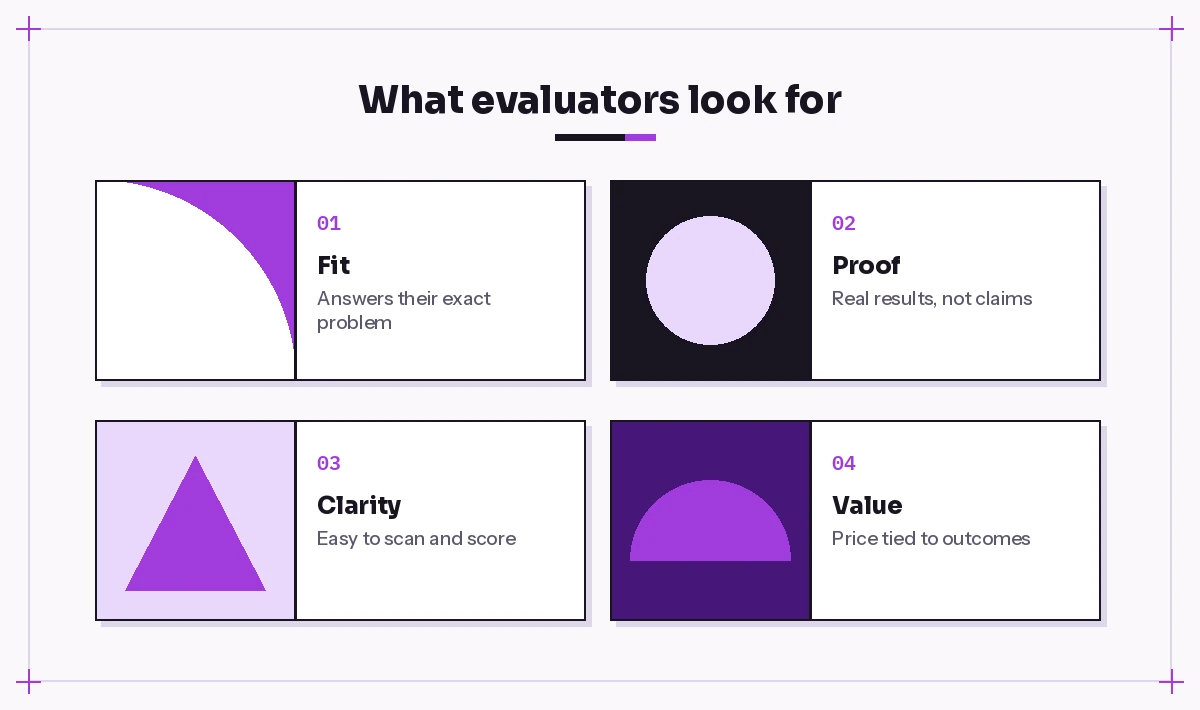
Claims are cheap. Evidence wins bids, and good copilot prompts for proposal writing help you surface it. Copilot can help you find and shape the proof, but it must come from your own records. Never let it fill in numbers you have not supplied.
Prompt 18 – Case study from notes
Turn /[project close-out notes] into a 150-word case study with the headings Challenge, What we did and Result. Use only results stated in the file. If no measurable result is stated, write "[add result]" instead of inventing one.Prompt 19 – Match evidence to requirements
Look through /[case study library] and suggest which three case studies best support the requirements in /[RFP file name]. Explain the match in one line each.Prompt 20 – Team bios
Rewrite these team bios from /[CV folder or document] so each is 60 words, focused on experience relevant to [client's industry] and this project. Keep the same facts and titles.Prompt 21 – Why us
Write a "Why choose us" section with four short points. Each point must link one of our strengths to one of the client's stated priorities from /[discovery notes]. No superlatives.Step 5: Present Pricing Clearly
Pricing is where you must stay firmly in control. Use Copilot to structure and explain the numbers you have already decided, not to set them.
Prompt 22 – Pricing table
Create a pricing table from these figures: [paste line items and amounts]. Columns: item, description, quantity, unit price, total. Add a subtotal, tax line at [rate] and grand total. Double-check the arithmetic and flag any line that does not add up.Prompt 23 – Options and tiers
Present our pricing as three options: Essential, Recommended and Complete, using the line items above. Describe in one sentence what each option adds. Highlight the Recommended option without changing any prices.Prompt 24 – Value framing
Write a short paragraph that explains the investment in terms of the outcomes described in the executive summary. Do not add any new figures, savings estimates or ROI percentages that are not already in this document.Prompt 25 – Payment terms
Draft a clear payment terms section based on these rules: [deposit, milestones, invoice timing, validity period]. Keep it under 100 words and in plain English.Step 6: Review Like an Evaluator
The final pass is where a good proposal becomes a winning one. These RFP response prompts ask Copilot to read your draft the way a tired procurement panel would.
Prompt 26 – Gap check
Compare this proposal against /[RFP file name]. List any requirement we have not answered, answered only partly or answered in the wrong section. Include the requirement reference for each.Prompt 27 – Evaluator scoring
Act as a strict evaluator. Score each section of this proposal from 1 to 5 against the evaluation criteria in /[RFP file name]. For any score below 4, explain why and suggest one specific improvement.Prompt 28 – Clarity and readability
Find sentences longer than 30 words, passive phrases and internal jargon in this document. Suggest a shorter rewrite for each, keeping the meaning the same.Prompt 29 – Consistency check
Check this proposal for inconsistencies: different client names, mismatched dates, prices that differ between sections, deliverables mentioned in one place but missing from the scope table, and changes in tense or voice.Prompt 30 – Cover email
Write a short cover email to [buyer name] to accompany this proposal. Mention the two main outcomes from the executive summary, confirm the attached files and suggest a 30-minute call to walk through it. Keep it under 120 words.For a deeper review routine, our guide to Copilot prompts for document review has more checks you can run on long documents, and the comparing two documents prompts are handy when you need to see what changed between proposal versions.
Building a Reusable Proposal Template
Once you have run a few bids with these copilot prompts for proposal writing, you will notice the same sections coming back. Turn them into a Word proposal template so Copilot always starts from your best material.
| Template section | What to store | Prompt to reuse |
|---|---|---|
| About us | Approved company description | “Shorten our standard About us to 80 words for [industry].” |
| Methodology | Standard phases and deliverables | “Adapt our method to fit the timeline in /[RFP].” |
| Case studies | Verified results only | “Pick the two most relevant case studies for [client].” |
| Team | Current bios | “Trim these bios to 60 words, focused on [project type].” |
| Terms | Legal-approved wording | “Summarise our terms in plain English without changing obligations.” |
Keep the template in a shared SharePoint or OneDrive folder so anyone on the team can reference it with / in Copilot. Review it every quarter so old case studies and job titles do not slip into new bids.
Mistakes to Avoid When Using AI for Proposals
AI drafting makes proposals faster, but it also creates a few new ways to lose a bid. Watch for these:
- Invented facts. If Copilot produces a statistic, client name or result you did not give it, delete it. Tell it explicitly to use placeholders when information is missing.
- Generic language. Phrases like “tailored solutions” and “seamless delivery” sound the same in every competitor’s response. Ask Copilot to replace them with specifics from your notes.
- Ignoring page limits. A beautifully drafted section that breaks the page limit can disqualify the whole submission. Check length against the rules from Step 1.
- Sharing sensitive data carelessly. Only reference files you are allowed to use for this client, and follow your organisation’s policies on confidential pricing and client information.
- Skipping human sign-off. Someone accountable must approve scope, price and legal wording before submission. Copilot is a drafting partner, not an approver.
Tips for Better Results
A few habits make these copilot prompts for proposal writing noticeably more reliable:
- Name the reader. “Write for a procurement officer comparing five suppliers” changes tone and structure more than any adjective.
- Set a length. Word counts or paragraph counts stop drafts from ballooning.
- Reference real files. Grounding the draft in your discovery notes and past bids is the single biggest quality boost.
- Iterate in small steps. Follow up with “make it more specific”, “cut 30%” or “add a sentence about risk” rather than rewriting the whole prompt.
- Keep a prompt library. Save the prompts that worked in a shared document. Our Copilot prompts for Word collection is a good place to grow that library, and the report writing prompts cover similar long-form documents.
If you sell services directly, the Copilot prompts for sales guide pairs well with this one for discovery calls and follow-ups before the proposal stage.
Final Thoughts
Winning proposals are clear, specific and easy to score. Copilot helps you get there faster by reading the RFP, building an outline that mirrors the scoring, drafting each section from your own material and reviewing the result like an evaluator would. Keep yourself in charge of strategy, pricing and every commitment, and use these 30 copilot prompts for proposal writing as a repeatable system rather than a one-off shortcut. After two or three bids, you will have a template and a prompt library that make every new proposal quicker than the last.
Frequently Asked Questions
Can Copilot write a complete business proposal for me?
It can draft every section, but the best results come from working section by section and referencing your own files. You still need to check facts, set prices, confirm scope and approve the final document.
Where do I use these copilot prompts for proposal writing?
Most work best in Copilot in Word, where you can draft directly in the document and reference files by typing a forward slash. The analysis prompts also work in Microsoft 365 Copilot Chat with the RFP attached.
How do I stop Copilot from inventing statistics or results?
Tell it to use only information from the files you reference and to insert a placeholder such as “[add result]” when something is missing. Then review every number before submitting.
Can Copilot help with RFP responses specifically?
Yes. It is useful for extracting requirements, building a compliance matrix, mirroring the buyer’s section order and checking your draft against the evaluation criteria before you submit.
Is it safe to put pricing and client details into Copilot?
Microsoft 365 Copilot works within your organisation’s permissions and data policies, but you should still follow your company’s rules on confidential information and only reference files you are authorised to use.
How long should a proposal executive summary be?
Follow any limit in the RFP first. Otherwise, a summary of roughly 150 to 250 words that covers the client’s challenge, your approach, key outcomes and a next step is a practical target.