Copilot Prompts for Python: 48 Essential Templates for Cleaner, Tested Code
Copilot prompts for Python get good results when they carry the same details you would give a teammate: the Python version, the libraries in play, the shape of the data and what “done” looks like. With that context, GitHub Copilot can draft functions, write pytest suites, untangle tracebacks and tidy messy scripts in a fraction of the time. Without it, you tend to get code that targets an old library version or invents a helper that doesn’t exist.
Below are 48 copilot prompts for Python sorted by the task you are actually doing, plus a worked example, the mistakes that waste the most time, and a way to keep your best prompts in the repo. They work in Copilot Chat in VS Code, Visual Studio, PyCharm and other JetBrains IDEs, and most also work in agent mode when you want Copilot to edit several files.
Where Copilot Helps Most in a Python Project
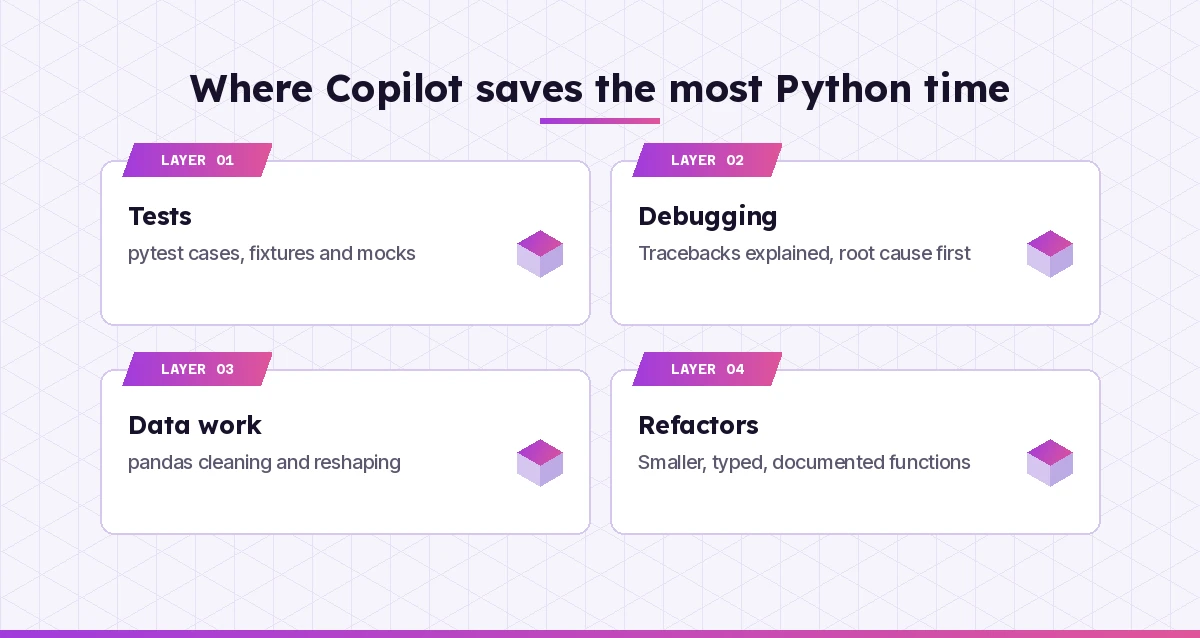
Python work splits into a few recurring jobs, and Copilot is stronger at some than others.
- Boilerplate and glue code. Argument parsing, file handling, HTTP calls, config loading. This is where completions shine, because the patterns are well known.
- Tests. Copilot is quick at turning a function signature and a few edge cases into a pytest file with fixtures and parametrized cases.
- Reading other people’s code. Asking it to explain a module, a decorator or a regular expression saves real time on inherited projects.
- Data wrangling. pandas and NumPy transforms are a good fit, as long as you describe the columns and dtypes.
- Design decisions. Here it is a sounding board, not an authority. It can list trade-offs, but you still decide.
Where you ask matters too. Inline chat (Ctrl+I in VS Code) is best for small, local edits. The Chat view is better for questions and multi-step plans, and agent mode can create files, run your test command and iterate. In VS Code you can attach context with #file, #selection or #codebase so Copilot reads your real code instead of guessing.
How to Write Copilot Prompts for Python That Return Usable Code
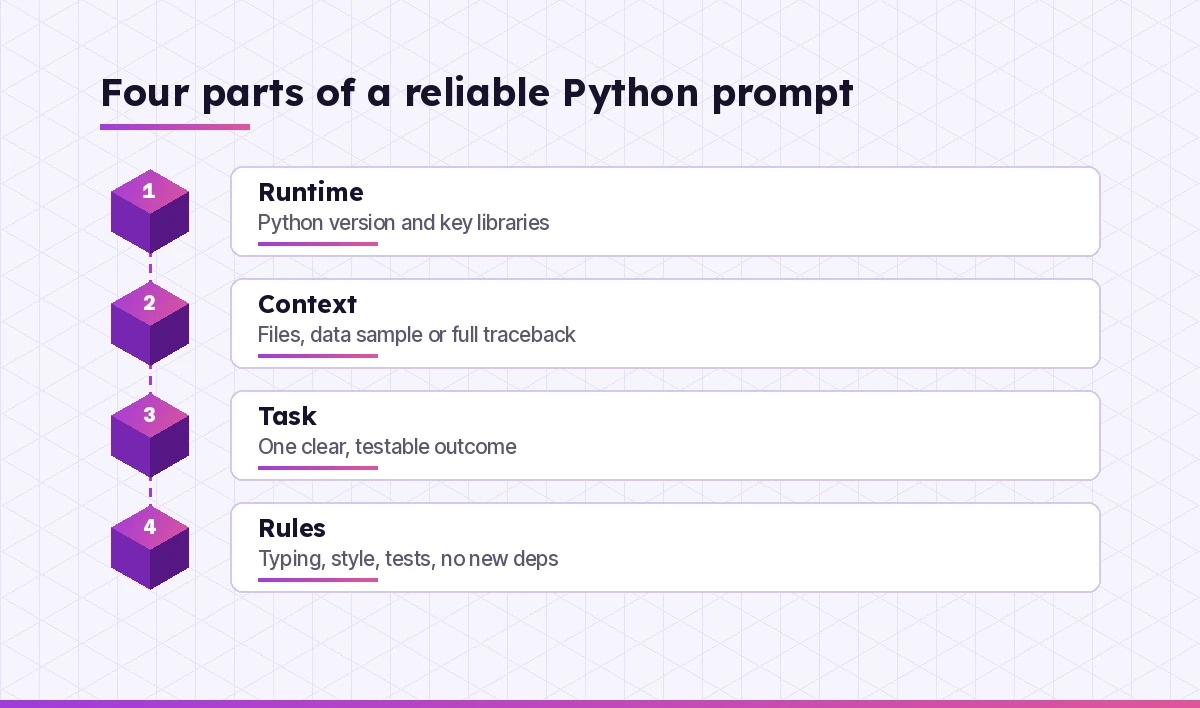
Most weak answers trace back to missing context, not to the model. Before you type, check that your prompt covers four things.
- Runtime. Python version and the libraries that matter, with versions where APIs changed (pandas 1 vs 2, Pydantic 1 vs 2, SQLAlchemy 1.4 vs 2.0).
- Context. The file, the function signature, a sample of the input data, or the full traceback.
- Task. One clear outcome. “Write a function that…” beats “help me with this script.”
- Rules. Style (PEP 8, Black, Ruff), type hints, docstring format, no new dependencies, tests required.
Here is a reusable frame. Keep it in a snippet or a prompt file and fill in the brackets.
Python [3.12]. Libraries: [pandas 2.2, requests].
Context: #file:[path] (or paste the function / traceback)
Task: [one sentence describing the result]
Rules: type hints, Google-style docstrings, no new dependencies,
follow PEP 8. List any assumptions before the code.
That last line, “list any assumptions,” is the cheapest quality boost there is. It surfaces guesses about encoding, time zones or empty inputs before they turn into bugs.
Prompts for Writing New Functions and Scripts
These copilot prompts for Python cover everyday building blocks. Start small. Ask for one function at a time, and say what should happen on bad input.
1. A typed utility function
Write a Python 3.12 function slugify(text: str, max_len: int = 60) -> str.
Lowercase, replace spaces and punctuation with single hyphens, strip
accents, trim to max_len without cutting a word in half. Include type
hints, a docstring with two examples, and raise ValueError on empty input.
2. A script with a proper entry point
Turn the code in #selection into a script with a main() function,
argparse options for --input and --output, logging instead of print,
and an if __name__ == "__main__" guard. Keep behaviour identical.
3. Reading files safely
Write a function that reads every .csv file in a folder, skips files that
fail to parse, logs the filename and error, and returns a list of rows as
dicts. Use pathlib and the csv module only. Assume UTF-8 but handle a BOM.
4. A dataclass model
Create a dataclass Invoice with id, customer, issued_on (date), lines
(list of LineItem) and a computed total property. Make it frozen, add
validation in __post_init__ for negative amounts, and show one example.
5. Config from environment variables
Write a small settings module that loads DATABASE_URL, API_KEY and
DEBUG from environment variables with sensible defaults, converts DEBUG
to bool, and fails fast with a clear message if API_KEY is missing.
No third-party packages.
6. Choose the right data structure
I need to count word frequencies across 50,000 short documents and then
get the top 20 words. Compare dict, collections.Counter and a heap-based
approach, then write the clearest version and explain its complexity.
Prompts for pandas and Data Wrangling
Data-focused copilot prompts for Python fail most often because Copilot can’t see the DataFrame. Paste df.head() and df.dtypes, or attach a small sample file. If you also write SQL against the same data, our Copilot prompts for SQL pair well with this section.
7. Clean a messy column
Here is df.head(10) and df.dtypes: [paste]. The "amount" column mixes
"$1,200.50", "1200" and blanks. Write pandas 2 code that converts it to
float, treats blanks as NaN, and reports how many rows failed to parse.
8. Group and summarize
Group df by region and month (from the order_date column) and return
total revenue, order count and average order value. Months with no
orders should show zero, not disappear. Use named aggregation.
9. Merge without surprises
Merge customers and orders on customer_id. Before merging, check for
duplicate keys in customers, then use validate="one_to_many" and
indicator=True. Show me how many orders had no matching customer.
10. Replace a slow loop
This loop uses iterrows() to build a new column and takes minutes on
2 million rows: [paste]. Rewrite it with vectorised pandas or NumPy
operations and explain why the new version is faster.
11. Reshape for a report
Pivot df so each row is a product and each column is a quarter, with
units sold as values. Then melt it back to long format. Explain when I
would want each shape.
12. Write a data validation check
Write a function validate_orders(df) that checks: no null order_id,
order_id unique, quantity > 0, order_date not in the future. Return a
DataFrame of failing rows with a "reason" column instead of raising.
Prompts for Testing With pytest
Testing is where copilot prompts for Python pay off fastest, because Copilot writes the tests you would otherwise skip. Be specific about edge cases, or it will test only the happy path. For a deeper set of testing templates across languages, see our GitHub Copilot prompts for unit tests.
13. First test file for a module
Write pytest tests for #file:utils/pricing.py. Cover normal values,
zero, negative input, rounding at two decimal places and very large
numbers. Use @pytest.mark.parametrize and descriptive test names.
14. Fixtures for shared setup
These five tests each build the same temporary SQLite database. Move
that setup into a pytest fixture with function scope using tmp_path,
and update the tests to use it.
15. Mock an HTTP call
fetch_rates() calls requests.get. Write tests that mock the request
with unittest.mock so no network is used. Cover a 200 response, a
timeout and a 500 error, and assert the function's retry behaviour.
16. Tests for time-dependent code
is_expired(token) compares against datetime.now(). Suggest a way to make
it testable (inject a clock or freeze time) and write tests for a token
expiring one second before, at, and after the deadline.
17. Find untested branches
Read #file:billing.py and list every branch and exception path that the
existing tests in #file:tests/test_billing.py do not cover. Then write
the missing tests only.
18. Property-style edge cases
For parse_duration("1h30m") -> int seconds, list 15 tricky inputs a
user could realistically send, then write parametrized tests for them.
Mark any case where the expected behaviour is unclear so I can decide.
The pytest documentation is the reference to check when Copilot suggests a plugin or fixture pattern you haven’t seen before.
Prompts for Debugging Tracebacks
Debugging copilot prompts for Python work only when you paste the full traceback, not just the last line. The frames above the error usually point to the real cause. Our wider guide to GitHub Copilot prompts for debugging covers general strategy; these are Python-specific.
19. Explain the traceback first
Explain this traceback in plain language, identify the line in MY code
(not the library) where things went wrong, and give the two most likely
causes before suggesting a fix: [paste traceback]
20. The classic NoneType error
I get "AttributeError: 'NoneType' object has no attribute 'get'" in
#selection. Trace where the None comes from and suggest a fix that
handles the missing case explicitly instead of hiding it.
21. Import and environment problems
ModuleNotFoundError for a package I installed. Here is the output of
"python -m pip --version", "which python" and my VS Code interpreter
path: [paste]. Explain the mismatch and how to fix it with a venv.
22. Wrong result, no error
This function returns 0.30000000000000004 instead of 0.3 for some
inputs. Explain floating point here and rewrite it using Decimal
with two decimal places and ROUND_HALF_UP rounding.
23. Mutable default argument bug
Items keep appearing in a list from a previous call to add_item().
Review #selection, find the cause and fix it. Then list any other
functions in the file with the same pattern.
24. Add logging to narrow it down
I can't reproduce this bug locally. Add structured logging to
#file:sync.py at the points that would show where the data changes,
using the logging module, and tell me what to look for in the output.
Prompts for Refactoring and Type Hints
Refactoring prompts work best when you ask Copilot to keep behaviour identical and prove it with tests. Our guide to GitHub Copilot prompts for refactoring goes further into safe, step-by-step changes.
25. Break up a long function
#selection is 120 lines and does parsing, validation and saving. Split
it into smaller functions with clear names, keep the public signature
unchanged, and list what each new function is responsible for.
26. Add type hints to a module
Add type hints to every function in #file:services/orders.py. Use
built-in generics (list[str], dict[str, int]), Optional only where None
is truly allowed, and flag any place where the types reveal a bug.
27. Make it pass a type checker
mypy --strict reports these errors: [paste]. Fix them properly without
using "type: ignore" or Any unless there is no alternative, and explain
each change in one line.
28. From dicts to models
This module passes around nested dicts like {"user": {"id": ..., ...}}.
Propose Pydantic v2 models (or dataclasses if I prefer no dependency)
and rewrite the two main functions to use them.
29. Modernize old syntax
Update #file:legacy.py to modern Python 3.12 style: f-strings, pathlib
instead of os.path, context managers for files, and match statements
only where they improve clarity. Keep behaviour identical.
30. Review like a senior developer
Review #selection as a senior Python developer. Comment on naming,
error handling, hidden side effects and testability. Rank issues by
importance and suggest the smallest change for each.
Prompts for APIs, Automation and Async Code
Scripts that talk to the outside world need timeouts, retries and clear failures. Say so in the prompt, or Copilot will often leave them out.
31. A resilient HTTP client
Write a function that calls a JSON API with requests, sets a timeout,
retries up to 3 times with exponential backoff on 429 and 5xx, and
raises a custom exception with the status and body on final failure.
32. A FastAPI endpoint
Create a FastAPI POST /orders endpoint that validates the body with a
Pydantic model, returns 201 with the created order, and 422 with a clear
message for bad input. Include a pytest test using TestClient.
33. Concurrent downloads
Download 200 URLs as fast as reasonable without hammering the server.
Compare ThreadPoolExecutor with asyncio + httpx for this case, then
write the version you recommend with a concurrency limit of 10.
34. Schedule a recurring job
Write a script that runs cleanup() every night at 02:00 local time.
Show a cron entry for Linux and a Task Scheduler approach for Windows
rather than a long-running Python loop, and explain the trade-off.
35. Automate a spreadsheet task
Using openpyxl, open report.xlsx, add a "Total" column summing columns
C to F for every row, bold the header, and save to a new file. Do not
overwrite the original.
36. Parse logs
Write a parser for log lines like [paste 3 examples]. Use a compiled
regular expression with named groups, return dataclass objects, and
count lines that don't match instead of crashing.
Prompts for Performance, Packaging and Docs
The last stretch of a project is often skipped. These copilot prompts for Python make profiling, packaging and documentation quick enough that you actually do them.
37. Profile before optimizing
This script takes 40 seconds. Show me how to profile it with cProfile
and read the output, then suggest optimizations for the top three
hotspots only. Don't change anything that isn't measured as slow.
38. Reduce memory use
Processing a 3 GB CSV crashes with MemoryError. Rewrite the loading
step to read in chunks, choose smaller dtypes, and keep the final
aggregation identical.
39. Create a pyproject.toml
Create a pyproject.toml for this package: name, version, Python >=3.10,
dependencies [list], a console script entry point "mytool = mytool.cli:main",
and Ruff + pytest configuration. Explain each section briefly.
40. Docstrings for a whole file
Add Google-style docstrings to every public function and class in
#file:core.py. Describe arguments, return values and raised exceptions.
Don't restate what the type hints already make obvious.
41. A README for the project
Write a README.md for this repository using #codebase: one-paragraph
summary, installation with venv, usage examples taken from the real CLI
options, how to run tests, and a short troubleshooting section.
42. Pin and audit dependencies
Here is my requirements.txt: [paste]. Flag packages that are unpinned,
duplicated or likely unused based on #codebase imports, and suggest a
cleaner split between runtime and development dependencies.
Prompts for Learning Python With Copilot
If you are new to the language, use Copilot as a patient tutor. Ask it to explain before it writes. Newcomers to the assistant itself may want our Copilot prompts for beginners first.
43. Explain a concept with your own code
Explain generators and the yield keyword using the function in
#selection as the example. Then show the same logic as a list and
compare memory use.
44. Line-by-line walkthrough
Walk through #selection line by line as if I know basic Python but not
decorators. After each step, show what the variables contain.
45. Practice exercises
Give me five short exercises on list comprehensions, from easy to hard.
Don't show solutions until I paste my answer, then review it.
46. Pythonic or not?
I come from Java. Rewrite #selection the way an experienced Python
developer would, and explain each idiom you used.
47. Read the error before fixing
Don't fix this yet. Ask me three questions that would help me find the
bug myself, then give hints one at a time: [paste code and error]
48. Build a study plan
I can write basic scripts. Create a four-week plan to get comfortable
with testing, packaging and type hints, with one small project per
week that I can build with Copilot's help.
A Worked Example: From Vague Request to Tested Function
Here is how the four-part structure changes the result in practice, using one of the most common copilot prompts for Python: parsing dates.
A vague first attempt looks like this:
write a function to parse datesCopilot will return something, but it has to guess the formats, the time zone and what happens on bad input. A better version gives it everything it needs:
Python 3.12, standard library only.
Task: write parse_when(value: str) -> datetime that accepts
"2026-10-28", "28/10/2026" and "2026-10-28T14:05:00Z".
Return timezone-aware datetimes in UTC. Raise ValueError with the
original value in the message for anything else.
Then write parametrized pytest tests for each format plus three
invalid inputs. List any assumptions first.
In our experience, the assumptions list is where the useful conversation starts. Copilot might note that “28/10/2026” is ambiguous for days below 13 and ask whether day-first is guaranteed. That one question can prevent a bug that would otherwise sit unnoticed until a date like 03/04 arrives.
From there, follow up rather than starting over: “Add support for Unix timestamps as int,” then “Run the tests and fix any failure” if you are in agent mode. Small, chained requests keep each change easy to review.
Mistakes That Make Copilot Write Worse Python
| Mistake | What happens | Better prompt habit |
|---|---|---|
| No version given | Deprecated pandas or Pydantic APIs | State Python and key library versions |
| Pasting only the last error line | Fixes the symptom, not the cause | Paste the whole traceback |
| Asking for a whole app at once | Long, untestable output | One function or file per request |
| No edge cases mentioned | Happy-path code and tests | List empty, None and huge inputs |
| Accepting new dependencies silently | Bloated requirements | Say “standard library only” when it matters |
| Skipping review | Subtle logic and security bugs | Run tests and read every diff |
Two habits matter more than any single prompt. Run the code and the tests every time, and never paste secrets, tokens or real customer data into a chat. Copilot can suggest insecure patterns like building SQL with f-strings or disabling certificate checks, so treat its output like a pull request from a new teammate.
GitHub’s own guide to prompt engineering for Copilot makes the same points: start general, then get specific, give examples, and break complex tasks into smaller ones.
Save Your Best Python Prompts for Reuse
Once a template works, stop retyping it. You have three options in VS Code and GitHub.
- Repository instructions. Put standing rules such as “use type hints, pytest, Ruff, Python 3.12” in
.github/copilot-instructions.md. Our Copilot instructions file guide shows the format. - Prompt files. Save a template like “write pytest tests for the selected function” as a reusable
.prompt.mdfile and call it by name. See our guide to Copilot prompt files. - Slash commands. Built-ins like
/tests,/fixand/explainare shortcuts for common requests. Our list of GitHub Copilot slash commands explains each one.
A shared set of copilot prompts for Python in the repo also keeps a team consistent. New developers inherit the same testing and typing standards on day one.
Frequently Asked Questions
Is GitHub Copilot good for Python?
Yes. Python is one of the languages Copilot handles best because so much public Python code exists. It is strongest at boilerplate, tests, data transforms and explaining code. You still need to review its output, run tests and check that it uses the library versions in your project.
How do I use Copilot for Python in VS Code?
Install the GitHub Copilot and Copilot Chat extensions, sign in with a GitHub account that has Copilot access, and install the Python extension. Then use inline suggestions while typing, Ctrl+I for inline chat, and the Chat view for questions. Attach files with #file so Copilot reads your actual code.
What should copilot prompts for Python include?
Four things: the Python version and key libraries, the relevant code or data sample, one clear task, and your rules such as type hints, docstring style, no new dependencies and tests required. Asking Copilot to list its assumptions before writing code is a simple way to catch wrong guesses early.
Can Copilot write pytest tests for my Python code?
Yes. Select a function or attach a file and ask for pytest tests that cover normal cases, edge cases and errors, ideally with parametrize and fixtures. The /tests slash command is a shortcut. Review the assertions carefully, because generated tests can sometimes assert the current buggy behaviour.
Can Copilot help me learn Python as a beginner?
It can be a patient tutor if you ask it to explain before it writes code, walk through code line by line, or give exercises without showing solutions. Avoid copying answers you don’t understand. The learning-focused copilot prompts for Python in this guide keep you doing the thinking.
Does Copilot work with pandas and Jupyter notebooks?
Yes. Copilot works in Jupyter notebooks inside VS Code and can write pandas, NumPy and plotting code. Because it can’t see your DataFrame, paste df.head() and df.dtypes or describe the columns so it uses the right names and types.