Copilot Prompt for Logo Design: 40 Powerful Prompts for Clean, Memorable Logos
A strong copilot prompt for logo design works like a short creative brief: it names the business, the feeling the mark should give off, the shape you have in mind, the colors and the style, and it tells Copilot to keep things simple. Leave those out and you usually get a busy, detailed picture that looks nothing like a logo and falls apart when you shrink it down to a favicon.
Below you will find 40 copy-ready logo prompts for Microsoft Copilot, sorted by the kind of mark you are after: wordmarks, lettermarks, icons, mascots, emblems and badges, plus prompts for color variations and quick concept rounds. Before the prompts, there is a brief template you can reuse; after them, a worked example, the limits you should know about, and how to turn an AI concept into a logo you can really use.
What Copilot Can and Cannot Do for a Logo
Copilot’s image generator is good at exploring ideas fast. In a few minutes you can see a dozen directions for a symbol, a palette or a style, which is exactly what you want at the start of a branding project.
It is not a vector design tool, though. Every image comes out as a flat raster picture, so you cannot pull the shapes apart, change a single curve or scale it up for signage without it getting soft. Text inside generated images is also unreliable: letters get swapped, stretched or invented. Microsoft’s own guide to using image generation in Copilot covers how to create and transform images, but nothing there promises print-ready brand files.
The practical approach is to treat Copilot as your concept sketchbook. Use it to find a direction, then rebuild the chosen idea cleanly, either yourself in a design app or with a designer.
The Copilot Prompt for Logo Design Brief Template
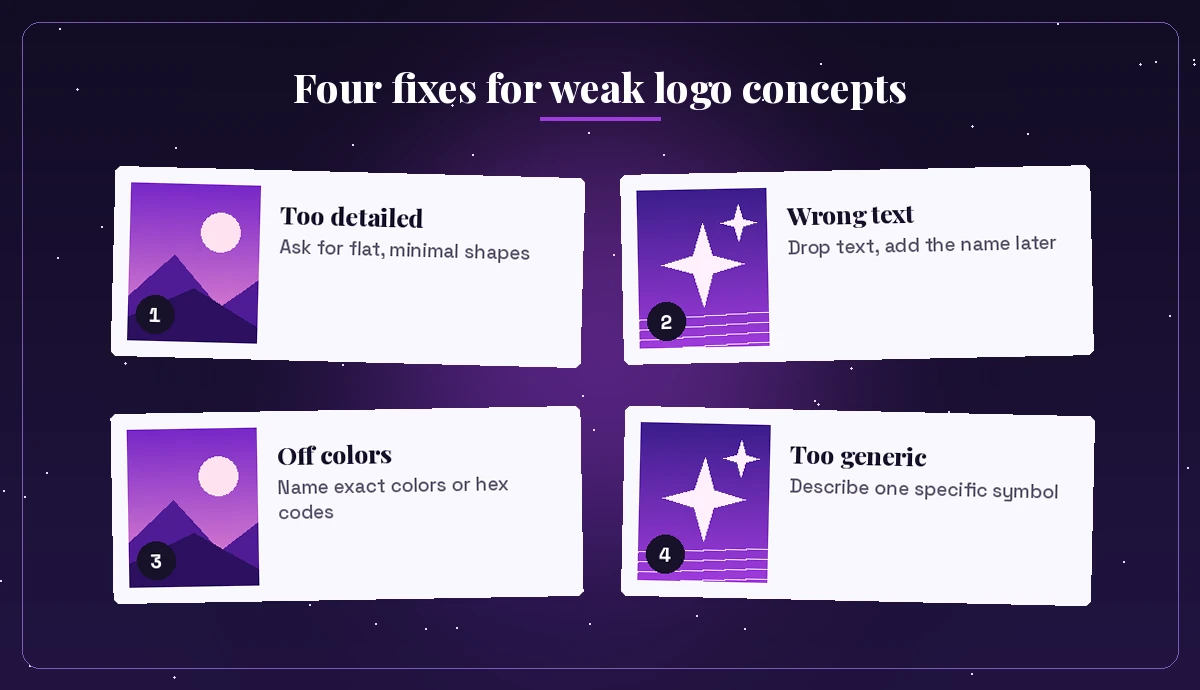
Most weak logo results come from prompts that only say “make a logo for my bakery.” Copilot then has to guess the style, the colors, the symbol and the level of detail, and it tends to guess “more.”
This template covers the gaps. Fill in the brackets and paste it as your starting copilot prompt for logo design:
Create a simple logo concept for [business name], a [type of business] for [audience].
Brand personality: [3 adjectives, e.g. friendly, modern, trustworthy].
Logo type: [icon / wordmark / lettermark / emblem / mascot].
Symbol idea: [object or shape, e.g. a leaf forming a coffee cup].
Style: flat vector look, clean geometric shapes, minimal detail.
Colors: [1-2 colors with names or hex codes] on a plain white background.
No gradients, no shadows, no photo realism, centered with lots of empty space.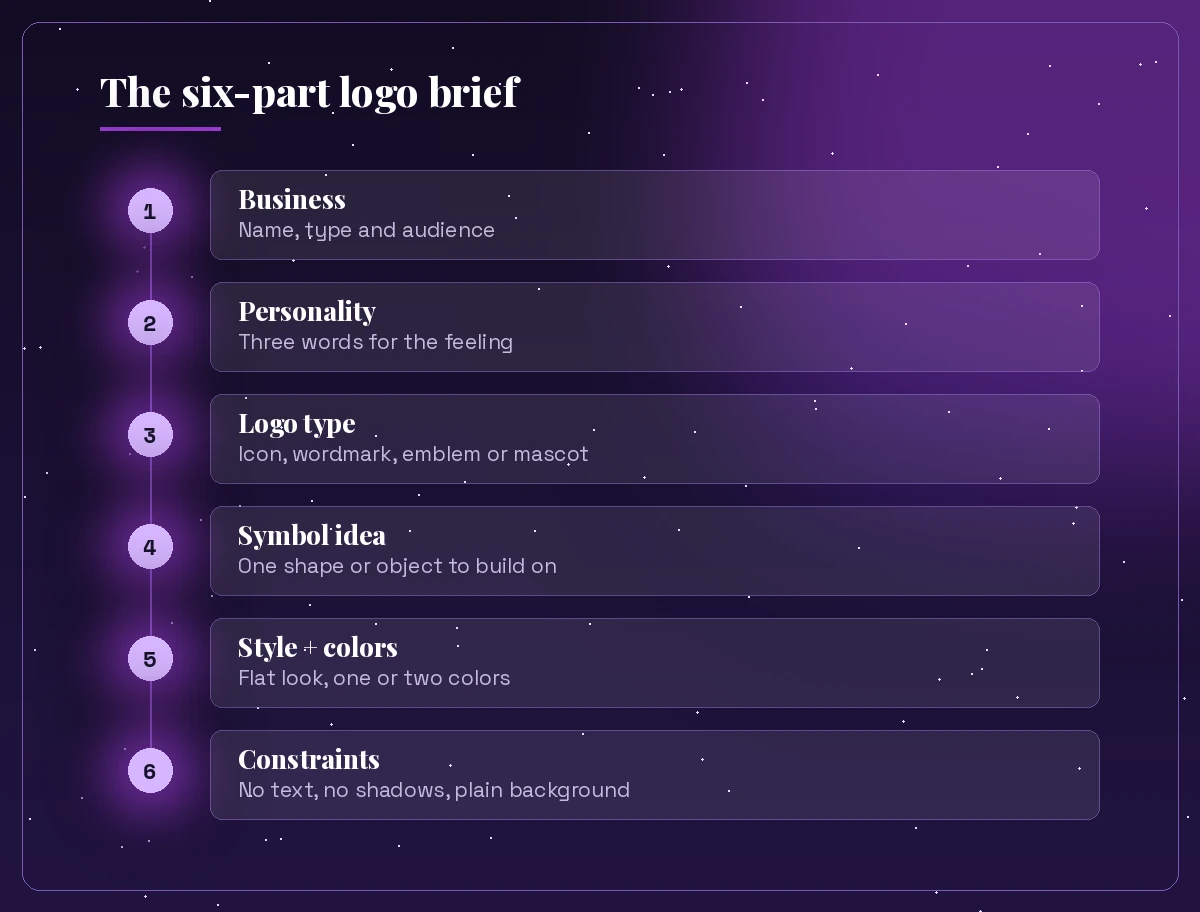
The last line does a lot of the work. Logo marks need to survive at tiny sizes and in one color, so asking for flat shapes, a plain background and no extra effects steers the generator toward something that looks like a real brand mark rather than an illustration. If you want the thinking behind briefs like this, our guide to Copilot prompt ingredients breaks down goal, context, source and expectations.
Icon and Symbol Logo Prompts
Pure symbols are where Copilot shines, because they avoid the text problem entirely. Keep each copilot prompt for logo design in this group to one idea.
Create a minimalist flat icon logo for a mobile banking app: a shield combined with
an upward arrow, deep navy and teal, simple geometric lines, white background, no text.
Design a simple logo symbol for an organic juice bar: a single citrus slice that also
reads as a sun, two colors only (orange and leaf green), flat vector style, no text.Create a clean icon logo for a cybersecurity consultancy: an abstract keyhole built
from three bold strokes, charcoal and electric blue, geometric, plenty of white space.Generate a minimalist logo mark for a yoga studio: a lotus outline drawn with one
continuous line, soft lavender on white, elegant and calm, no lettering.Create a flat logo icon for a dog grooming service: a playful dog head silhouette
with a small comb shape in the ear, coral and cream, rounded friendly shapes, no text.Design a simple abstract logo for a data analytics startup: three rising bars that
form a stylized letter-free mountain, indigo to violet tones, flat, no shadows.Create a negative-space logo for a bookstore cafe: an open book whose white center
forms a coffee cup, black on white, bold and minimal, suitable for a stamp.Generate a logo symbol for an electric bike rental brand: a wheel with a lightning
bolt as one spoke, lime green and dark grey, flat geometric style, no text.Wordmark and Lettermark Prompts
Because generated letters are hit and miss, use these prompts to explore the style of type: weight, spacing, mood. Expect to retype the final name in a proper font later.
Create a wordmark logo concept that says "NOVA" in bold, wide, geometric capital letters,
deep purple on white, tight letter spacing, modern tech feel, no icon.
Design a lettermark logo using the initials "KB" interlocked in a clean monoline style,
gold on a dark green background, elegant and premium, centered.Create a hand-lettered wordmark style for a bakery called "Crumb", warm brown script
with a small wheat stalk underline, cream background, cozy and friendly.Generate a minimal monogram logo of the letter "M" built from two overlapping
triangles, single color teal, flat geometric, lots of white space around it.Design a wordmark concept in a retro 1970s style with rounded, chunky lowercase letters,
orange and mustard tones, plain background, for a vinyl record shop. Keep text short.Create three lettermark explorations for the initials "AR": one serif, one geometric
sans, one rounded. Black on white, arranged in a row, simple and clean.If Copilot misspells the name, do not fight it with ten retries. Ask for the same style with the letters removed, keep the symbol or treatment you like, and set the real text yourself.
Mascot and Character Logo Prompts
Mascots suit food brands, gaming communities, kids’ products and sports teams. The key in any mascot-style copilot prompt for logo design is asking for bold outlines and limited color so the character still works small.
Create a friendly mascot logo of a smiling owl wearing round glasses for a tutoring
service, bold outlines, flat colors (purple, yellow, white), simple shapes, no text.
Design a sports team mascot logo of a fierce fox head in profile, sharp angular shapes,
orange, black and white, esports style, thick outline, plain background.Create a cute cartoon mascot logo of a happy taco for a food truck, thick black outline,
bright limited palette, sticker-style with a white border, centered.Generate a mascot logo of a calm sloth hanging from a branch for a slow-living
lifestyle blog, soft greens and browns, rounded friendly lines, minimal detail.Design a mascot logo of a robot with a lightbulb head for a kids' coding club,
flat colors, rounded shapes, two main colors plus white, cheerful expression.Emblem, Badge and Vintage Logo Prompts
Emblems hold text and a symbol inside a shape, such as a circle, shield or crest. They are popular for breweries, outdoor brands and local services.
Create a vintage circular badge logo for a mountain outfitter: pine trees and a peak
inside a ring, two colors (forest green and cream), engraved line style, leave the ring
area blank for text.
Design a shield emblem logo for a private security firm: a stylized eagle above
crossed keys, navy and silver, symmetrical, bold and serious, flat style.Create a retro badge logo for a barbershop: crossed razor and comb inside a rounded
rectangle, black and red, vintage 1950s feel, simple shapes, blank banner for the name.Generate a hexagon badge logo for a honey brand: a single bee over honeycomb cells,
amber and charcoal, line art style, clean and modern, centered on white.Design a stamp-style emblem for a craft coffee roaster: a coffee bean with sun rays
inside a circle, one color dark brown, rough ink texture, plain background.Notice the “leave the ring area blank” and “blank banner” instructions. They give you clean space to add the real business name later instead of trying to fix garbled lettering.
Prompts for Colors, Variations and Mockups
Once you have a concept you like, the next copilot prompt for logo design should check whether it holds up in different situations.
Show this same logo concept in four color versions side by side: full color,
single-color black, white on dark purple, and a soft pastel version.
Create a simplified version of this logo that would still be readable as a 32 x 32
pixel app icon. Remove small details and thin lines.Place this logo concept on a simple white business card mockup lying on a light grey
desk, top-down view, soft natural light.Show this logo on a storefront sign, a coffee cup and a tote bag in one clean
mockup image, neutral background, realistic but simple.Suggest five color palettes for a calm, trustworthy healthcare brand. Give each palette
a name, two to three hex codes and one sentence on the feeling it creates.The last prompt is text-only, and that is deliberate. Copilot is often more useful as a thinking partner than as a picture generator when you are choosing colors, names or brand adjectives.
Brainstorm Prompts Before You Generate Anything
Some of the best logo work happens before the first image. Use Copilot chat to sharpen the idea, then feed the result into an image prompt.
I'm creating a logo for [business]. Ask me eight short questions about the brand,
audience and competitors that a logo designer would ask before starting.
List 10 symbol ideas for a logo for [business], each with a one-line reason it fits.
Avoid cliches like lightbulbs, globes and generic swooshes.Give me three distinct logo directions for [business]: describe the symbol, style,
colors and personality of each in three sentences.Turn this brand description into a short image prompt for a minimalist logo concept:
[paste your description].Review these logo concepts I describe below and rank them for memorability, simplicity
and how well they would work in one color: [describe concepts].Write a one-paragraph logo design brief I can send to a freelance designer, based on
these notes: [paste notes]. Include deliverables like SVG, PNG and a one-color version.Suggest 5 short business name and logo pairings for a [type of business], where the
symbol plays on the name in a clever but simple way.What are the most common logo styles in the [industry] market right now, and how could
a new brand look different while still feeling credible?Create a checklist I can use to judge whether a logo concept is simple, scalable,
memorable and appropriate for [audience].Rewrite my logo prompt so it is clearer and more specific, and tell me what was missing:
[paste prompt].Small business owners often run this whole process alone. If that is you, our list of Copilot prompts for small business owners covers marketing, pricing and admin tasks that come right after a new logo.
A Worked Example: From Vague Idea to Usable Concept
Here is how a refining session usually goes for a fictional plant shop called Fern & Co.
First attempt:
Make a logo for my plant shop Fern & Co.The result is a detailed watercolor scene with pots, leaves and a misspelled name. Pretty, but not a logo.
Second attempt, using the brief:
Create a simple logo concept for Fern & Co, a small urban plant shop for young
apartment renters. Personality: fresh, calm, modern. Icon only: a single fern frond
curling into a circle. Flat vector look, one shade of deep green on white, no text,
no shadows, centered with lots of space.
Now the result is a clean symbol, though the frond has too many tiny leaves.
Third step, one change at a time:
Keep the same idea but reduce the frond to seven bold leaves and make the line
weight thicker so it still reads at small sizes.
Fourth step, check the variations:
Show this icon in black, in white on deep green, and as a 32 x 32 app icon.Four short versions of a copilot prompt for logo design turned a vague wish into a clear direction you can hand to a designer or rebuild in a vector tool. The same step-by-step refining style works for every other picture too, which our guide on the Copilot prompt for image generation covers in more depth.
Turning an AI Concept Into a Real Logo
A generated image is a starting point, not a finished brand asset. To get something you can print, embroider and use online, plan for these steps:
- Rebuild it as a vector. Recreate the shapes in a vector editor (or ask a designer to) so you get clean SVG, EPS or PDF files that scale to any size.
- Set the type properly. Pick a real font that matches the style Copilot suggested, and check its license allows commercial use.
- Lock the colors. Choose exact hex, RGB and, if you print, CMYK values. A Copilot prompt can suggest them, but you decide.
- Make the essential versions. Full color, one color, reversed (white), and a small icon for social profiles and favicons.
- Check for conflicts. Search for similar marks in your industry before you commit. A simple shape may already be in use.
On ownership: rules around AI-generated artwork are still developing and differ by country. The US Copyright Office has published guidance on AI and copyright that is worth reading, and for a logo you plan to trademark, speaking with a qualified professional is the safe move. Reworking the concept substantially by hand also strengthens your claim that the final mark is your own design.
Tips for Better Copilot Logo Results
- Ask for less. “Minimal”, “flat”, “two colors” and “no text” are your most useful words.
- Name one style. “Geometric”, “line art”, “vintage badge” or “mascot”, not all four at once.
- Describe the shape, not just the business. “A leaf forming a cup” beats “a coffee logo.”
- Use a plain background. It makes the concept easier to judge and to trace later.
- Change one thing per follow-up. You will learn which instruction caused which change.
- Stay original. Do not ask Copilot to copy or imitate another company’s logo or a famous character. Besides the legal risk, it defeats the point of having your own brand.
When your logo is ready, you will likely need a deck to present it. Our Copilot prompts for pitch deck guide helps you build the slides around your new identity.
Final Thoughts
The best copilot prompt for logo design is short on decoration and long on clarity: who the brand is, the feeling it should give, one symbol idea, one style, a tight palette and a reminder to keep it simple. Use Copilot to explore many directions quickly, refine your favorite with small follow-up prompts, and then rebuild the winner as a clean vector file you fully control.
Frequently Asked Questions
Can Microsoft Copilot design a logo?
Copilot can generate logo concepts from a text prompt, which is great for exploring symbols, styles and colors. The output is a flat raster image, so for a final logo you should rebuild the chosen concept as a vector file in a design tool or with a designer.
What is a good Copilot prompt for a logo?
Include the business name and type, the audience, three personality words, the logo type, one symbol idea, a simple style, one or two colors and constraints like plain white background, no gradients and no text. Clear limits keep the result clean and usable.
Why does Copilot misspell the name in my logo?
Image generators often struggle to render text accurately. Ask for the symbol with no text or leave a blank area for the name, then add the real business name yourself using a proper font.
Can I get a vector or SVG logo from Copilot?
Not directly. Copilot creates image files, not editable vectors. Trace or recreate the concept in a vector editor, or hand it to a designer to produce SVG, EPS and PDF versions.
Can I trademark a logo made with Copilot?
Rules on AI-generated artwork are still evolving and vary by country. Read official guidance such as the US Copyright Office’s material on AI, rework the concept substantially yourself, and speak with a trademark professional before registering it.
How many logo concepts should I generate?
Start with several quick directions using different symbols or styles, pick the one or two strongest, then refine them with small follow-up prompts. Checking the concept in one color and at icon size helps you choose the winner.