Copilot Prompts for Pitch Deck: 30 Powerful Templates That Win Investors and Clients
Copilot prompts for pitch deck work are most useful long before anyone opens PowerPoint. A pitch lives or dies on its story: the problem you name, the proof you show, and the one thing you ask for at the end. Microsoft 365 Copilot can help you find that story in your own notes, shape it into slides, and then pressure-test it the way a skeptical investor or buyer would.
This guide walks through the whole process in the order you would actually do it. You will get 30 copy-ready templates for Copilot Chat, Word and PowerPoint, a worked example, and a short list of mistakes to catch before the deck leaves your laptop.
Swap anything in square brackets for your own details. Treat every answer as a first draft, because only you know which numbers are real and which claims you can defend in the room.
What Makes a Pitch Deck Different from Other Presentations
A training deck explains. A status deck reports. A pitch deck has to persuade someone to do something specific: invest, sign, approve a budget, or take the next meeting. That changes how you should prompt.
Three things matter more than usual, and good copilot prompts for pitch deck drafts should reflect all of them:
- A single, clear ask. Every slide should earn its place by moving the audience toward that ask.
- Evidence over adjectives. “Fast-growing” means nothing. A dated metric, a customer quote or a signed pilot means a lot.
- Brevity. Pitch audiences often skim a deck before the meeting or after it. A slide that needs a paragraph of explanation is a slide that needs rewriting.
Copilot is good at structure, wording and spotting gaps. It is not a source of market facts. If you ask it to invent a market size, it may give you a confident number with nothing behind it. Bring your own data, or ask it to tell you which figures you still need to find. The best copilot prompts for pitch deck slides always include a line asking it to flag gaps.
How to Write Copilot Prompts for Pitch Deck Tasks
Microsoft’s advice on writing good Copilot prompts boils down to four parts: goal, context, sources and expectations. For investor and sales presentations, it helps to make each part concrete.
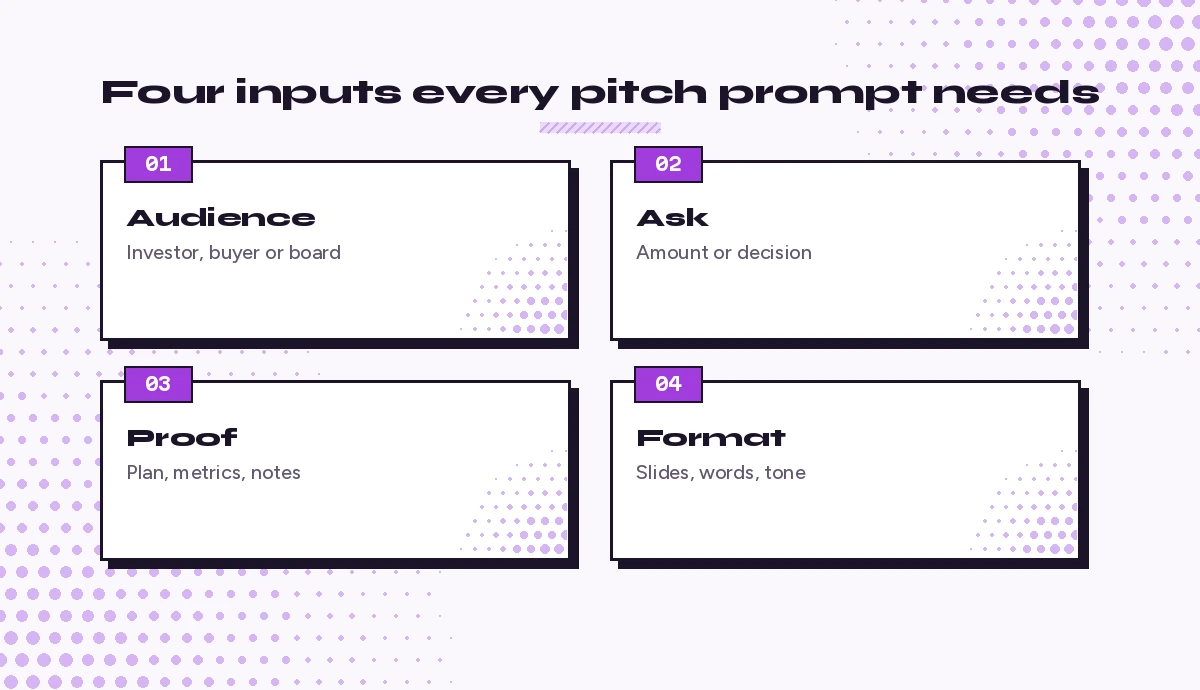
- Audience. Seed investors, a Series A partner, a procurement team, an internal budget committee.
- Ask. The amount you are raising, the contract you want, or the decision you need.
- Proof. The files Copilot should read: a business plan, a metrics sheet, customer interviews, a one-pager.
- Format. Slide count, words per slide, tone, and whether you want speaker notes.
Here is how that looks side by side:
Weak: Make a pitch deck for my startup.

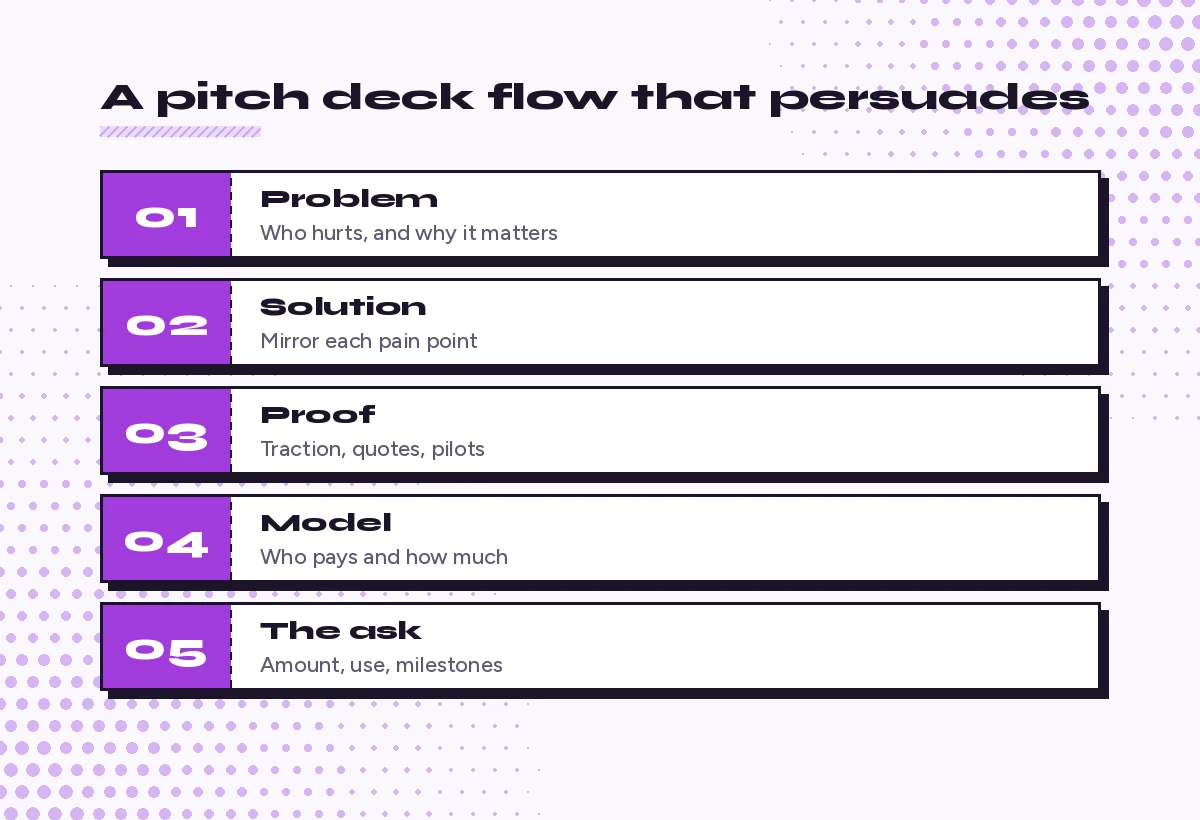
Strong: Using /BusinessPlan.docx and /Metrics_Q3.xlsx, outline a 12-slide seed investor pitch for [Company], a [one-line description]. We are raising [amount] to [use of funds]. Follow this order: problem, solution, why now, market, product, traction, business model, competition, team, financials, ask, contact. Give each slide a headline of 8 words or fewer and three supporting bullets. Flag any slide where my files do not contain enough evidence.
The second version gives Copilot a job, a structure and a way to tell you what is missing. That last line is the most important habit in this whole guide.
Step 1: Find the Story Before the Slides
Most weak decks start in PowerPoint. Strong ones start with a few sentences you can say out loud. Run these copilot prompts for pitch deck storytelling in Copilot Chat or Word first.
1. Turn rough notes into a one-sentence pitch
Read my notes in /[File]. Write five versions of a one-sentence pitch for [Company] that names the customer, the problem and the outcome we deliver. Keep each under 25 words and avoid buzzwords like "revolutionary" or "seamless."2. Sharpen the problem statement
Here is how I describe the problem we solve: [paste]. Rewrite it so a non-expert understands who feels this pain, how often, and what it costs them today. Give me three options: one emotional, one numeric, one based on a customer story. Do not invent numbers; use [X] where data is needed.3. Explain “why now”
Based on /[Market notes file], list the changes in technology, regulation or customer behavior that make [our solution] possible or necessary now rather than five years ago. For each one, tell me what evidence I would need to show on a slide.4. Choose a narrative arc
Suggest three different story structures for a pitch deck for [Company]: one that opens with a customer story, one that opens with a bold market insight, and one that opens with traction. For each, list the slide order and explain which audience it suits best.5. Write the elevator version first
Write a 60-second spoken pitch for [Company] aimed at [audience]. Use plain language, end with a clear ask for [specific next step], and keep it under 150 words. Then list the five claims in it that I must back up with evidence.Step 2: Build the Deck Outline
Once the story holds up, ask for an outline before you ask for slides. Outlines are cheap to change; designed slides are not. These copilot prompts for pitch deck outlines cover investor, sales and internal formats.
6. Classic investor outline
Create a slide-by-slide outline for a [10-12]-slide investor pitch deck for [Company]. For each slide give: a headline written as a takeaway (not a label), up to three bullets, and the one visual that would prove the point (chart, screenshot, quote or diagram).7. Sales pitch outline for a buyer
Outline an 8-slide sales pitch for [Product] to [buyer role] at [type of company]. Focus on their problem, the cost of doing nothing, how we solve it, proof from similar customers, pricing approach, implementation timeline and a clear next step. Use /[Case study file] for the proof slide.8. Internal funding or project pitch
I need approval from [leadership group] for [project] with a budget of [amount]. Outline a 7-slide internal pitch: the problem, options considered, recommended option, cost and return, risks, timeline, and the decision I need. Keep the tone factual and concise.9. Demo day or short-format pitch
Compress this outline into a 5-slide, 3-minute demo day pitch: [paste outline]. Keep only what a room of investors needs to remember. Tell me which slides you cut and why.10. Turn a document straight into a deck
In PowerPoint, Copilot can build a presentation from a Word or PDF file you point it to. Microsoft explains the steps in its guide to creating a presentation with Copilot in PowerPoint, and we cover the details in our walkthrough on how to create PowerPoint slides from a Word document.
Create a pitch presentation from /[Pitch narrative].docx. Use one idea per slide, short headlines that state the takeaway, and no more than 30 words of body text per slide. Add a closing slide with our ask: [ask].Step 3: Draft the Slides That Carry the Most Weight
Some slides deserve their own prompt because they decide whether the audience keeps listening. Use these copilot prompts for pitch deck slides one at a time and paste the results into your outline.
11. Problem slide
Write the problem slide for [Company]. Headline: one sentence stating the pain. Body: three short bullets covering who has the problem, what they do about it today, and why that fails. Suggest a visual that shows the pain rather than describing it.12. Solution slide
Describe our solution, [Product], in a way that mirrors the three pain points on the problem slide: [paste bullets]. One bullet per pain point, each starting with a verb. No feature lists.13. Market size slide
Using only the figures and sources in /[Market research file], draft a market size slide with total, serviceable and obtainable market. Show the calculation for each number in the speaker notes. If my file lacks a figure, leave a placeholder and tell me what source type would fill it.If you still need those numbers, our Copilot prompts for market research help you gather and organize sources before they reach a slide.
14. Traction slide
Read /[Metrics file] and pick the three metrics that best show momentum for a [stage] company. Write a traction slide headline that states the trend, then show each metric with its time period. Suggest whether a line chart or a simple number callout works better.15. Business model slide
Explain how [Company] makes money in four lines: who pays, what they pay for, how pricing works, and what a typical customer is worth over a year. Use our pricing from /[Pricing file]. Flag any assumption I should state out loud.16. Competition slide
List our main alternatives: [competitors and the "do nothing" option]. Create a comparison table on the four criteria customers care about most: [criteria]. Be honest about where competitors are stronger, then write one line on why customers still choose us.17. Team slide
Write team slide bios for these people: [names and backgrounds]. Each bio should be one line that links their experience directly to why they can win in this market. Avoid generic phrases like "passionate leader."18. The ask slide
Write a closing "ask" slide for [Company]. State the amount or decision we want, the three things it will fund or unlock, and the milestones we expect to hit with it over [time period]. End with one line inviting the next step.Step 4: Refine Wording and Design in PowerPoint
With a draft open in PowerPoint, use Copilot to tighten what is already there. These copilot prompts for pitch deck polish work best on one slide or one section at a time.
19. Rewrite headlines as takeaways
Review every slide title in this presentation. Rewrite any title that is a label (like "Market" or "Team") as a takeaway sentence of 8 words or fewer that tells the audience what to conclude.20. Cut text-heavy slides
Find the three slides with the most text. For each, suggest a version with half the words and one visual that replaces the removed text.21. Keep the voice consistent
Check this deck for inconsistent tone, tense and terminology. List every place where we use different words for the same thing (for example "users," "customers" and "clients") and suggest one term to standardize on.22. Suggest visuals for data
For each slide that contains numbers, recommend the clearest visual: a single big number, bar chart, line chart, or before-and-after comparison. Explain each choice in one line.23. Add speaker notes
Write speaker notes for every slide. Each note should be 60 to 90 words, conversational, and include one transition sentence into the next slide.For more on this step, see our full set of Copilot speaker notes prompts.
Step 5: Pressure-Test the Pitch Before You Present
This is where Copilot earns its keep. Ask it to play the toughest person in the room. Of all the copilot prompts for pitch deck preparation, these are the ones founders tend to skip and later wish they had run.
24. Investor objections
Act as a skeptical early-stage investor reviewing this deck. List the ten hardest questions you would ask, ranked by how likely they are to kill the deal. For each, suggest the evidence I should prepare.25. Buyer objections
Act as a cautious [buyer role] evaluating this sales pitch. What concerns would stop you from moving forward? Cover cost, risk, switching effort and internal politics. Suggest a one-line response to each.26. Find unsupported claims
Go through this presentation and list every claim that is not backed by a number, a source, a customer quote or a demo. Mark each as "needs data," "needs source" or "rephrase as opinion."27. Check the logic of the story
Summarize this deck in five sentences, one per section. Then tell me where the story jumps, repeats itself, or asks the audience to accept something we have not yet shown.28. Tailor the deck for a new audience
I am presenting this deck to [new audience] instead of [original audience]. Tell me which slides to reorder, which to cut, which to add, and which headlines to rewrite so the pitch speaks to what they care about.Step 6: Follow Up After the Meeting
The pitch does not end when the screen goes dark.
29. Follow-up email
Draft a follow-up email to [name] after today's pitch. Thank them, restate our ask in one sentence, answer the question they raised about [topic], and propose a specific next step with two time options. Keep it under 150 words.30. Leave-behind version of the deck
Turn this presentation into a leave-behind version that can be read without me presenting it. Expand headlines into full sentences where needed, add one short paragraph of context per section, and keep the total under 15 slides.A Worked Example
Imagine a two-person startup building scheduling software for small veterinary clinics. The founders have a messy Word file with interview notes and a spreadsheet of pilot results. Here is how they could use these copilot prompts for pitch deck building in a single afternoon.
- They run prompt 1 on the interview notes and pick a one-liner they can say without stumbling.
- They run prompt 4 and choose the customer-story arc, because their strongest asset is a clinic manager who stopped losing appointments.
- They run prompt 6 to get a 10-slide outline, then prompt 10 to build the first draft in PowerPoint from their narrative document.
- They run prompt 26 and discover that their market slide has no source. They pull figures from an industry association report and redo prompt 13.
- They run prompt 24 and prepare answers for the three questions that worry them most.
Nothing in that flow asks Copilot to invent facts. It organizes, rewrites and challenges what the founders already know. That is the safest and most effective way to use it for any pitch.
Common Mistakes to Avoid
| Mistake | Why it hurts | Better prompt habit |
|---|---|---|
| Asking for a deck with no files attached | Copilot fills gaps with generic filler | Point it to your plan, metrics and notes |
| Letting it estimate market size | Numbers may have no real source | Ask it to flag missing data instead |
| Accepting label-style headlines | The audience has to work out the point | Request takeaway headlines of 8 words or fewer |
| Keeping every slide it generates | Pitches get long and lose focus | Ask which slides to cut for a short format |
| Skipping the objection test | You meet hard questions for the first time live | Run the investor or buyer role-play prompt |
Tips for Better Results
- Keep a prompt library. Save the copilot prompts for pitch deck tasks you reuse in a Word file or your Copilot prompt gallery so the whole team writes decks the same way.
- Work in small steps. Outline first, then slides, then wording. Asking for a finished deck in one prompt gives you a finished-looking deck that still needs rebuilding.
- Keep one source of truth. Store your current numbers in one sheet and reference it every time, so figures stay consistent across slides.
- Use your brand template. Copilot in PowerPoint can work with your organization’s templates, which saves a lot of design cleanup.
- Read it out loud. If a slide is hard to say, it is hard to follow. Ask Copilot to simplify any line you trip over.
- Protect sensitive data. Fundraising and pricing details are confidential. Follow your organization’s rules on which files Copilot may access.
If your pitch is for a client rather than an investor, our guides to Copilot prompts for sales and Copilot prompts for proposal writing pair well with the templates above. For general slide building, start with our Copilot prompt to create a PowerPoint presentation guide.
Final Thoughts
A great pitch is still your story, told by you. The value of good Copilot prompts for pitch deck preparation is speed and honesty: you get a structured draft in minutes, and you get a critic who will point out every weak claim before an investor or buyer does. Start with prompt 1 today, keep your real numbers close, and let Copilot handle the rewriting while you focus on the conversation.
Frequently Asked Questions
What are the best copilot prompts for pitch deck creation?
The most useful ones ask Copilot to find your one-sentence story, outline the deck with takeaway headlines, draft key slides like problem, traction and the ask, and then role-play a skeptical investor or buyer. Always point Copilot to your own files so it works from real information.
Can Copilot create a full pitch deck in PowerPoint?
Yes. Copilot in PowerPoint can generate a presentation from a prompt or from a Word or PDF file you reference. Expect a solid first draft that still needs your data, your brand template and careful editing before you present it.
Will Copilot make up market size or financial numbers?
It can produce figures that look credible but have no reliable source. Give Copilot your own research and metrics, and ask it to leave placeholders and flag missing data rather than estimate numbers for you.
How many slides should an investor pitch deck have?
Many founders aim for roughly 10 to 15 slides for a full pitch and far fewer for short demo day formats. Ask Copilot to compress or expand your outline to match the time you have and the audience you are meeting.
Can I use Copilot to prepare for investor questions?
Yes. Ask Copilot to act as a skeptical investor, list the hardest questions it would ask about your deck, and suggest the evidence you should prepare for each one. This is one of the most valuable ways to use it before a meeting.
Is it safe to put fundraising details into Copilot?
Microsoft 365 Copilot works within your organization’s security and permission settings, but fundraising and pricing data is sensitive. Follow your company’s policies on confidential files and only share what Copilot needs for the task.