Copilot Prompts for Market Research: 40 Proven Prompts for Sharper Insights
Copilot prompts for market research help you get from a vague question like “is there demand for this?” to a structured brief, a competitor grid and a clear recommendation in far less time. This guide shares 40 copy-ready prompts arranged around a real research project, plus the habits that stop AI-assisted research from turning into confident guesswork.
Market research has always been a mix of reading, sorting and judgement. Copilot is very good at the first two. It can scan the documents, survey exports and web sources you point it to, group what it finds and draft the write-up. The judgement, meaning which sources to trust and what the findings mean for your business, stays with you.
What Copilot Prompts for Market Research Can and Cannot Do
Before you paste in a single prompt, it is worth knowing which Copilot you are using, because each one sees different data.
- Microsoft 365 Copilot Chat can search the web (when your admin allows it) and, with a Microsoft 365 Copilot licence, ground answers in your work files, emails and meetings.
- The Researcher agent in Microsoft 365 Copilot is built for longer, multi-step investigations and produces a structured report with citations. It suits questions that need many sources stitched together.
- Copilot in Excel works on survey exports and sales tables, so it is the place for crosstabs, segments and charts.
- Copilot in Word and PowerPoint turns your notes into a report or a readout deck.
What none of them can do is invent reliable market data. If you ask for a market size with no source, you may get a tidy number that nobody can defend. Treat Copilot as a fast research assistant that reads, summarises and drafts, and always ask it to show where each claim came from.
The Research Brief Formula
Microsoft’s guide to writing good Copilot prompts suggests a goal, context, expectations and source. For research work, add two extra pieces so the output stays honest:
- Decision: what you will decide with the answer, such as “enter the Gulf market or not”.
- Audience and market: the customer segment, region and time frame.
- Sources: which files, sites or survey exports to use, and which to ignore.
- Evidence rule: cite every claim, label estimates, and say “unknown” instead of guessing.
- Format: a table, a one-page brief or a slide outline.
Here is a reusable starter you can adapt for almost any project:
I'm researching [market or product] for [company type] in [region].
The decision this supports: [decision].
Use only these sources: [files / websites]. Cite each claim with its source.
If data is missing, write "unknown" rather than estimating.
Output: a one-page brief with key findings, open questions and next steps.
Prompts to Scope the Research Question
Most weak research starts with a fuzzy question. These first copilot prompts for market research make Copilot challenge your brief before you spend a week on it.
Turn this rough idea into 5 specific, answerable research questions: [idea]. For each, note what data would answer it.I want to know if [product] has demand among [audience]. List the assumptions hiding in that question and how I could test each one.Draft a research plan for [topic]: objectives, methods (desk research, survey, interviews), timeline for 3 weeks, and risks.What would I need to believe for [business idea] to succeed? Give me a list of critical assumptions ranked by risk.Rewrite this research brief so a stakeholder can approve it in 2 minutes: [paste brief].Prompts for Desk Research and Industry Overviews
Desk research is where Copilot saves the most time. Point it at reliable sources and ask for structure, not just a summary.
Summarize the main trends in [industry] over the last 3 years using credible sources. Cite each trend and separate facts from opinions.From these reports [attach files], extract every statistic about [topic] into a table with columns: figure, what it measures, year, source, page.Explain the value chain of [industry] in plain language: who pays whom, where margins sit, and which players hold power.List the regulations or policies that affect [product] in [country]. Link to official sources only and flag anything you are unsure about.Compare what these three sources say about [market trend]. Where do they agree, where do they conflict, and which looks most reliable?If you have access to the Researcher agent, give it the bigger version of these questions and let it run. Then use Copilot Chat to pressure-test the output with follow-up questions.
Competitor Analysis Prompts
Competitor research is easier to trust when you force a consistent structure. Ask for the same fields for every rival so the comparison is fair.
Build a competitor grid for [your product] against [competitor list]. Columns: target customer, core offer, pricing model (from their public site), key claims, strengths, weaknesses, source link.Read the homepage and pricing page of [competitor URL]. Summarize their positioning in one sentence and list the 3 customer problems they emphasize.Using these customer reviews of [competitor] [paste or attach], group complaints into themes and count how often each appears.Write a SWOT analysis for [competitor] based only on the information above. Mark any point that is an inference rather than a stated fact.Where is the white space? Based on the competitor grid, suggest 3 positioning angles no competitor clearly owns.Create a battle card for our sales team: how we differ from [competitor], common objections, and honest answers.For a deeper library on positioning and campaigns, our Copilot prompts for marketing guide picks up where competitor research leaves off.
Customer and Audience Insight Prompts
Good research is about people, not just markets. These prompts help you turn interviews, support tickets and social comments into personas and needs.
From these interview notes [attach], identify the top 5 jobs customers are trying to get done, with a supporting quote for each.Group these support tickets into pain-point themes. For each theme give a short label, a count, and two example tickets.Draft 3 data-based personas from this research. Include goals, frustrations, buying triggers and the evidence behind each trait. Do not invent demographics.Map the customer journey for [audience] buying [product]: stages, questions they ask, channels they use, and where they drop off.What objections might a [job title] raise before buying [product]? Rank them by how often they appear in these call notes.Survey Design and Analysis Prompts
Copilot can help you write a cleaner survey and then make sense of the results. Use Copilot Chat or Word for the questions and Copilot in Excel for the data.
Writing the survey
Write a 12-question survey to measure [goal] among [audience]. Mix multiple choice, a rating scale and 2 open questions. Avoid leading wording.Review these survey questions for bias, double-barrelled wording and confusing scales. Suggest a fixed version of each: [paste questions].Write a short, friendly invitation email for this survey that explains why it matters and how long it takes.Analysing the responses
In this survey table, show the share of respondents for each answer to Q4, split by region. Put the result in a new sheet.Summarize the open-text answers in column H into themes with counts and 2 representative quotes per theme.Which customer segments rate us lowest on Q7? Show the averages and the number of responses behind each so I can judge sample size.If your survey file needs tidying first, the Copilot Excel data cleaning prompts guide covers blanks, duplicates and messy formats. For heavier crosstabs, the Excel data analysis prompts go further.
Market Sizing and Demand Prompts
Market sizing is where AI tools are most tempting to misuse. Ask Copilot to build the logic with you, then plug in numbers you have sourced yourself.
Help me build a bottom-up market size model for [product] in [region]. List the inputs I need (number of potential buyers, adoption rate, price) and where I might find each. Do not fill in numbers.Here are my sourced inputs: [paste]. Calculate TAM, SAM and SOM, show the formula for each step, and list the assumptions that move the result most.Create a simple sensitivity table showing how the market size changes if adoption is 20% lower or higher.Suggest leading indicators I could track to see whether demand for [product] is growing, such as search interest, job postings or review volume.Prompts to Turn Findings into a Report
Research only matters if people read it. These prompts shape your findings into something a busy stakeholder will act on.
Write an executive summary of this research in under 200 words: the answer, the 3 strongest pieces of evidence, the main risk, and the recommendation.Turn these findings into a 10-slide readout outline: title, key message for each slide, and the chart or table that supports it.Rewrite these findings for a non-technical audience. Keep every number, remove jargon, and add one "so what" line under each finding.List the open questions this research did not answer and suggest the fastest way to answer each.Draft a one-page "how we did this" appendix: sources used, sample sizes, dates and known limitations.Once you have the outline, the guide on Copilot prompts for report writing helps polish the full document.
Prompts That Check the Research Itself
The best habit you can build is asking Copilot to criticise its own work. Run these before anything goes to a decision-maker.
Review the brief above. Which claims have no source? Which sources are older than 2 years? List them.Play the role of a sceptical CFO. What are the 5 weakest points in this market analysis and what evidence would fix each?Check whether any figure in this report appears to be invented or rounded from nowhere. Show me where each number came from.A Sample Week of Market Research with Copilot
To see how these fit together, here is how a small team might use copilot prompts for market research across a one-week project on a new product idea.
| Day | Focus | Where to run it |
|---|---|---|
| Monday | Scope questions and research plan | Copilot Chat |
| Tuesday | Desk research and industry trends | Researcher agent or Copilot Chat with web |
| Wednesday | Competitor grid and review themes | Copilot Chat, then Excel |
| Thursday | Survey and interview analysis | Copilot in Excel and Word |
| Friday | Executive summary and readout deck | Word and PowerPoint |
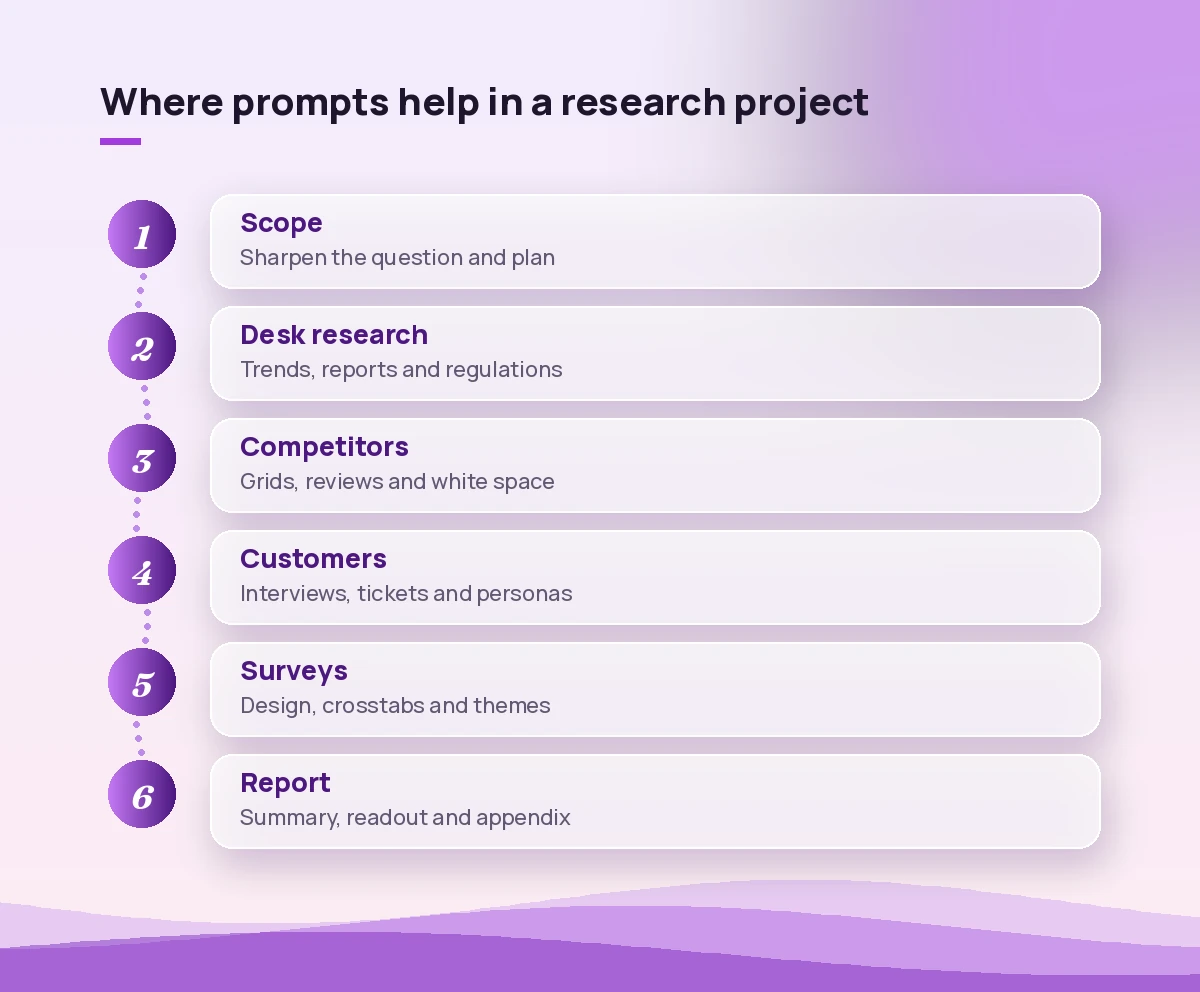
The point is not to hand the whole job to AI. It is to let Copilot do the reading, sorting and first drafts each day so your time goes into interviews, interpretation and the final call.
Keeping AI-Assisted Research Trustworthy
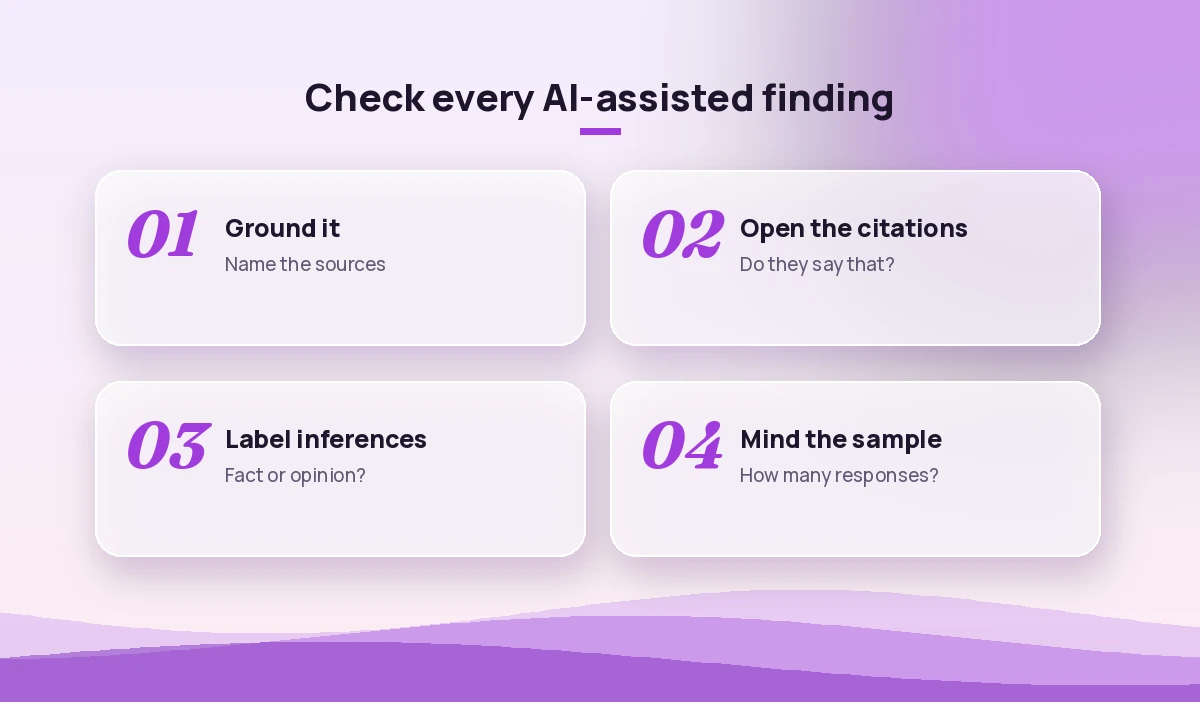
AI makes research faster, which also makes it easier to spread a mistake faster. A few rules keep your output defensible.
- Ground everything. Attach files or name the exact sites. Ungrounded answers are where invented figures appear.
- Ask for citations and open them. A link is only useful if it says what Copilot claims. Spot-check at least the numbers you plan to quote.
- Separate facts from inferences. Ask Copilot to label each point so readers know what is evidence and what is interpretation.
- Watch sample sizes. A strong theme from 9 survey answers is a hint, not a finding.
- Respect data rules. Remove personal details from interview notes when you do not need them, and follow your organisation’s policies. Microsoft explains how work data is handled in its Microsoft 365 Copilot privacy overview.
Common Mistakes When Using Copilot for Research
Even good prompts go wrong in a few predictable ways.
- Asking for “the market size” with no source. You get a confident number with no basis. Ask for the model and the inputs instead.
- Mixing research and conclusions in one prompt. Gather the evidence first, then ask for conclusions in a separate step.
- Accepting the first summary. Follow up with “what is missing?” and “what would change this conclusion?”.
- Skipping the customer voice. Desk research tells you about a market; interviews tell you about buyers. Use both.
- Forgetting the decision. Every prompt should connect back to the choice the research supports.
Related Guides
If you work across research and analysis, these companion pieces build on the prompts above:
- Copilot prompts for business analysts for requirements and process work.
- Copilot prompts for product managers for discovery, roadmaps and launch planning.
- Copilot prompts for data analysts for SQL, statistics and dashboards.
Final Thoughts
Copilot will not replace the judgement that makes research valuable, but it removes a lot of the slow, repetitive reading and formatting that stands between a question and an answer. Start with a clear decision, feed it trusted sources, insist on citations, and use these copilot prompts for market research as building blocks for your own research playbook. Save the ones that work in your prompt library so the next project starts faster.
Frequently Asked Questions
Can Copilot do market research on its own?
Copilot can gather, summarise and structure information quickly, especially with web access or the Researcher agent, but it cannot judge which sources matter for your business. Use it as a research assistant and keep the final interpretation and decision with your team.
Which Copilot is best for market research?
For long, multi-source questions the Researcher agent in Microsoft 365 Copilot is the strongest option. Copilot Chat works well for scoping, competitor summaries and drafting, while Copilot in Excel is best for survey data and crosstabs.
Can I trust market size figures from Copilot?
Only when you can trace each figure to a credible source. Ask Copilot to build the sizing logic and list the inputs, then plug in numbers you have verified yourself rather than accepting an unsourced estimate.
How do I get Copilot to cite its sources?
Say it directly in the prompt, for example “cite each claim with its source and write unknown if data is missing.” Then open the links and confirm they actually support the statement before you share it.
Can Copilot analyse survey results?
Yes. Copilot in Excel can summarise answers, split results by segment and build charts, and Copilot Chat can group open-text responses into themes. Always check the number of responses behind each result before drawing conclusions.
Is it safe to upload customer interview notes to Copilot?
With a work account, Microsoft 365 Copilot follows your organisation’s security and compliance settings. Still remove personal details you do not need and follow your company’s data policies before sharing customer information.