Copilot Prompts for Auditors: 42 Practical Prompts for Faster, Cleaner Audits
Copilot prompts for auditors can take a lot of the slow, repetitive work out of an engagement: turning a scoping memo into an audit program, building a risk and control matrix, summarising a walkthrough, flagging exceptions in a sample and drafting findings that management actually reads. This guide gives you 42 copy-ready prompts arranged around a real audit cycle, plus the review habits that keep AI-assisted work defensible.
One thing up front. Audit is a judgement profession. Copilot can read, sort, compare and draft at speed, but it cannot sign off a workpaper, rate a finding or decide whether a control is designed well. Use it as a quick, tireless junior who still needs a reviewer, and you will get real value from it.
What Copilot Prompts for Auditors Can and Cannot Do
Before you try any copilot prompts for auditors, check which Copilot you are using, because each one sees different data.
- Microsoft 365 Copilot Chat works with what you paste or upload, and with a Microsoft 365 Copilot licence it can also ground answers in your work files, emails and meetings that you already have permission to open.
- Copilot in Excel is the place for sample testing, reconciliations, duplicate checks and exception lists on structured data.
- Copilot in Word helps draft and tighten workpaper narratives, memos and the audit report.
- Copilot in Teams can recap a walkthrough or closing meeting when transcription is turned on.
- Copilot in PowerPoint turns a final report into an audit committee summary deck.
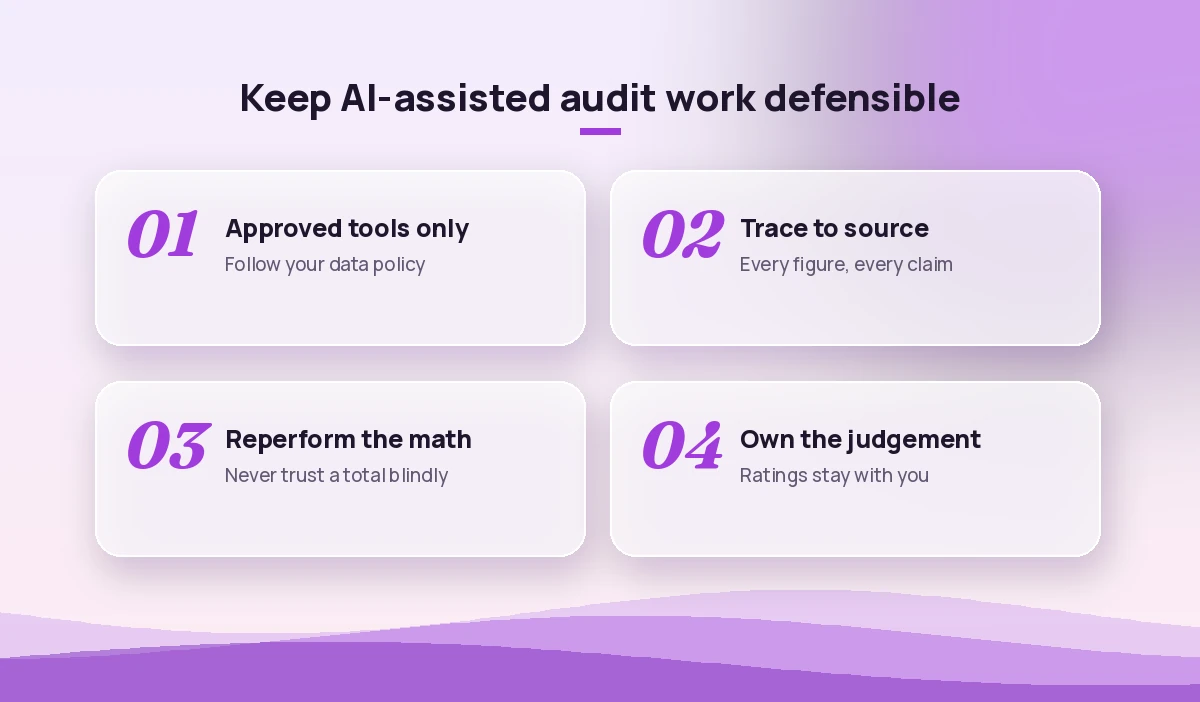
What it should never be is the source of evidence. A figure Copilot gives you is only as good as the file it read, so every number in a workpaper still needs to trace back to the original system report or document. Also check your firm’s or department’s policy before you paste client or confidential data anywhere. Only use the Copilot tools your organisation has approved for that data.
| Audit task | Best Copilot app | What you still own |
|---|---|---|
| Scoping and planning | Copilot Chat, Word | Risk assessment and materiality |
| Risk and control matrix | Copilot Chat, Excel | Which controls are key |
| Walkthrough notes | Teams, Word | Accuracy of the process description |
| Sample testing | Excel | Sample design and conclusions |
| Findings and report | Word, PowerPoint | Ratings and final wording |
A Simple Formula for Copilot Prompts for Auditors
Microsoft’s own guidance on writing effective Copilot prompts recommends giving a goal, context, expectations and a source. Copilot prompts for auditors benefit from two extra pieces so the output stays honest and reviewable.
- Goal: the exact deliverable, such as “a draft audit program” or “an exception list”.
- Context: the process, entity, period and framework you follow.
- Source: the files or data Copilot may use, and nothing else.
- Evidence rule: cite the source document or row for every statement, and write “not found” instead of guessing.
- Format: a table, a numbered list or a workpaper section with fixed headings.
- Reviewer note: ask it to list assumptions and open questions at the end.
Here is a reusable starter:
You are helping me with an internal audit of [process] at [entity] for [period].
Use only the attached files: [file names]. Cite the file and section for every point.
If something is not in the files, write "not found" rather than guessing.
Deliverable: [deliverable] as a table with columns [columns].
End with a short list of assumptions and open questions for the auditor to resolve.
Prompts for Audit Planning and Scoping
Planning is where good audits are won. These first copilot prompts for auditors help you move from a vague scope to a structured plan quickly, while leaving the risk calls to you.
Read this prior-year audit report and management letter. List every open finding, its owner, agreed due date and current status if mentioned. Present it as a table.Based on this process narrative, draft a scoping memo with objectives, in-scope and out-of-scope areas, key systems, period under review and stakeholders to interview.List the main inherent risks for a [procure-to-pay / payroll / revenue] process in a [industry] company. Group them by financial reporting, fraud, compliance and operational risk.Turn this list of risks into a draft audit program with objectives, test steps, evidence required and estimated hours for each step.Draft an engagement announcement email to [process owner] explaining the audit objective, timeline, the documents I need by [date] and who to contact with questions. Keep it friendly and under 180 words.Create a document request list (PBC list) for an audit of [process]. Include the item, purpose, period, format and requested date in a table.Prompts for a Risk and Control Matrix
A risk and control matrix (RCM) is tedious to build from scratch. Give Copilot your policies and process notes, and these risk and control matrix prompts will produce a first draft you can review line by line.
Using the attached policy and process narrative, build a risk and control matrix with columns: process step, risk, control description, control owner, frequency, manual or automated, preventive or detective.For each risk in this table, check whether at least one control addresses it. List any risks with no mapped control as possible gaps.Rewrite these control descriptions so each one states who performs it, what they do, how often, and what evidence is kept. Flag any description that is too vague to test.Suggest test of design and test of operating effectiveness steps for each control in this matrix. Keep each step specific enough that another auditor could reperform it.Compare this year's control matrix with last year's version. List controls that were added, removed or changed in wording, with the old and new text side by side.Identify which controls in this matrix depend on system reports. For each, list what I would need to test about the report's completeness and accuracy.If you compare versions often, our guide to prompts for comparing two documents has more variations for side-by-side reviews.
Prompts for Walkthroughs and Process Understanding
Walkthroughs generate pages of notes. These copilot prompts for auditors turn messy notes or a meeting transcript into something you can file.
Summarise this walkthrough transcript into a process narrative with numbered steps. For each step, note who does it, which system is used and any document produced.From these walkthrough notes, list every point where a control is mentioned or implied. Quote the exact sentence that supports each one.Turn this process narrative into a simple text flowchart: start, steps, decision points and end, using arrows between steps.List the follow-up questions I should ask the process owner, based on gaps or unclear steps in this narrative.Check this narrative against the attached policy. Where does the actual process described differ from what the policy requires? Quote both.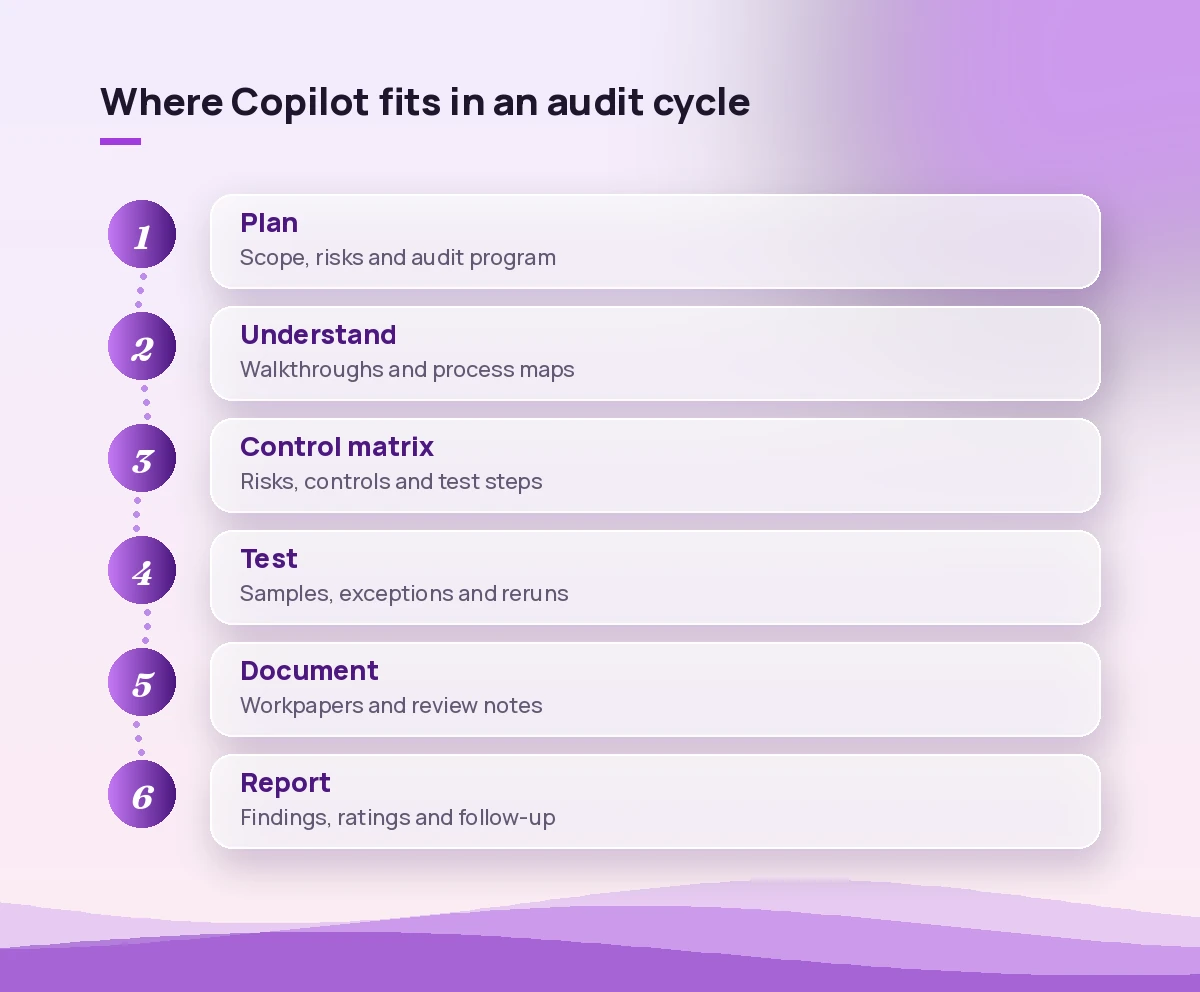
Prompts for Sample Testing in Excel
Testing is where Copilot in Excel earns its place. Make sure your data is formatted as a table, keep an untouched copy of the original export, and reperform anything that feeds a conclusion. These audit testing prompts work well on journal, invoice and payroll extracts.
In this invoice table, find possible duplicate payments: same vendor and amount within 30 days, or same invoice number with different amounts. Add a column flagging each match.Highlight journal entries posted on weekends, public holidays or outside business hours, and entries with round amounts above [threshold].Add a column that checks whether each approver in this table is different from the person who created the transaction. Count how many fail.Compare the employee list in the payroll sheet with the active HR list. Show anyone paid who is not on the HR list, and anyone on the HR list not paid.For each selected sample item, check if the approval date is before the payment date. List exceptions with row numbers.Summarise exceptions by vendor, approver and month in a pivot table and create a chart showing where exceptions cluster.Explain step by step the formula you used for the exception flag so I can document and reperform it in my workpaper.Copilot does not replace a proper sampling methodology. Decide the sample size and selection method yourself using your audit manual, then use Copilot to speed up the checks. For more spreadsheet techniques, see our Copilot prompts for Excel data analysis.
Prompts for Audit Workpapers and Documentation
A good workpaper lets a reviewer follow your work without asking you. These audit workpaper prompts help you write clearly and consistently.
Draft a workpaper section for this test with headings: objective, source of data, procedure performed, results, exceptions and conclusion. Use only the facts I give you: [facts].Review this workpaper as a reviewer would. List missing elements such as sample basis, evidence references, sign-off or conclusion that does not follow from the results.Rewrite this workpaper narrative in plain, neutral language. Remove opinions that are not supported by the evidence listed.Create a tickmark legend for this test, explaining what each symbol means, based on the procedures described here: [procedures].Answer these review notes one by one, using only the attached workpaper. Where the workpaper does not support an answer, say what evidence is still needed.Prompts for Writing Audit Findings
Findings land better when they are specific and fair, and this is where copilot prompts for auditors save the most rewriting time. A common structure is condition, criteria, cause, effect and recommendation, and Copilot is good at putting your facts into that shape.
Write an audit finding using condition, criteria, cause, effect and recommendation, based on these facts: [facts]. Keep it under 200 words and avoid blaming individuals.Make this finding more specific. Replace vague words like "some" and "several" with the actual numbers from this exception list.Suggest three practical recommendations for this finding, ranging from a quick fix to a longer-term control improvement. Note the effort each would need.Draft a management response request for this finding, asking for the action plan, owner and target date.Rewrite this finding for a non-finance audience, keeping all facts the same.Check this set of findings for inconsistent tone, duplicated points or ratings that do not match the described impact. List what to fix.The rating itself stays with you and your methodology. Copilot can point out an inconsistency, but it should not decide whether a finding is high or medium.
Prompts for the Audit Report and Committee Pack
The final report is often read by busy executives and the audit committee. These audit report writing prompts help you shorten and sharpen it.
Draft an executive summary for this audit report: overall conclusion, number of findings by rating, the two most important issues and the main management actions. Maximum 250 words.Turn this audit report into a 6-slide outline for the audit committee: scope, overall result, key findings, management actions, open prior findings and next steps.Rewrite this report section so every sentence is under 25 words and uses active voice, without changing meaning.Create a one-page table of all findings with rating, owner, action and due date from this report.Draft a short closing meeting agenda and talking points for discussing these findings with management.Our Copilot prompts for report writing cover more structure and editing techniques that also suit audit reports.
Prompts for Follow-Up and Continuous Improvement
Audits do not end with the report. These last copilot prompts for auditors help you track actions and learn from the engagement.
From these management action updates, list which actions are complete, in progress or overdue, and which completions still need evidence before I can close them.Review this finished audit file and suggest what we could do differently next time to save time, such as earlier document requests or reusable test scripts.A Worked Example: Accounts Payable Audit
Here is how copilot prompts for auditors fit together on a small accounts payable review.
- Plan. Upload the prior report and the AP policy, then ask Copilot for open findings and a draft PBC list. You adjust the scope based on your risk assessment.
- Build the RCM. Paste the process narrative and generate a draft matrix. You decide which controls are key and remove anything that is not really a control.
- Test. Load the invoice and payment exports into Excel and run the duplicate payment and approval checks. You trace a handful of flagged items back to the source system to confirm the logic.
- Document. Use the workpaper prompt with only your confirmed facts. A colleague reviews it as usual.
- Report. Draft findings in condition, criteria, cause, effect and recommendation format, then generate the executive summary and committee slides.
At every step the judgement and the evidence stay with the audit team. Copilot simply removes typing, formatting and first-draft time.
Common Mistakes to Avoid
- Pasting data into an unapproved tool. Use only the Copilot experience your organisation has cleared for confidential data.
- Treating output as evidence. A Copilot summary is not audit evidence. The source document is.
- Skipping reperformance. If Copilot flagged 14 exceptions, check how it got there before you report 14.
- Letting it set ratings. Ratings follow your methodology and professional judgement.
- Vague prompts. “Check this file” gives vague results. Name the test, the columns and the rule.
- Forgetting the standards. Your work still has to meet the standards you follow, such as the IIA Global Internal Audit Standards for internal audit teams.
Related Guides to Copilot Prompts for Auditors
If you work across finance and assurance, these guides pair well with this one: Copilot prompts for accountants, Copilot prompts for finance teams and Copilot prompts for document review.
Final Thoughts
The best way to use these copilot prompts for auditors is to start small. Pick one repetitive task in your next engagement, such as the PBC list or the duplicate payment check, and run the prompt alongside your usual approach. Once you trust the output and your review routine, add the next one. Over a few audits, you will build a personal prompt library that saves hours without weakening the quality of your evidence.
Frequently Asked Questions
Can auditors use Microsoft Copilot with confidential client data?
Only if your organisation or firm has approved that Copilot experience for confidential data. Microsoft 365 Copilot used under a work account respects existing permissions, but you should always follow your own data handling policy and engagement terms before uploading anything.
Is Copilot output acceptable as audit evidence?
No. Copilot output is a working aid, not evidence. Every figure and statement in a workpaper should trace back to the original document or system report, and any analysis Copilot performs should be reperformed or verified by the auditor.
Which Copilot app is best for audit sample testing?
Copilot in Excel is the best fit for testing because it works directly on structured data such as invoice, journal and payroll exports. Format the data as a table, keep an untouched copy of the original, and document the logic behind each exception flag.
Can Copilot build a risk and control matrix?
It can draft one from your policies and process narratives, including control owners, frequency and suggested test steps. The auditor still needs to confirm which controls are key, remove anything that is not a real control and make sure each risk is covered.
How do I stop Copilot from making things up in audit work?
Tell it to use only the files you attach, to cite the source for every point and to write “not found” when information is missing. Then spot-check citations and reperform any calculations before relying on the result.
Do these prompts work for external auditors too?
Yes. The planning, testing, documentation and reporting prompts work for internal and external audit teams alike. Just adjust the wording to match your firm’s methodology, terminology and the standards you report against.