Copilot Prompts for Product Managers: 34 Proven Templates for PRDs, Roadmaps and Research
Copilot prompts for product managers work best when they carry the same thing a good product brief does: the user, the problem, the evidence and the decision you need to make. Product work is full of writing that sits between other people’s input and your judgment. Interview notes become themes, themes become requirements, requirements become stories, and stories become a roadmap someone has to defend in a review meeting. Microsoft 365 Copilot is good at the first draft of almost every step in that chain, as long as you give it the raw material and a clear job.
This collection of Copilot prompts for product managers gives you 34 copy-ready templates grouped by the stage of product work you are in, plus a short framework for writing your own. Swap anything in square brackets for your real details, and attach the actual files, transcripts or spreadsheets whenever you can.
Why Product Managers Get Uneven Results From Copilot
Most disappointing answers come from prompts that ask for an artifact without the context behind it. “Write a PRD for dark mode” gives Copilot nothing to reason about, so it fills the gaps with generic filler: a vague problem statement, invented personas and success metrics nobody agreed to.
Three habits fix most of that:
- Ground it in evidence. Point Copilot at the interview notes, support tickets, survey export or meeting transcript. In Microsoft 365 Copilot Chat you can reference files directly in the prompt, so the draft reflects your users rather than average users.
- Name the decision. Product documents exist to help someone decide something. Say what that is: approve scope, pick between two options, commit a quarter.
- Fix the format. A PRD, a one-page memo and a slide outline need different structures. Tell Copilot which one and roughly how long.
Microsoft’s own guidance on writing effective Copilot prompts describes the same building blocks of goal, context, expectations and source. The Copilot prompts for product managers below simply apply those ideas to product work.
A Five-Part Brief Behind Copilot Prompts for Product Managers
Before the templates, here is the pattern almost all of them follow. Once it clicks, you can write your own prompts in a few seconds.
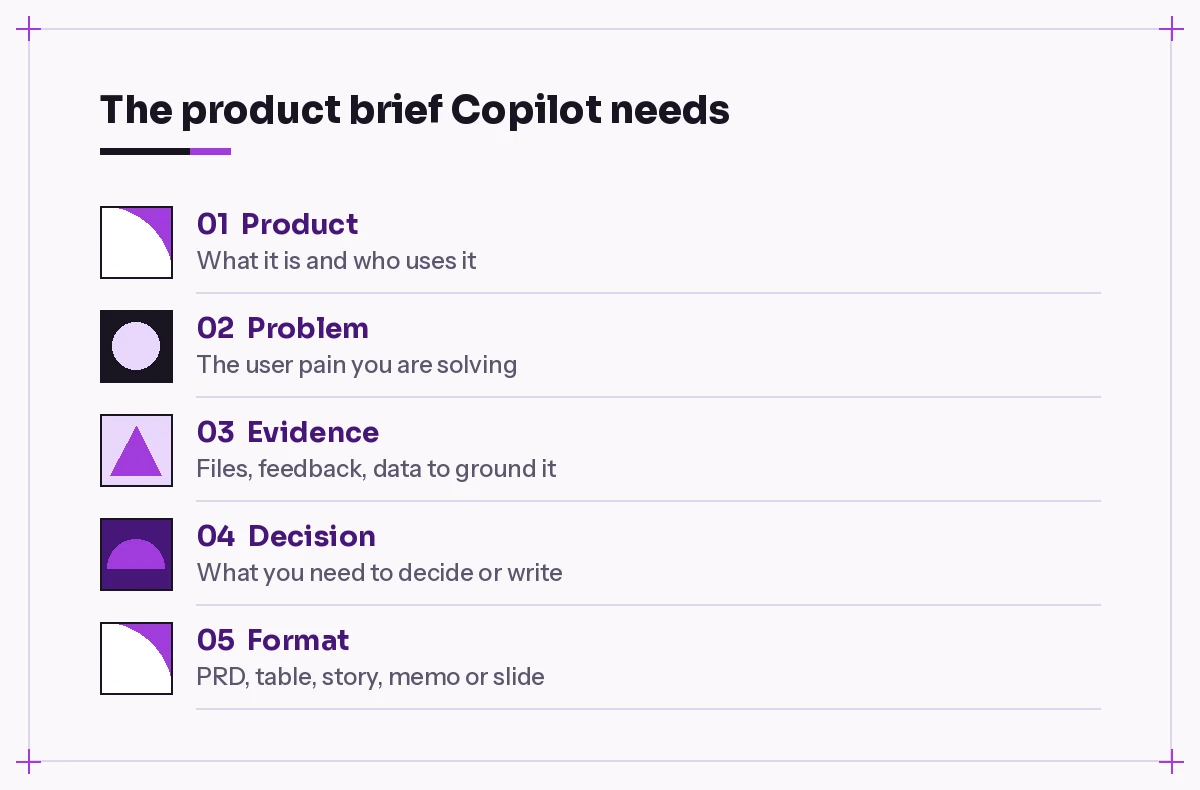
- Product. One line on what the product is and who uses it.
- Problem. The user pain or business goal behind the request.
- Evidence. The files, notes or data Copilot should use, and nothing else.
- Decision. What the output should help you or a stakeholder decide.
- Format. The structure, length and audience of the result.
A short request can skip one or two parts. A requirements document or roadmap review should include all five, otherwise you will spend longer correcting the draft than writing it yourself.
Discovery and User Research Prompts
The first group of Copilot prompts for product managers covers discovery. It is where Copilot saves the most time, because the raw material is long and messy: transcripts, notes and recordings that need patient reading.
1. Summarize a customer interview
Summarize the attached interview transcript with [customer type].
List: their current workflow, the biggest frustrations in their own
words (quote them), workarounds they use, and anything they said about
budget or buying decisions. Flag statements that are opinions vs facts.
2. Synthesize themes across several interviews
Using the attached [number] interview notes, identify recurring themes.
For each theme give a one-line description, how many interviews mention
it, and two short supporting quotes. Put themes mentioned only once in
a separate "weak signals" list.
3. Build an interview guide
I am researching [problem area] with [target users]. Draft a 30-minute
interview guide with a warm-up, 8-10 open questions about past behaviour
(not hypotheticals), and follow-up probes. Avoid leading questions and
anything that pitches our product.
4. Turn research into jobs to be done
From the attached research summary, write jobs-to-be-done statements in
the format "When [situation], I want to [motivation], so I can [outcome]."
Give 5-8 statements and note which research sources support each one.
5. Map assumptions and how to test them
Here is our idea for [feature]: [short description]. List the riskiest
assumptions behind it about users, value, feasibility and business
viability. For each, suggest the cheapest way to test it in under two weeks.
Customer Feedback Analysis Prompts
Feedback piles up in support tools, app reviews, sales notes and surveys. These customer feedback analysis prompts help you turn that noise into something you can bring to a planning meeting. They work well in Copilot Chat with an attached export, or in Excel when the data already sits in a table.
6. Group feedback into themes
Group the attached customer feedback into 6-10 themes. For each theme,
show the number of comments, a one-sentence summary, and the two most
representative quotes. Sort themes by number of comments.
7. Separate problems from requested solutions
Go through this feedback and split each item into: the underlying
problem the customer has, and the solution they asked for (if any).
Show it as a table. I want to see where many different requests point
to the same problem.
8. Find feedback from a specific segment
From the attached feedback export, pull only comments from [segment, e.g.
enterprise customers or new users in their first month]. Summarize what
this group struggles with and how it differs from everyone else.
9. Weekly feedback digest
Create a short weekly digest from the feedback added since [date]: top
three themes, anything new we have not seen before, and any comment
that suggests a bug or churn risk. Keep it under 200 words so I can
paste it into our team channel.
If your feedback lives in a spreadsheet, the analysis ideas in our Copilot prompts for Excel data analysis guide pair well with these.
Copilot Prompts for Product Managers Writing PRDs and Specs
A product requirements document prompt should never ask Copilot to invent the requirements. Instead, give it your notes and let it organize, tighten and spot the gaps. You stay the author of the decisions; Copilot does the structuring.
10. Draft a PRD from your notes
Using my attached notes, draft a PRD for [feature] with these sections:
problem, target users, goals and non-goals, user scenarios, requirements
(must, should, could), success metrics, open questions and dependencies.
Do not invent data. Mark anything you are unsure about as [TBD].
11. Write a sharp problem statement
Rewrite this problem statement so it describes the user pain, who
experiences it, how often, and what it costs them, without mentioning
any solution: [paste your draft].
12. Stress-test a spec
Review the attached spec as a skeptical engineering lead and a skeptical
designer. List missing edge cases, unclear requirements, conflicting
statements and questions the team will ask in refinement.
13. Define goals and non-goals
Based on this feature description: [description], propose three clear
goals and five non-goals. Non-goals should be realistic things a
stakeholder might assume are in scope but are not.
14. Turn a PRD into a one-page brief
Condense the attached PRD into a one-page brief for leadership:
the problem, why now, the proposed scope, expected impact, the main
risk, and the decision we need from them. Plain language, no jargon.
When you need to check what changed between two versions of a spec, the techniques in our guide to comparing two documents with Copilot apply directly.
User Story Prompts and Acceptance Criteria
Good user story prompts give Copilot the scope and the persona, then ask for testable criteria. These Copilot prompts for product managers also work for product owners. Paste the results into your backlog tool and refine them with your team rather than treating them as final.
15. Break a feature into stories
Break [feature] into user stories small enough for one sprint each.
Use the format "As a [user], I want [action], so that [benefit]." Order
them so the first story delivers a thin but usable slice end to end.
16. Write acceptance criteria
Write acceptance criteria for this story in Given/When/Then format:
[paste story]. Cover the happy path, two error cases and one edge case
involving [permissions, empty states, large data, etc.].
17. Split an oversized story
This story is too big: [paste story]. Suggest three ways to split it
(by workflow step, by user type, by data variation) and show the
resulting stories for the option you recommend.
18. Prepare questions for refinement
Read these stories before our refinement session: [paste or attach].
List the questions engineers and QA are likely to raise, and suggest
which stories are not ready yet and why.
Roadmap Prioritization Prompts
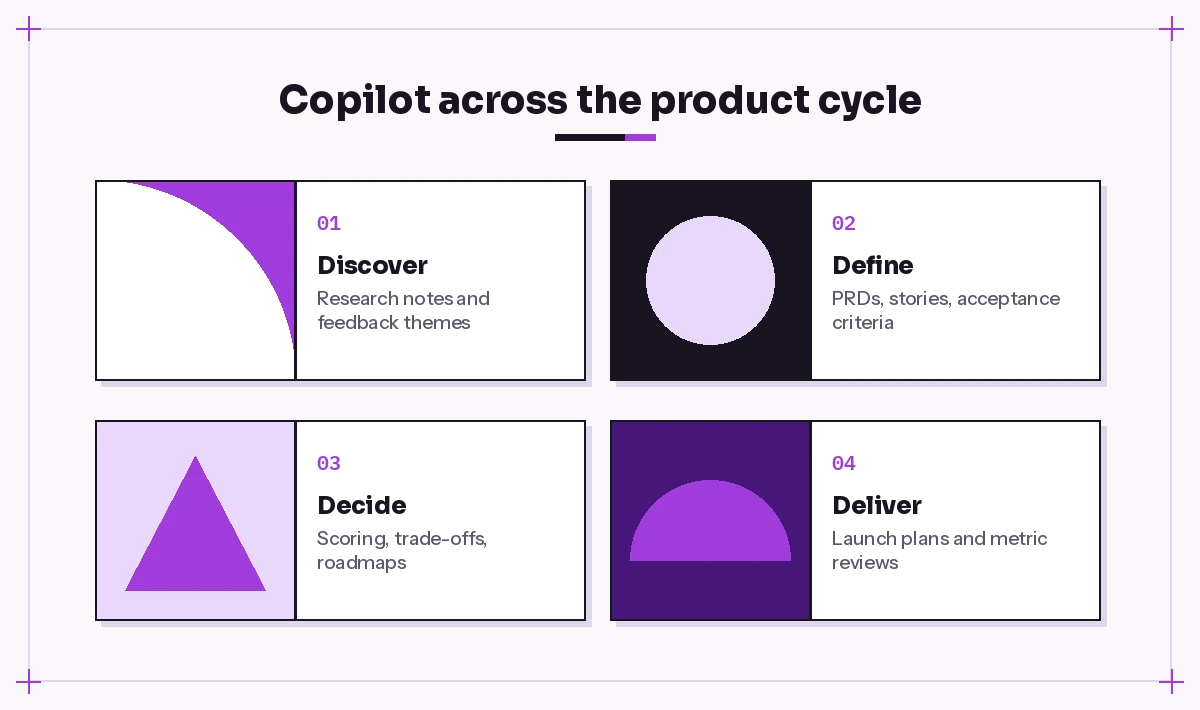
Prioritization is a judgment call, and Copilot should not make it for you. What it can do is lay out the options consistently, apply a scoring method you choose, and expose the trade-offs. These roadmap prioritization prompts are designed to support the conversation, not replace it.
19. Score a backlog with RICE
Score the attached list of initiatives with RICE (reach, impact,
confidence, effort). Use the estimates in the file where they exist and
mark any you had to assume. Show a sorted table and call out items
where a small change in confidence would change the ranking.
20. Compare two options
We are choosing between [option A] and [option B] for next quarter.
Compare them on user value, revenue impact, effort, risk and strategic
fit, using the attached notes. End with the questions we must answer
before deciding, not a recommendation.
21. Group the roadmap into themes
Organize these roadmap items into 3-5 outcome-based themes (for example
"faster onboarding" rather than "improve sign-up page"). For each theme,
write a one-line outcome and the metric that would show progress.
22. Write a “now, next, later” roadmap
Turn this prioritized list into a now / next / later roadmap. Under
each item include the problem it solves and confidence level. Keep
dates out of "next" and "later" so it reads as intent, not a promise.
23. Explain what you are not doing
Draft a short, respectful explanation for stakeholders of why these
requests are not on the roadmap this quarter: [list]. Acknowledge the
need, explain the trade-off, and say when we will revisit.
Stakeholder Communication Prompts
A large part of copilot for product management is communication: aligning people who see the product from very different angles. These Copilot prompts for product managers help you adjust the same message for each audience.
24. Same update, three audiences
Rewrite this product update for three audiences: engineering (detail
and dependencies), sales (what customers can do and when), and
executives (impact and risks). Keep each version under 120 words.
Update: [paste]
25. Prepare for a tough review
I am presenting [proposal] to [audience] tomorrow. Based on the attached
deck, list the ten hardest questions they are likely to ask and draft a
short, honest answer to each. Flag answers that need data I have not provided.
26. Summarize a decision meeting
Using the transcript of this meeting, write a decision log entry:
the decision made, options considered, reasoning, who decided, and any
follow-up actions with owners.
For more meeting-focused templates, see our Copilot prompt for meeting minutes collection.
Launch Planning Prompts
When a feature is close to shipping, coordination matters more than prose. Use these Copilot prompts for product managers to make sure every team knows its part.
27. Build a launch checklist
Create a launch checklist for [feature] covering product, engineering,
support, marketing, sales enablement, documentation and legal review.
Assign each item to a function and group by "two weeks before",
"launch week" and "after launch".
28. Draft release notes
Write customer-facing release notes for these changes: [list]. Lead
with the benefit for the user, keep each item to two sentences, and
avoid internal code names.
29. Create a support FAQ
From the attached PRD, write an internal FAQ for the support team:
what changed, who it affects, common questions customers will ask,
known limitations, and when to escalate.
30. Turn the plan into slides
Create a 6-slide launch overview from the attached launch plan:
goal, audience, what is shipping, timeline, risks and owners. One idea
per slide, with speaker notes.
In PowerPoint, our prompt to create a PowerPoint presentation guide shows how to get cleaner slide structure from a source file.
Metrics and Experiment Review Prompts
The last set of Copilot prompts for product managers helps you close the loop: did the work change anything for users?
31. Define success metrics
For [feature], propose a primary success metric, two supporting metrics
and two guardrail metrics that should not get worse. Explain how each
would be measured and what could make it misleading.
32. Read an experiment result
Here are the results of our A/B test: [paste table]. Summarize what
changed, whether the difference looks meaningful given the sample sizes
shown, and what we should not conclude from this data. Do not add
numbers that are not in the table.
33. Monthly product review
Using the attached metrics export and release list, draft a monthly
product review: what shipped, how key metrics moved, likely reasons,
surprises, and what we will change next month. Separate facts from
interpretation.
34. Write a post-launch retrospective
Draft a retrospective for [feature] using the attached launch notes and
metrics: goals vs results, what went well, what did not, and three
specific changes for our next launch.
Tips for Getting Better Product Drafts
These Copilot prompts for product managers get better with a few working habits:
- Keep a product context note. A short document describing your product, users, terminology and current goals can be attached to almost any prompt, which saves retyping it.
- Ask for gaps, not just drafts. Ending a prompt with “list what is missing or unclear” often produces more value than the draft itself.
- Iterate in the same chat. Follow-ups like “shorter”, “more skeptical” or “rewrite for engineers” build on the context you already gave.
- Check every number. Copilot can misread a spreadsheet or merge two figures. Verify metrics against the source before anything goes into a review.
- Protect confidential material. Only reference files your organization allows, and follow your company’s policy on what can go into AI tools.
If you are new to structuring requests, our Copilot prompt template walks through a reusable format, and the related collection of Copilot prompts for project managers covers schedules, risks and status reports that often overlap with product work. For a broader look at what the assistant can access across apps, see Microsoft’s Microsoft 365 Copilot overview.
Final Thoughts
The strongest product managers use Copilot as a fast, tireless first-draft partner and keep the judgment for themselves. Feed it real evidence, tell it which decision you are working toward, and ask it to point out what is missing. Start with one stage where you lose the most time, whether that is synthesizing interviews or rewriting the same update for three audiences, save the templates that work, and build your own library from there.
Frequently Asked Questions
What are the best Copilot prompts for product managers to start with?
Start with discovery and feedback prompts, such as summarizing an interview or grouping customer feedback into themes. They save the most reading time and give you grounded material for every later document.
Can Copilot write a full PRD for me?
It can draft a well-structured PRD from your notes, research and meeting transcripts. You should still decide the scope, goals and success metrics yourself and review every section, because Copilot cannot know trade-offs that were never written down.
How do I stop Copilot from inventing data in product documents?
Attach the source files, tell it to use only those sources, and ask it to mark anything uncertain as TBD. For metric and experiment prompts, add “do not add numbers that are not in the data” and check figures against the original.
Can Copilot prioritize my roadmap?
It can apply a scoring method like RICE, compare options consistently and highlight trade-offs, but the final call should stay with you and your team. Treat its output as an input to the prioritization discussion.
Which Microsoft 365 apps are most useful for product managers using Copilot?
Copilot Chat is useful for research synthesis across files, Word for PRDs and briefs, Excel for feedback and metrics tables, Teams for meeting summaries and decision logs, and PowerPoint for review decks.
Is it safe to use customer feedback with Copilot?
Microsoft 365 Copilot works within your organization’s permissions and data policies, but rules differ between companies. Check what your organization allows, and remove personal details from feedback exports when they are not needed for the analysis.

One Comment