Copilot Prompts for Finance: 35 Powerful Templates for Close, FP&A and Reporting
Copilot prompts for finance give accountants, analysts and controllers a faster way through the work that fills every close calendar: reconciling numbers, explaining variances, drafting commentary and building the same reports month after month. This guide gathers 35 copy-ready templates for Microsoft 365 Copilot, grouped by the jobs a finance team actually does, from the first trial balance pull to the board deck.
Every one of these copilot prompts for finance uses square-bracket placeholders such as [cost center] or [fiscal quarter]. Replace them with your own details, point Copilot at the right workbook or file, and treat each answer as a draft to check. Copilot is excellent at structure, formulas and wording. It is not your system of record, so the final figures always come from your ledger.
Where Copilot Fits in a Finance Workflow
Most finance work is not one big task. It is dozens of small ones: cleaning an export, writing a formula, summarizing a long email chain with a vendor, turning a pivot table into three sentences for a manager. That is exactly the kind of work an assistant built into Office handles well.
- Copilot in Excel explains formulas, writes new ones, highlights outliers, builds PivotTables and charts, and can run deeper analysis with Python in Excel where it is available.
- Copilot in Word turns bullet notes into management commentary, policy drafts and audit memos.
- Copilot in PowerPoint converts a report or outline into a first version of a results presentation.
- Copilot in Outlook and Teams summarizes approval threads, recaps budget meetings and drafts follow-ups to budget owners.
- Microsoft 365 Copilot Chat with work data can search across your emails, files and meetings, which is handy when you need to find the latest version of a forecast or a decision someone made in passing.
Microsoft also sells finance-specific tooling. The Finance agent documentation on Microsoft Learn covers the add-on that was first launched as Microsoft 365 Copilot for Finance. It connects to ERP systems such as Dynamics 365 and SAP to help with reconciliations and collections. Everything in this guide works with standard Microsoft 365 Copilot, so you can start today and add the specialized agent later if your company licenses it.
The Five Ingredients of a Reliable Finance Prompt
Finance has a lower tolerance for vague answers than almost any other function. A sales email that is a little off can be edited in seconds; a margin figure that is a little off can end up in a board pack. The fix is to give Copilot more structure than you think it needs. The strongest copilot prompts for finance share five ingredients.
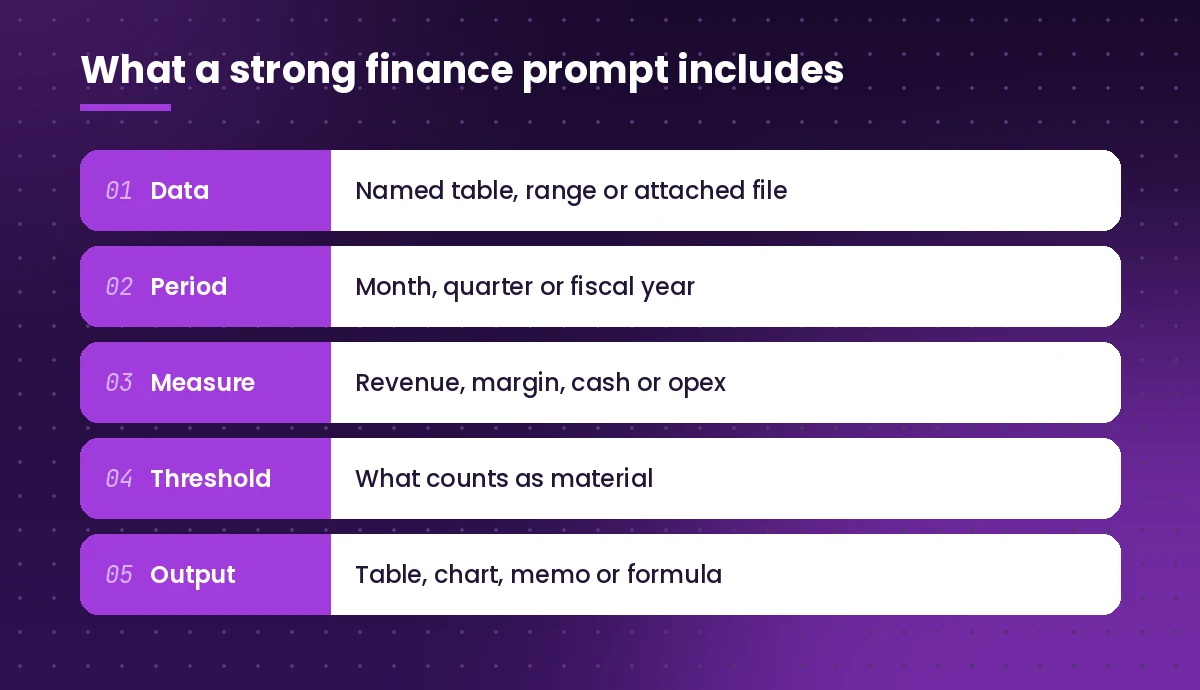
- Data. Name the table, sheet or attached file. In Excel, Copilot works best when your data sits in a formatted table with clear headers, and the workbook is saved to OneDrive or SharePoint.
- Period. Say which month, quarter or fiscal year you mean, and whether your fiscal year differs from the calendar year.
- Measure. Be explicit about the metric: gross margin, EBITDA, operating cash flow, days sales outstanding, and so on. Define it if your company calculates it differently.
- Threshold. Tell Copilot what counts as material. “Flag variances over 5% or $10,000” gets you a focused list instead of every penny of movement.
- Output. Ask for the exact format you want: a table, a chart, a 150-word memo, or a formula you can paste into a cell.
Microsoft’s Get started with Copilot in Excel guide explains the setup requirements in more detail. For a broader walkthrough of prompt structure with before-and-after examples, read our guide on how to write Copilot prompts.
Variance and Financial Analysis Prompts
Variance analysis is where most teams see the quickest payoff, because the mechanical part (lining up actuals against budget and sorting by size) is easy to describe in plain English. Start with these copilot prompts for finance analysis.
1. Budget versus actual by line
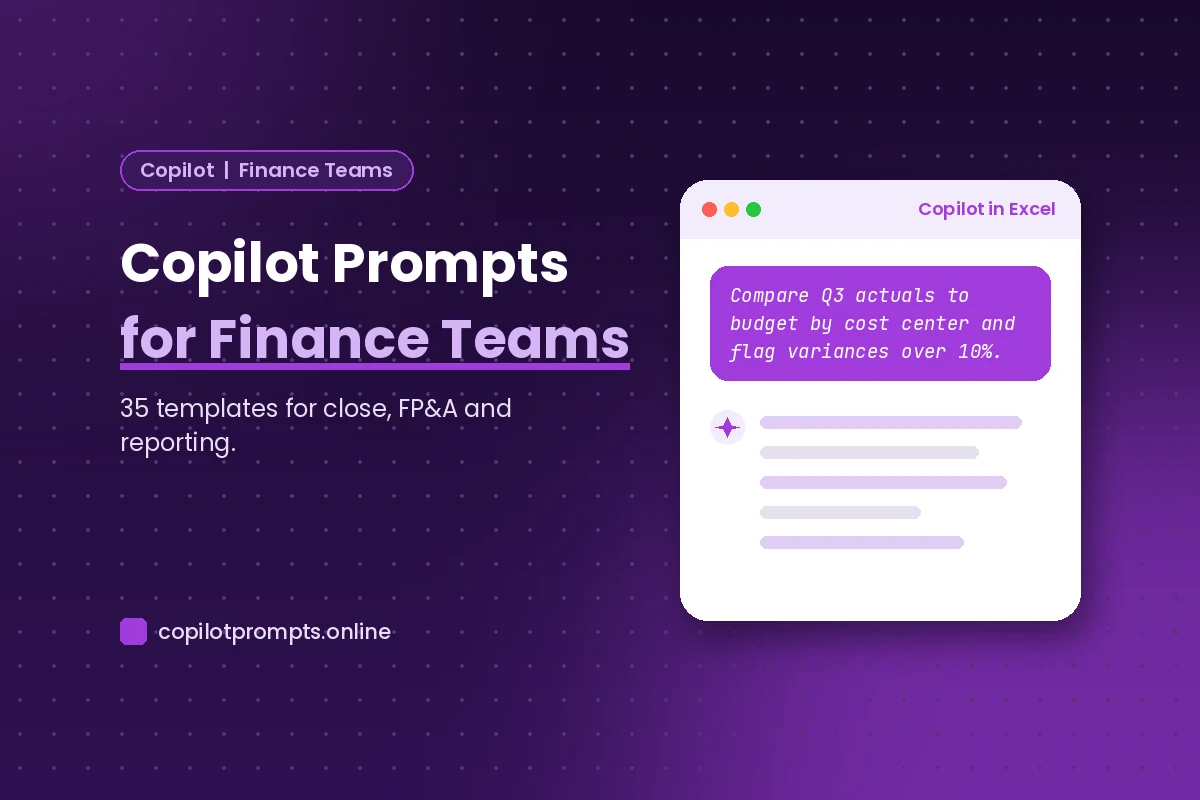
Using the table [table name], compare actuals to budget for [month/quarter] by [cost center or GL account]. Add columns for the dollar variance and the percentage variance, then sort by the largest unfavorable variance first. Highlight any line where the variance is greater than [X]% or [$ amount].2. Explain the biggest movements
Look at the five largest unfavorable variances in [table name] for [period]. For each one, list the most likely drivers based on the data in the sheet (volume, price, timing, one-off items). Clearly mark anything that is an assumption rather than something visible in the data.Asking Copilot to label assumptions is a habit worth keeping. It stops a plausible guess from turning into a “fact” in your commentary.
3. Month-over-month trend
Create a line chart showing [revenue/opex/gross margin] by month for the last [12] months from [table name]. Then summarize the trend in three sentences, noting any month that breaks the pattern.4. Ratio dashboard
From the balance sheet and income statement in this workbook, calculate current ratio, quick ratio, gross margin, operating margin, debt-to-equity and return on assets for [period]. Show the formulas you used next to each result so I can check them.5. Price-volume-mix breakdown
Using [table name] with columns for product, units, and net price for [prior period] and [current period], break the revenue change into price, volume and mix effects. Put the result in a small bridge table, and explain the method in plain language underneath.6. Spot outliers
Review the transactions in [table name] and highlight any amounts that look unusual compared with the rest of the data for the same vendor or account. List them with a short reason each one stands out.Month-End Close and Reconciliation Prompts
The close is repetitive by design, which makes it a natural home for well-written copilot prompts for finance. Use them to speed up preparation and documentation, while keeping sign-off firmly with people.
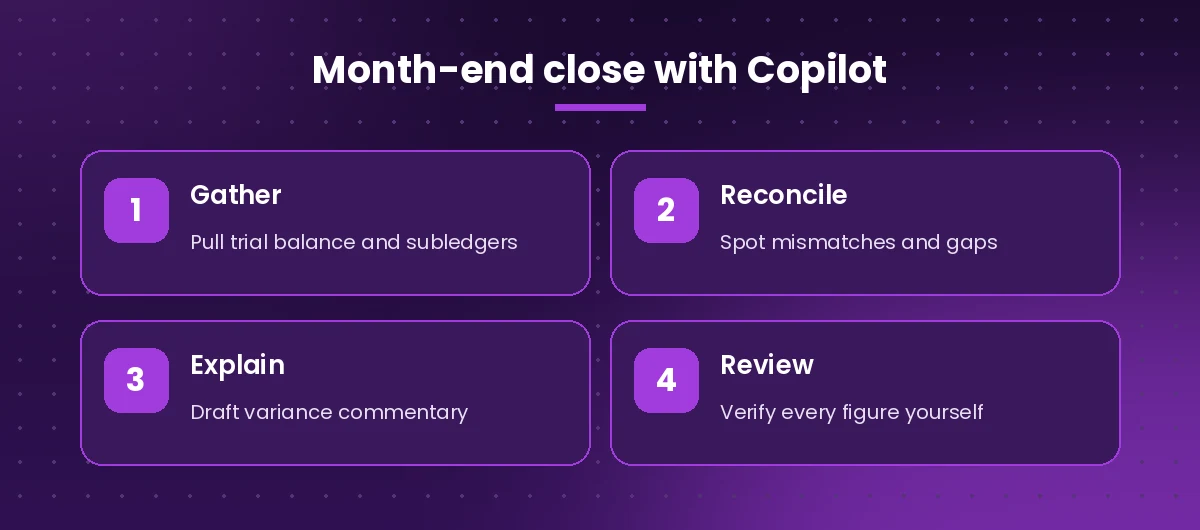
7. Close checklist
Create a month-end close checklist for a [company size] [industry] company using [ERP name]. Group tasks by day (Day -2 to Day +5), and include owner, dependency and evidence required for each task. Format it as a table I can paste into Excel.8. Bank reconciliation helper
Compare the bank statement in [sheet A] with the cash ledger in [sheet B]. Match items by amount and date within [3] days. List unmatched items from each side separately and suggest which ones are likely timing differences.9. Intercompany mismatch finder
Using [table name], match intercompany balances between [entity A] and [entity B] for [period]. Show pairs that do not net to zero, the difference, and the accounts involved.10. Accrual reasoning
Here is a list of invoices received after period end [paste or reference file]. Identify which ones relate to services delivered in [month] and should be accrued. Show the reasoning for each, and flag any where the service date is unclear.11. Journal entry description
Write a clear, audit-friendly description for a journal entry that [describe the entry, e.g. reclassifies $X of marketing costs from prepaid to expense]. Keep it under 40 words and include the reason, period and supporting document reference [doc ID].12. Close status recap
Summarize the close status from this Teams channel and the email thread titled [subject]. List completed tasks, open items, blockers and who owns each blocker. Keep it short enough for a 5-minute stand-up.Budgeting and Forecasting Prompts
Planning work mixes numbers with judgment. These copilot prompts for finance planning handle the numbers side and give you a starting structure for the judgment side.
13. Driver-based forecast
Build a simple driver-based revenue forecast for the next [12] months in a new sheet. Use these drivers: [new customers per month], [average contract value], [churn rate] and [price increase in month X]. Keep every driver in its own input cell so I can change it, and reference those cells in the formulas.14. Rolling forecast update
Using actuals through [month] in [table name] and the original budget in [table name], create a rolling forecast for the remaining months of [fiscal year]. Use the average of the last [3] months as the run rate unless the budget line is marked as seasonal.15. Scenario comparison
Create base, upside and downside scenarios for [metric] based on these assumptions: [list assumptions]. Show the three scenarios side by side with a short note on what would have to be true for each one.16. Budget request template
Draft a budget request template for department heads. Include sections for headcount, non-headcount spend, one-off projects, expected outcomes and risks. Add a short instruction under each section explaining what good input looks like.17. Challenge a budget submission
Review the budget submission in [file]. List the five lines that look highest or least justified compared with last year's actuals in [file], and suggest a polite question to ask the budget owner about each one.18. Cash flow forecast
Build a 13-week cash flow forecast template with sections for opening cash, customer receipts, supplier payments, payroll, tax, debt service and closing cash. Use the AR aging in [sheet] to estimate receipts by week based on due dates.Management and Board Reporting Prompts
Writing commentary is often the slowest part of reporting. Copilot can draft it in your house style if you give it the numbers and a clear brief, which makes reporting one of the best uses of copilot prompts for finance.
19. Monthly management commentary
Using the figures in [file or table], write a one-page management commentary for [month]. Cover revenue, gross margin, operating expenses and cash. Lead with the headline, keep each section to three or four sentences, and only use numbers that appear in the source.20. Executive summary for the board
Turn the attached [quarterly report] into an executive summary for the board of no more than 250 words. Focus on performance against plan, key risks and decisions needed. Use a calm, factual tone.21. Results presentation
Create a [8]-slide presentation from [/report file] covering: headline results, revenue, margins, opex, cash, KPIs, risks and next quarter outlook. Put one key message in each slide title and keep body text to three bullet points.22. KPI definitions page
Write a one-page glossary of the KPIs we report: [list KPIs]. For each, give the definition, the formula, the data source and one note on how to interpret it.23. Explain finance to non-finance readers
Rewrite this paragraph from our monthly report so a department head with no finance background can understand it, without changing any numbers: [paste paragraph].If you write a lot of narrative reports, our collection of Copilot prompts for report writing has more templates for summaries, structure and tone.
Accounts Payable, Receivable and Collections Prompts
Transactional teams spend much of their day in Outlook. These copilot prompts for finance operations keep messages consistent and help you spot problems in the ledgers.
24. Polite payment reminder
Draft a friendly payment reminder to [customer name] for invoice [number] of [amount], now [X] days overdue. Mention the original due date, offer to resend the invoice, and ask them to confirm an expected payment date. Keep it under 120 words.25. Firmer second reminder
Rewrite the reminder above as a second notice. Keep it professional but clear that payment is now significantly overdue, and mention that [late fee or account hold] may apply under our terms.26. AR aging summary
Summarize the AR aging report in [table name]. Show totals by aging bucket, the ten largest overdue balances and the percentage of AR over 60 days. Suggest which three accounts to prioritize for collection calls this week.27. Duplicate invoice check
Check [table name] for possible duplicate supplier invoices: same vendor and amount within [30] days, or the same invoice number appearing more than once. List each suspected pair.28. Vendor query response
Summarize this email thread with [vendor] and draft a reply that answers their question about [payment status/remittance], confirms the payment date [date], and asks for [missing document] if needed.Audit, Controls and Policy Prompts
Audits come with a long list of document requests and explanations. Copilot can organize the paperwork while you supply the substance, and the copilot prompts for finance below are built for that split.
29. Audit request tracker
Turn this list of auditor requests [paste or attach] into a tracker table with columns for request ID, description, owner, due date, status and file location. Group requests by financial statement area.30. Control narrative
Write a control narrative for our [process, e.g. purchase-to-pay] process using these notes: [notes]. Include the objective, key controls, who performs them, frequency and evidence retained.31. Policy summary
Summarize our [travel and expense] policy in [/policy file] into a one-page FAQ for employees, with the ten most common questions and short answers. Quote the policy section number for each answer.Excel Formula and Modeling Prompts for Finance
Plenty of finance time goes into building and fixing spreadsheets. These copilot prompts for finance modeling make formula work faster and easier to audit.
32. Write a lookup
Write a formula for column [X] that returns the cost center name from [lookup table] based on the cost center code in column [Y]. Use XLOOKUP and return "Not found" if the code is missing.For more lookup patterns, see our guide to the Copilot prompt for VLOOKUP, which also covers XLOOKUP and INDEX/MATCH.
33. Explain an inherited formula
Explain what the formula in cell [cell] does, step by step, in plain language. Then suggest a simpler version that returns the same result.34. Loan or lease schedule
Create an amortization schedule for a loan of [amount] at [rate]% annual interest over [term] months with monthly payments. Include columns for period, opening balance, payment, interest, principal and closing balance, with inputs in separate cells.35. Model health check
Review this workbook for common modeling issues: hard-coded numbers inside formulas, inconsistent formulas across a row, references to blank cells and circular references. List each issue with its cell address.You will find dozens more spreadsheet templates in our full guide to Copilot prompts for Excel.
How to Use Copilot in Finance Safely
The speed is real, but so are the risks of trusting a figure you did not check. A few simple rules keep these copilot prompts for finance working for you rather than against you.
| Risk | What can go wrong | Simple safeguard |
|---|---|---|
| Wrong range | Copilot reads the wrong table or misses rows | Name the table and confirm the row count in its answer |
| Invented figures | A summary includes a number not in your data | Tell it to use only numbers from the source and spot-check totals |
| Definition drift | Margin or EBITDA calculated differently from your policy | Define the metric in the prompt |
| Stale files | It finds last month’s forecast instead of this month’s | Reference the exact file with the / key |
| Sensitive data | Payroll or deal data shared too widely | Follow your company’s data and sharing policies |
A few more habits help:
- Tie out totals. After any analysis, check that totals match the source report or trial balance before you use the result.
- Ask for the working. Request formulas or the steps behind each number, so a reviewer can follow the logic.
- Keep a human in the approval loop. Journal entries, payments and external reports should always be approved by a person with the right authority.
- Save prompts that work. Keep a shared document of the templates your team relies on, so everyone gets consistent output each month.
Building a Prompt Library for Your Finance Team
The teams that get the most from Copilot are the ones that stop writing prompts from scratch and keep a shared set of copilot prompts for finance. Pick the ten templates above that match your monthly calendar, adapt the placeholders to your chart of accounts and table names, and store them somewhere everyone can reach. Over a few close cycles, refine the wording of your copilot prompts for finance based on where Copilot went wrong, and add your own house rules, such as rounding conventions or the order your commentary follows.
If you are new to Copilot in general, start with our list of the best Microsoft Copilot prompts to learn what works across all the Office apps, then come back to this finance set for the specialist work.
Frequently Asked Questions
Can Microsoft 365 Copilot do financial analysis in Excel?
Yes. Copilot in Excel can compare actuals to budget, build PivotTables and charts, highlight outliers, write formulas and, where available, run deeper analysis with Python in Excel. It works best when your data is in a formatted table with clear headers and the file is saved to OneDrive or SharePoint.
What is the Finance agent in Microsoft 365 Copilot?
It is a finance-specific add-on, first launched as Microsoft 365 Copilot for Finance, that connects to ERP systems such as Dynamics 365 and SAP to help with tasks like reconciliations and collections. You do not need it to use the templates in this guide, which work with standard Microsoft 365 Copilot.
Is it safe to use Copilot with confidential financial data?
Microsoft 365 Copilot works within your organization’s existing permissions, so it can only reach files you already have access to. You should still follow your company’s data policies, avoid sharing sensitive files more widely than needed, and check every figure before it leaves the finance team.
How do I stop Copilot from making up numbers?
Good copilot prompts for finance name the exact table or file, tell Copilot to use only figures from that source, ask it to show its formulas or working, and tie out totals against your ledger. Asking it to label assumptions separately from facts also helps.
Which tasks benefit most from copilot prompts for finance?
Repetitive, text-heavy or formula-heavy tasks see the biggest gains: variance commentary, close checklists, reconciliation matching, payment reminders, audit request trackers, and writing or explaining Excel formulas.
Can Copilot replace an accountant or financial analyst?
No. Copilot speeds up drafting, formatting and first-pass analysis, but judgment, approvals, accounting treatment and accountability for the numbers stay with qualified people.