Copilot Prompts for Research: 42 Proven Prompts to Find, Read and Synthesize Sources
Copilot prompts for research save the most time when they do the slow, mechanical parts of the job: narrowing a fuzzy question, pulling the key claims out of a long paper, lining up five studies side by side, or spotting the gap nobody has filled yet. What they cannot do is decide what is true for you. Microsoft Copilot can misread a table, blend two sources together or, now and then, describe a paper that does not say what it claims.
So this guide treats Copilot as a fast research assistant that you supervise. You will get 42 copy-ready prompts arranged in the order real research happens: framing the question, finding sources, judging their quality, reading them, building a literature review, synthesizing findings, planning methods and stress-testing your conclusions. There is also a simple prompt formula, a worked example and a short checklist for verifying anything Copilot hands back.
Which Copilot Should You Use for Research?
Microsoft has several versions of Copilot, and each one handles research a little differently. Knowing which one you are typing into saves a lot of confusion.
- Copilot app and copilot.microsoft.com. Free with a personal Microsoft account. It can search the web, show the links it used, and read files or images you upload. Good for open questions and quick background reading.
- Microsoft 365 Copilot Chat with a work or school account. Adds enterprise data protection, so pasted notes and uploaded documents are covered by your organization’s agreement. Depending on your licence, it can also ground answers in your own files, email and SharePoint.
- Researcher agent. Included with some Microsoft 365 Copilot licences, it runs longer, multi-step investigations across the web and your work data and returns a structured report. We cover it in depth in our guide to the best prompts for Microsoft Copilot Researcher.
- Copilot in Word, OneNote and Notebooks. Useful when your sources and notes already live in one place and you want Copilot to work across them.
Features and limits change by plan and region, so check what your own account shows. Microsoft keeps the current details on its Copilot support hub. Every prompt below works as plain text in any of these places; the ones that mention files simply need a version that accepts uploads.
How to Write Copilot Prompts for Research That Hold Up
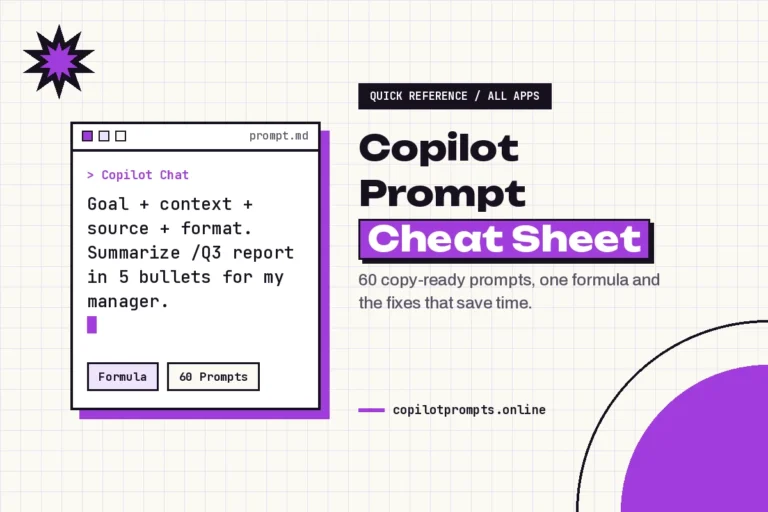
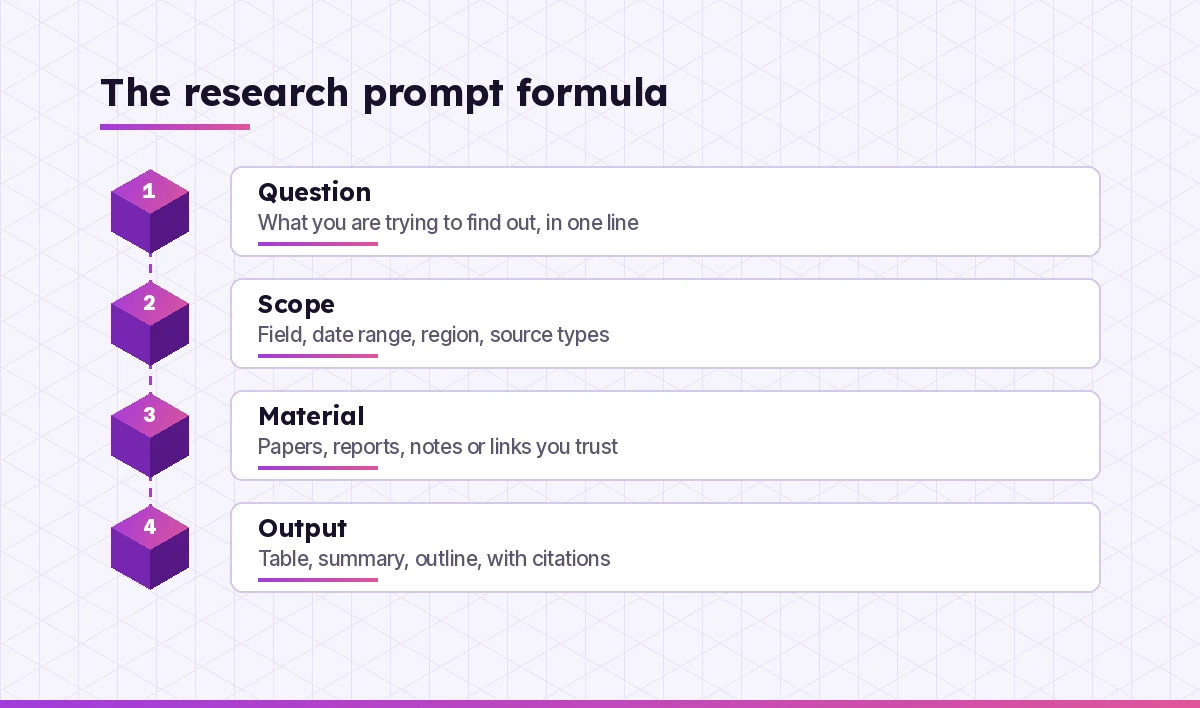
Vague requests get vague, confident-sounding answers, and copilot prompts for research are no exception. “Tell me about remote work and productivity” invites a generic essay with no sources. A research prompt needs four parts.
- Question. What you are actually trying to find out, written as one sentence.
- Scope. The field, the date range, the region, the population and the kinds of sources you will accept.
- Material. The papers, reports, datasets or notes you want Copilot to work from. Grounding it in real documents is the single best way to reduce made-up details.
- Output. The exact shape you want back: a table, a bullet summary, an outline, a list of open questions. Always ask for citations or page references.
Here is the difference in practice.
Weak: Tell me about remote work and productivity.

Strong: I'm writing a literature review on remote work and individual
productivity for knowledge workers. Scope: peer-reviewed studies and
large employer reports published 2020 onward, any country. Using web
search, list up to 8 sources with author, year, method, sample size and
main finding in a table. Add a link for each and flag any source you are
not certain exists so I can check it.
That last line matters. Asking Copilot to flag uncertainty does not make it perfect, but it often surfaces the shaky items you should check first.
Prompts to Frame and Sharpen Your Research Question
Most research trouble starts with a question that is too broad, too vague or secretly two questions. Use these before you collect a single source.
1. Narrow a broad topic
My topic is [topic]. It is far too broad for a [project type, e.g. 3,000-word
essay / master's thesis / internal report]. Suggest 6 narrower research
questions, each answerable with available evidence. For each, say what kind
of data or sources would be needed.
2. Test a question for clarity
Here is my research question: "[question]". Critique it. Is it specific,
measurable and answerable? Point out any vague terms, hidden assumptions or
places where it is really two questions. Then offer 3 improved versions.
3. Define key terms
List the key concepts in this research question: "[question]". For each,
explain how researchers in [field] commonly define or measure it, and note
where definitions disagree. Keep each entry under 60 words.
4. Turn a question into hypotheses
Turn this research question into 2-3 testable hypotheses, plus the null
hypothesis for each: "[question]". Explain what result would support or
weaken each one.
5. Map the sub-questions
Break "[main question]" into 4-6 sub-questions I need to answer first.
Order them so each one builds on the last, and suggest one type of source
for each.
6. Find the stakeholders
Who are the people, organizations and groups with a stake in [topic]? For
each, describe what they would want the research to show and what bias
that might introduce into the sources they publish.
Prompts to Find and Gather Sources
The copilot prompts for research in this section use web search. Web-enabled Copilot is good at producing a starting list, not a final bibliography. Treat every result as a lead to confirm.
7. Build a starter reading list
Search the web for well-cited sources on [topic], published [date range].
Prioritize peer-reviewed journals, government statistics agencies and
recognized research institutes. Return a table: title, author or
organization, year, source type, link, and one line on why it is relevant.
8. Generate search strings
Write 5 Boolean search strings I can paste into Google Scholar or a
university library database to find research on [topic]. Include synonyms,
alternative spellings and terms to exclude. Explain what each string targets.
9. Find opposing evidence
I currently believe [claim]. Search for the strongest credible evidence
AGAINST this view. List 5 sources that challenge it, with a link and a short
summary of their argument. Do not soften their position.
10. Locate primary data
Where could I find primary data or official statistics on [topic] for
[country/region]? List likely agencies, open data portals or survey
programmes, and describe what each typically publishes. Mark anything you
are unsure about.
11. Find seminal work
What are the foundational or most frequently cited works on [topic] in
[field]? For each, give author, year and the idea it introduced. Separate
the ones you are confident about from the ones I should double-check.
12. Spot recent developments
Search for research or major reports on [topic] published in the last 12
months. Summarize what is new compared with earlier work, with a link for
each item.
Prompts to Judge Source Quality
A polished summary of a weak source is still a weak source. Source evaluation is where you protect the credibility of your whole project.
13. Run a credibility check
Evaluate this source for use in academic research: [link or pasted
details]. Assess author expertise, publisher, peer review, date, funding or
conflicts of interest, and methodology. Give a short verdict: strong, usable
with caution, or avoid, with reasons.
14. Check the method
Here is the methods section of a study: [paste]. In plain language, explain
the design, sample, and analysis. Then list the 3 biggest limitations that
could affect how far the findings can be generalized.
15. Separate claims from evidence
Read this article: [paste or upload]. Make two columns: claims the author
makes, and the evidence offered for each claim. Mark any claim that has no
supporting evidence in the text.
16. Detect bias in framing
Analyze the language in this report for framing or bias: [paste]. Point to
specific words or choices of emphasis, and suggest how a neutral writer
would phrase the same points.
17. Compare a summary against its source
Here is the original abstract: [paste]. Here is a summary someone wrote:
[paste]. List anything in the summary that overstates, misstates or is not
present in the abstract.
Prompts to Read Papers and Reports Faster
Long PDFs are where Copilot earns its keep. Upload the file (or paste the text) and ask focused questions instead of “summarize this.” For more file-specific tricks, see our collection of Copilot prompts to summarize PDFs.
18. Get the structured summary
Summarize the attached paper in this structure: research question, method,
sample, key findings (with page or section numbers), limitations stated by
the authors, and one sentence on why it matters for [my topic].
19. Explain a dense section
Explain this section to me as if I have an undergraduate background in
[field] but no specialist training: [paste]. Define any technical terms and
keep the explanation under 200 words.
20. Pull out every number
List every statistic, percentage and effect size reported in the attached
document, with the page number and what each figure measures. Do not round
or reinterpret the numbers.
21. Read the tables and figures
Describe what Table [X] / Figure [X] in the attached paper shows. What is
the main pattern, and is there anything a quick reader might misinterpret?
22. Question the paper like a reviewer
Act as a careful peer reviewer. Read the attached paper and write 6 tough
but fair questions the authors should answer, focusing on method, sample and
whether the conclusions follow from the results.
23. Create reading notes
Turn the attached paper into reading notes I can file: full citation, 5
bullet key points, 2 direct quotes worth keeping (with page numbers), and
how it connects to [other source or theme].
Prompts to Build a Literature Review
A literature review is not a list of summaries. It is an argument about what the field knows, where it disagrees and what is missing. These copilot prompts for research help you get there.
24. Make a literature matrix
Using the sources I've uploaded, build a literature matrix with columns:
author and year, research question, method, sample, key finding,
limitation, and relevance to my question "[question]". One row per source.
25. Group sources into themes
Here are my reading notes for 12 sources: [paste]. Group them into 3-5
themes. For each theme, name the sources that belong to it and summarize
what they collectively suggest.
26. Find agreements and disagreements
Across these sources [paste notes or upload], where do the researchers
agree, and where do they disagree? For each disagreement, suggest a likely
reason (different samples, methods, time periods or definitions).
27. Identify the research gap
Based on the sources in my matrix, what questions remain unanswered or
under-studied? List 4 possible gaps and explain how each one could become
a research question for my project.
28. Outline the review
Draft an outline for a literature review on [topic] using these themes:
[list]. For each section, note which sources support it and what point the
section should make. Do not write the review itself.
29. Write transitions between themes
Here are two sections of my literature review: [paste]. Suggest 3 ways to
transition from the first to the second that show how the ideas connect,
in an academic but readable tone.
Prompts to Synthesize Findings
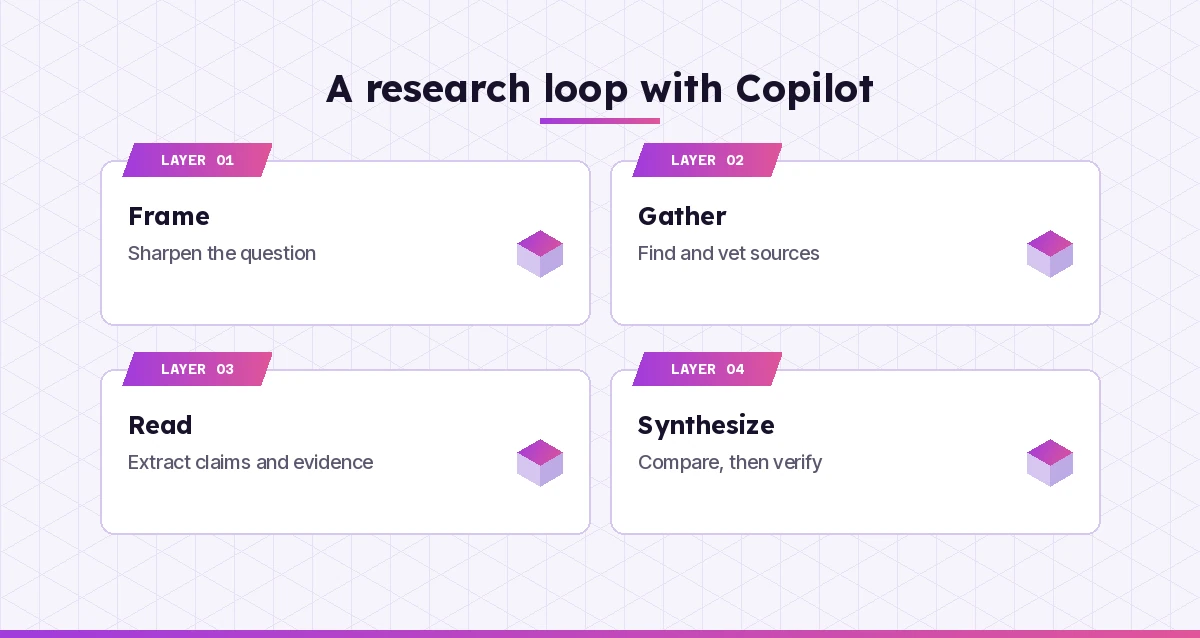
Synthesis is where you move from “Source A says, Source B says” to your own informed view. Copilot can draft the structure; the judgement stays with you.
30. Compare studies side by side
Compare these [number] studies in a table by research design, sample size,
setting, main result and quality. Then write a 150-word paragraph that
synthesizes what they show together, citing each by author and year.
31. Weigh the evidence
Given these findings [paste], how strong is the overall evidence for
[claim]? Consider the number of studies, their quality, consistency of
results and any conflicts of interest. Rate it as strong, moderate, weak or
mixed, and explain why.
32. Draft key takeaways
From my literature matrix, write 5 key takeaways for a non-specialist
reader. Each takeaway should be one sentence followed by the sources that
support it.
33. Build an evidence table for a decision
I need to decide [decision] using research. Create a table with options,
evidence for, evidence against, confidence level and open questions. Only
use the sources I provided.
34. Explain it at three levels
Explain the main finding of my research on [topic] at three levels: for a
12-year-old, for a manager with five minutes, and for an expert in the
field. Keep each version accurate.
Prompts to Plan Methods and Analysis
If you are collecting your own data, Copilot can act as a sounding board for design choices. It will not replace a methods textbook or your supervisor, but it can help you think through options quickly.
35. Compare research designs
For the question "[question]", compare 3 possible research designs (for
example survey, interviews, experiment, case study). For each, list
strengths, weaknesses, rough time needed and ethical considerations.
36. Draft survey or interview questions
Draft 10 neutral, non-leading survey questions to measure [concept] among
[population]. Mix closed and open questions. Flag any question that could
be read in more than one way.
37. Plan the analysis
I will collect [type of data] with [sample details]. Suggest suitable
analysis approaches and explain, in plain language, what each would tell
me. Note any assumptions I'd need to check first.
38. Anticipate ethical issues
List the ethical issues I should consider for research that involves
[participants / data type]. Include consent, privacy, data storage and
potential harm, and suggest how to address each.
Prompts to Stress-Test Your Conclusions
Before you share anything, ask Copilot to argue with you. The last few copilot prompts for research do exactly that. This is one of the most underrated ways to use it.
39. Play devil’s advocate
Here is my main conclusion and the evidence behind it: [paste]. Argue
against it as strongly as you can. Then tell me which of your objections
are the most serious.
40. Find overclaiming
Read my findings section: [paste]. Highlight any sentence that claims more
than the evidence supports, such as causation from correlation or
generalizing from a small sample. Suggest more careful wording.
41. Check alternative explanations
My results show [result]. List alternative explanations I have not ruled
out, and suggest what additional data or analysis would help rule them in
or out.
42. Prepare for questions
I'm presenting this research to [audience]. Based on my summary [paste],
list the 8 questions they are most likely to ask, including hard ones, and
give me notes for answering each.
Once your findings are solid, our Copilot prompts for report writing help you turn them into a clear final document.
A Worked Example: From Topic to Literature Matrix
Here is how a short session might look for someone researching whether four-day work weeks affect employee wellbeing.
- Frame. They run prompt 1 and get six narrower questions. They pick “How do four-day week trials affect self-reported burnout among office workers?”
- Gather. Prompt 7 returns a list of trial reports and studies with links. They open every link, discard two that point to news articles rather than the original reports, and download the rest.
- Vet. Prompt 13 on each source shows one report was published by an advocacy group. They keep it but note the possible bias.
- Read. They upload each PDF and use prompt 18, then prompt 20 to capture the exact burnout figures with page numbers.
- Synthesize. Prompt 24 builds the matrix, and prompt 26 reveals that studies measured burnout with different scales, which explains some of the disagreement.
- Stress-test. Prompt 40 flags a sentence in their draft that implied the four-day week caused lower burnout, when the trials could only show an association.
The researcher did the thinking at every step. Copilot did the sorting, extracting and first drafting, which is where most of the hours usually go.
How to Verify Anything Copilot Gives You
Even the best copilot prompts for research cannot guarantee that every reference is real or quoted correctly. Build these checks into your routine.
| Check | What to do | Why it matters |
|---|---|---|
| Source exists | Open every link and search the exact title in a library database or Google Scholar | AI tools can produce plausible but non-existent citations |
| Claim matches | Find the sentence or table in the original that supports the claim | Summaries can drift from what the source actually says |
| Numbers are exact | Compare each statistic against the page Copilot cited | Figures get rounded, swapped or attached to the wrong group |
| Date is current | Check the publication date and whether newer work exists | Older findings may have been revised or overturned |
| Quote is verbatim | Copy quotes from the source, not from the chat | Paraphrases sometimes appear inside quotation marks |
A good habit is to ask, at the end of any session: “List every factual claim in your last three answers and the source for each.” Anything without a source goes on your to-check list.
Tips for Getting Better Research Answers
- Save your best prompts. Keep the copilot prompts for research that work well in a document so you can reuse them on the next project.
- Upload, don’t describe. Copilot works far more reliably from a document you give it than from its memory of a paper.
- Ask for page numbers. It makes checking quick and discourages vague answers.
- One task per prompt. “Summarize, critique and compare” in one message usually produces a shallow version of all three.
- Keep a running brief. Paste your research question and scope at the top of a new chat so every answer stays on target.
- Use custom instructions or a Notebook. If your Copilot supports them, store your field, citation style and preferences so you do not retype them.
- Know your institution’s rules. Many universities and employers have policies on AI in research. Disclose its use where required.
If your research is commercial rather than academic, such as sizing a market or profiling competitors, our Copilot prompts for market research are built for that job. Students working on coursework will also find study-focused ideas in our Copilot prompts for students. For an overview of Microsoft’s wider Copilot family, the official Microsoft Copilot documentation is the best reference.
Final Thoughts
Research has always been part detective work and part paperwork. Copilot is very good at the paperwork: sorting sources, pulling out figures, building tables and drafting structure. Keep the detective work for yourself. Frame the question carefully, give Copilot real material to work from, ask for page references, and verify before you trust. Do that, and these 42 copilot prompts for research can turn a week of reading into a few focused afternoons.
Frequently Asked Questions
Can Microsoft Copilot do academic research?
Copilot can help with many research tasks, such as narrowing a question, suggesting sources, summarizing papers you upload, building literature matrices and drafting outlines. It is not a substitute for academic databases or your own judgement, so verify every source and claim it gives you before citing it.
Does Copilot give real citations?
When web search is on, Copilot usually links to the pages it used, and those links are a useful starting point. However, AI tools can still misattribute or invent references, so open each link and confirm the title, authors and content in the original source.
How do I use Copilot for a literature review?
Upload or paste your sources, ask Copilot to build a matrix with author, method, sample, findings and limitations, then ask it to group sources into themes and point out agreements, disagreements and gaps. Write the final review yourself, using Copilot’s output as a structured draft.
Is it safe to upload research documents to Copilot?
With a work or school account, Microsoft 365 Copilot Chat applies enterprise data protection to what you share. With a personal account, avoid uploading confidential, unpublished or participant data unless you are comfortable with the consumer privacy terms, and always follow your institution’s data rules.
What is the difference between Copilot Chat and the Researcher agent?
Copilot Chat answers prompts in a conversation, while the Researcher agent, available with some Microsoft 365 Copilot licences, runs longer multi-step investigations across the web and your work data and returns a structured report. Use Chat for quick tasks and Researcher for deeper questions.
Can I use Copilot for research without breaking academic integrity rules?
Usually yes, if you use it to support your thinking rather than replace it and you follow your institution’s policy. Check whether you must disclose AI use, never present AI-generated text as your own original analysis where that is prohibited, and verify all facts and citations yourself.