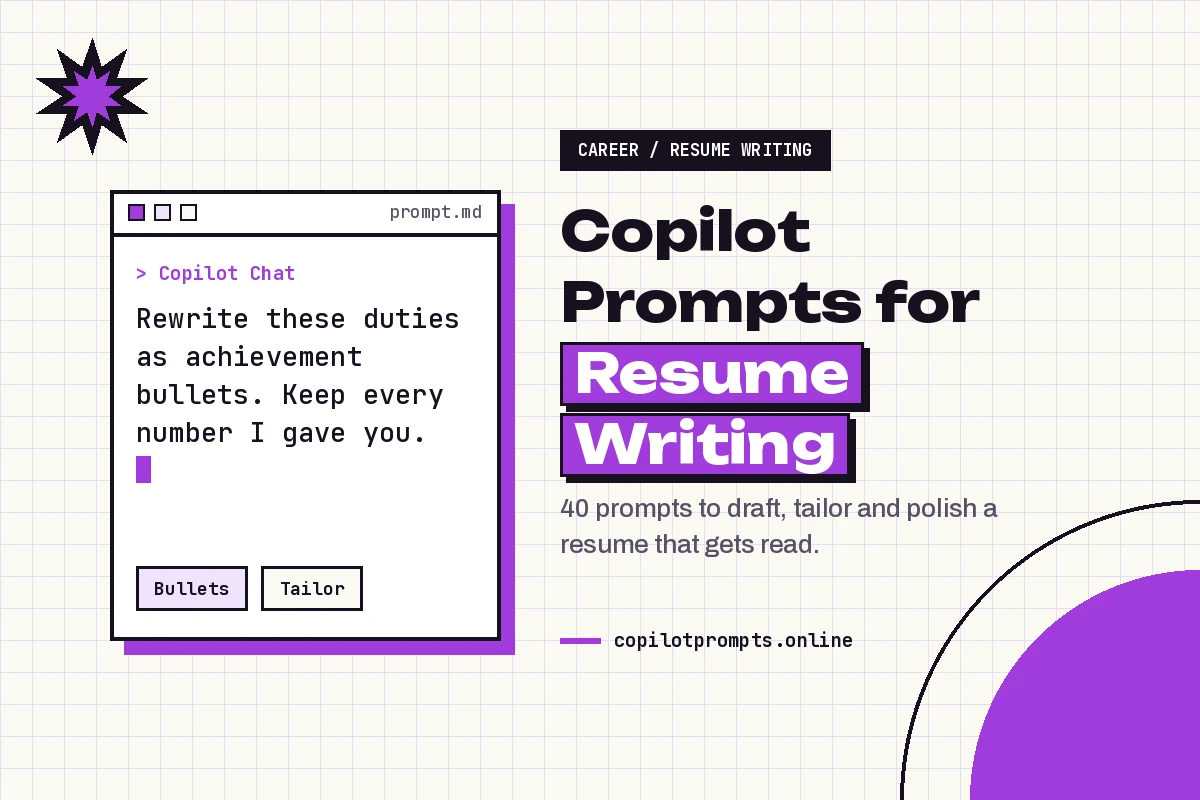
Copilot Prompts for Resume Writing: 40 Proven Prompts to Land More Interviews
Copilot prompts for resume writing help you turn a messy list of past jobs into a clear, targeted document that a recruiter can scan in seconds. Copilot is good at the parts of resume work most people find tedious: rewording duties into results, trimming long sentences, matching your language to a job ad and spotting inconsistencies in dates or formatting. What it can’t do is know your career. Every strong output starts with facts you supply.
This guide gives you 40 copy-ready Copilot prompts for resume writing, grouped by the stage of the job: building a first draft, writing achievement bullets, tailoring to a specific posting, crafting the summary, keeping the layout friendly to applicant tracking systems, polishing the final copy and handling tricky situations like career changes or employment gaps. Replace anything in square brackets with your own details before you run a prompt.
What Copilot Can and Can’t Do for Your CV
When you use Copilot prompts for resume writing, think of Copilot as a sharp editor sitting beside you, not a ghostwriter who knows your history. Give it raw notes about a role and it will shape them into tidy, action-led lines. Ask it to invent a career for you and you’ll get generic filler that any hiring manager will spot.
Where it helps most:
- Rewording: turning “responsible for handling customer complaints” into a line that shows scope and outcome.
- Tailoring: comparing your draft with a job description and pointing out skills or terms you’ve left out.
- Tightening: cutting a two-page draft down without losing the strongest material.
- Checking: catching tense changes, inconsistent date formats and repeated verbs.
Where you stay in charge:
- Facts: numbers, dates, job titles and employer names must come from you, and you should check every one in the final draft.
- Judgment: deciding which achievements matter most for the role you want.
- Honesty: never let a reworded line claim more than you actually did. If Copilot adds a figure you didn’t give it, delete it.
A quick word on privacy: a resume holds personal details. If you use Microsoft 365 Copilot through a work account, your employer’s data policies apply, and Microsoft explains how that service handles prompts in its Microsoft 365 Copilot privacy documentation. You can always leave out your phone number and address while drafting and add them back at the end.
Feed Copilot the Right Raw Material
The quality of a rewritten bullet, and of any Copilot prompts for resume writing you try, depends almost entirely on what you paste in. Before you open Copilot, spend ten minutes collecting a “master list” for each role: your title, dates, team size, tools you used, projects you led, problems you solved and any results you can measure honestly, such as time saved, error rates reduced or revenue handled.
Then give each request four things: who you are, the role you’re targeting, the material to work with and the format you want back. Our guide on how to write Copilot prompts explains this goal, context, source and expectation pattern in more detail, and the Copilot prompt template post has a fill-in-the-blanks version you can reuse.
| Stage | What you give Copilot | What you ask for |
|---|---|---|
| First draft | Master list of roles and facts | A structured resume outline |
| Bullets | Duties and results for one role | Action-led, concise lines |
| Tailoring | Draft plus the job posting | Gaps, matching terms, rewrites |
| Summary | Target role and top strengths | Three to four sentence profile |
| Polish | Near-final draft | Consistency and error check |
Prompts to Build a First Draft
The first group of Copilot prompts for resume writing gets a draft on the page. Use these when you’re starting from scratch or rebuilding an old document. They work in Copilot Chat or in the Copilot pane in Word, where you can ask it to draft directly into a blank file. Microsoft’s guide to Copilot in Word shows how to open the pane and draft from a prompt.
1. Outline from your notes
I'm a [job title] with [X] years of experience applying for [target role]. Using only the notes below, create a resume outline with these sections: summary, skills, experience, education. Don't add any facts I haven't given you.

Notes: [paste your master list]
2. Choose the right format
Based on my background below, should I use a reverse-chronological, functional or hybrid resume format for a [target role]? Explain your recommendation in three sentences and list the section order I should use.

Background: [short summary of your career]
3. Turn a job history into an experience section
Turn this job history into a resume experience section. For each role, show the title, employer, location and dates on one line, followed by 3 to 5 bullet points. Keep every date and title exactly as written.

[paste job history]
4. Pull out skills
Read my notes below and list the hard skills, tools and certifications they show. Group them into categories such as software, technical skills and languages. Only include skills clearly supported by the notes.

[paste notes]
5. Start from an old version
Here is my resume from [year]. I'm now targeting [target role]. Suggest which sections to keep, cut or rewrite, and explain why in a short table.

[paste old resume]
6. Draft in Word from a file
Using /[my career notes file], draft a one-page resume for a [target role]. Use clear headings, short bullets and no tables or text boxes.Prompts for Stronger Achievement Bullets
Bullets are where most resumes win or lose. Recruiters look for what changed because you were there, not a copy of your job description. These Copilot prompts for resume writing push Copilot toward action verbs, scope and outcomes while keeping it tied to your real numbers.
7. Duties into achievements
Rewrite these duties as achievement-focused resume bullet points. Start each with a strong action verb, show the result where my notes give one, and keep each line under 25 words. If a result isn't stated, don't invent one; instead add [result?] so I can fill it in.

[paste duties]
8. Apply the STAR structure
Here's a story about a project I led: [describe situation, task, action, result]. Condense it into two resume bullets that show the action I took and the outcome.9. Find hidden numbers
Look at these bullet points and ask me up to five questions that would help me add measurable results, such as volume, time saved, team size or budget.

[paste bullets]
10. Vary your verbs
These bullets repeat the same verbs. Rewrite them so no action verb appears more than once, keeping the meaning and every number unchanged.

[paste bullets]
11. Cut the filler
Shorten each bullet below to one line by removing filler words like "responsible for", "helped with" and "various". Keep the key result.

[paste bullets]
12. Leadership without a title
I didn't have a manager title but I [trained new hires / led a project / coordinated a team]. Write two bullets that show this leadership honestly without overstating my role.13. Technical work for non-technical readers
Rewrite these technical bullets so a recruiter without a technical background understands the impact, while keeping the key tools named.

[paste bullets]
14. Rank by relevance
Rank these bullets from most to least relevant for a [target role] and suggest which two I could remove to save space.

[paste bullets]
Prompts to Tailor Your Resume to a Job Description
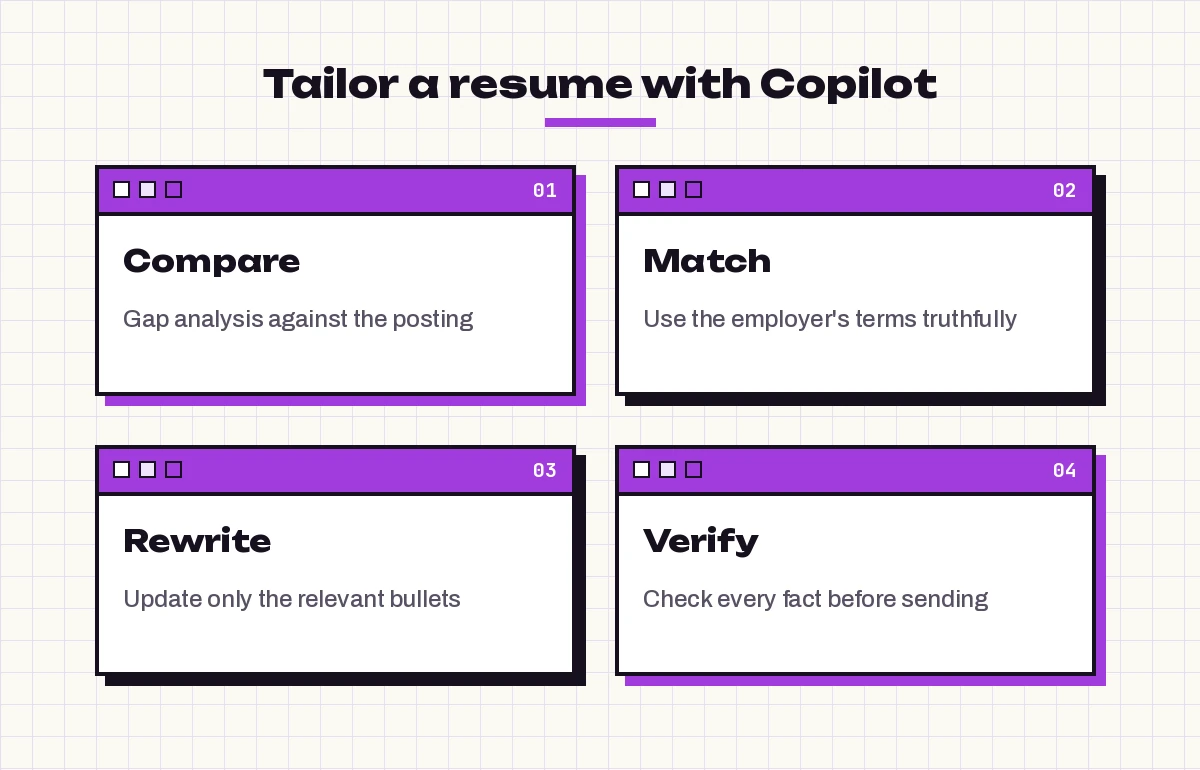
Sending the same document to every posting is the most common reason good candidates get filtered out. Tailoring doesn’t mean rewriting everything; it means making sure the skills and language the employer cares about are visible. For these Copilot prompts for resume writing, paste both the posting and your draft into the same chat so Copilot can compare them.
15. Gap analysis
Compare my resume with this job description. List the required skills and qualifications, mark each as "clearly shown", "partly shown" or "missing" in my resume, and quote the line that supports it.

Job description: [paste]
Resume: [paste]
16. Match the employer’s terms
Identify the key terms and phrases this job posting uses for skills and tools. Suggest where I could naturally use the same wording in my resume, only where it truthfully describes my experience.17. Rewrite for one posting
Rewrite my experience bullets for my last two roles to emphasize the requirements in this posting. Keep all facts and numbers unchanged and don't add skills I haven't listed.18. Reorder for impact
Based on this job description, reorder my skills section and the bullets in each role so the most relevant items appear first.19. Spot red flags
Read my resume as a hiring manager for [target role] at [company type]. What three concerns might you have, and how could I address each one on the page?20. Tailored skills line
Write a one-line skills summary for the top of my resume that matches this posting, using only skills from my current draft.21. Quick version for a similar role
I already tailored my resume for [role A]. Here is a new posting for [role B]. List only the changes I need to make, as a short checklist, instead of rewriting the whole document.Prompts for a Summary That Gets Read
A summary sits at the top of the page, so it’s often the only part a busy reader sees before deciding to keep going. Three or four sentences that name your role, your strongest experience and the value you bring are enough.
22. Write a professional summary
Write a 3-sentence professional summary for a [target role]. Mention my [X] years in [field], my strength in [skill 1] and [skill 2], and one achievement from my notes. Avoid clichés like "results-driven" and "team player".

Notes: [paste]
23. Three styles to choose from
Give me three versions of my resume summary: one formal, one conversational and one very concise (under 40 words). Use the same facts in each.24. Headline under your name
Suggest five short headline options to place under my name, such as "Data Analyst | SQL, Power BI | Retail Forecasting", based on my experience below.25. Career objective for a first job
I'm a recent graduate in [degree] applying for entry-level [role]. Write a two-sentence objective that highlights my [internship / project / coursework] and what I want to learn.26. Remove clichés
Review my summary and replace any generic or overused phrases with specific statements drawn from my experience. Show the before and after.Prompts for an ATS-Friendly Layout
Many employers use applicant tracking systems that read and sort resumes before a person sees them. Fancy layouts with columns, text boxes or icons can make that harder. These Copilot prompts for resume writing help you keep the design simple and the content easy to parse.
27. Layout check
Check this resume for formatting that applicant tracking systems may struggle with, such as tables, columns, text boxes, headers and footers, graphics or unusual section names. List each issue and a simpler alternative.28. Standard section headings
Rename my section headings to standard labels a recruiter or tracking system would expect, such as "Experience", "Education" and "Skills".29. Plain-text version
Convert my resume into clean plain text I can paste into an online application form, keeping section headings and bullets but removing all formatting.30. Keyword balance
Check whether any skill or phrase appears so often in my resume that it reads as stuffed. Suggest natural alternatives where needed.31. File and name tips
Give me a short checklist for saving and naming my resume file before I upload it to an online application.Prompts to Edit and Proofread the Final Draft
Once the content is right, use the last set of Copilot prompts for resume writing to turn Copilot into a careful proofreader. Run these on the near-final version in Word so it can see the whole document. If you want more editing ideas, our list of Copilot prompts for Word covers general rewriting and formatting tasks.
32. Consistency check
Check this resume for inconsistencies in date formats, tense, punctuation at the end of bullets, capitalization of job titles and spacing. List each issue with its location.33. Grammar and spelling
Proofread this resume for spelling and grammar errors. Show each mistake, the correction and the section it's in. Don't rewrite anything else.34. Fit on one page
My resume runs to [X] pages. Suggest specific cuts to fit it on [one / two] pages, starting with the least relevant content for a [target role].35. Six-second test
Imagine you're a recruiter skimming this resume for six seconds. What would you notice first, and what important information might you miss?36. Final fact flag
List every number, date, job title and company name in this resume so I can verify each one against my records before sending.Copilot Prompts for Resume Writing in Tricky Cases
Some situations need more careful wording. Copilot can help you frame them honestly and positively, but the explanation itself has to be true.
37. Career change
I'm moving from [current field] to [new field]. Identify transferable skills in my experience below and rewrite three bullets to highlight them for a [target role].38. Employment gap
I had a gap from [dates] because of [reason, e.g. caregiving, study, relocation]. Suggest a brief, honest way to show this on my resume and one sentence I could use if asked in an interview.39. Returning to work
I'm returning to work after [X] years away. Help me present volunteer work, freelance projects and courses from that time as relevant experience for a [target role].40. Senior profile trim
I have more than [X] years of experience. Suggest how to condense older roles into a short "Earlier Career" section while keeping the most relevant achievements.Common Mistakes When Using AI for Resumes
Copilot prompts for resume writing speed things up, but a few habits can undo the benefit:
- Accepting invented details: if a bullet suddenly includes a percentage you never mentioned, remove it. Hiring managers often ask about the numbers on your resume.
- Sounding like everyone else: generic phrasing is easy to spot. Keep specific project names, tools and outcomes in every role.
- One version for every job: spend a few minutes tailoring with prompts 15 to 21 for each application that matters.
- Skipping the human read: read the final version aloud once. Awkward lines are much easier to hear than to see.
- Forgetting the rest of the application: the same facts should match your LinkedIn profile and cover letter, so update those too.
If you’re also preparing for review season at your current job, the same achievement-writing habits apply to self-assessments; see our Copilot prompt for performance review guide for ready-made examples.
Bringing It Together
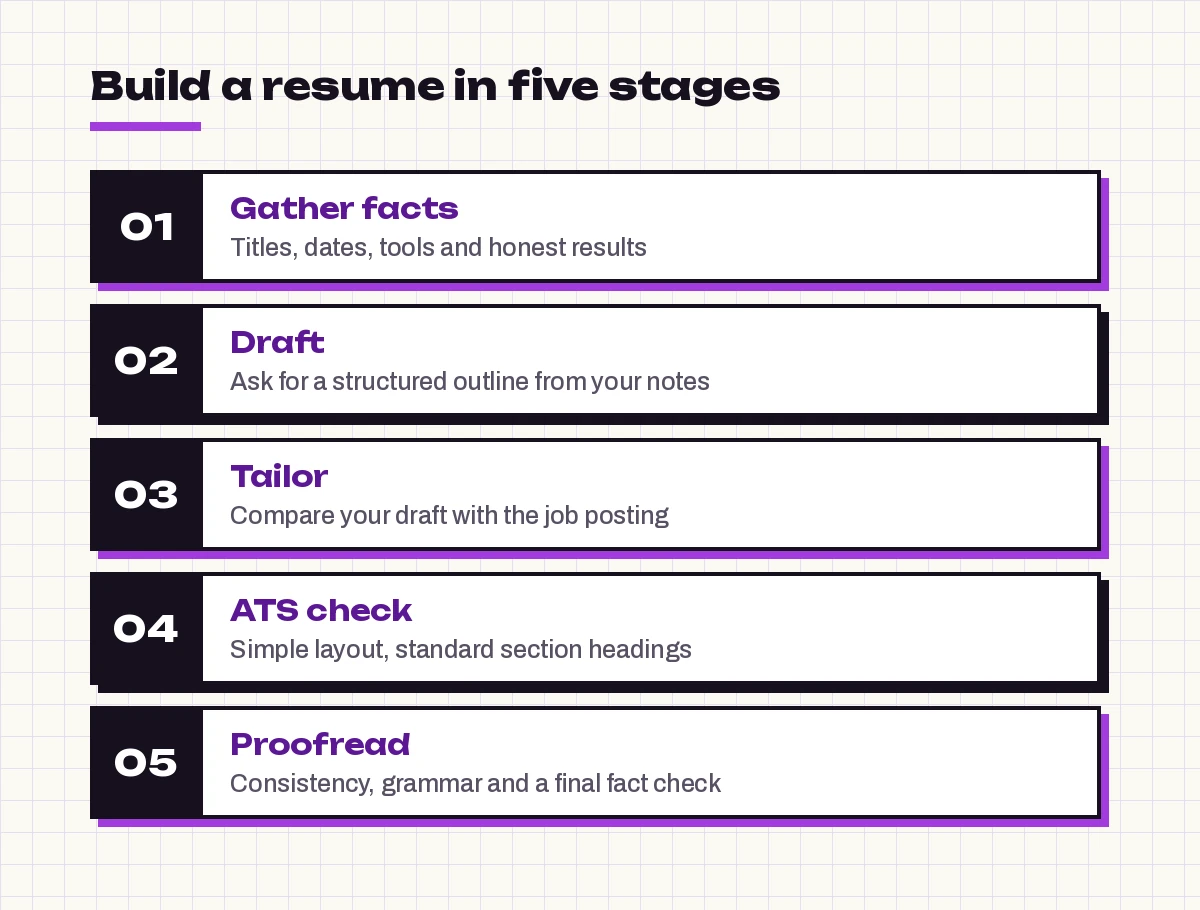
The best resume workflow with Copilot is simple: collect your facts first, draft a structured outline, sharpen each bullet, tailor to the specific posting, check the layout and proofread with a final fact review. Save the Copilot prompts for resume writing that work best for you in a note so each new application takes minutes rather than an evening.
Start with prompt 1 and your master list today, then work through the stages in order. You’ll end up with a document that sounds like you, reads cleanly and shows exactly why you fit the role.
Once your resume is ready, bring your public profile in line with it using these Copilot prompts for your LinkedIn profile.
Frequently Asked Questions
Can Copilot write my entire resume for me?
It can produce a full draft, but only from the facts you give it. Paste your job history, skills and results, ask for a structured resume, and then review every line. Copilot doesn’t know your career, so anything it adds on its own should be checked or removed.
Which Copilot is best for resume work?
Copilot Chat works well for rewriting bullets and comparing your draft with a job posting. Copilot in Word is handy when you want to draft, edit and proofread inside the document itself, because it can read the whole file at once.
How do I make my resume ATS friendly with Copilot?
Ask Copilot to flag tables, columns, text boxes, graphics and unusual headings, then replace them with a simple single-column layout and standard section names like Experience, Education and Skills. Prompts 27 to 31 in this guide cover these checks.
Is it safe to paste my resume into Copilot?
Follow your organization’s rules if you use a work account. To be cautious, remove your phone number, home address and other sensitive details while drafting and add them back to the final file yourself.
How do I tailor a resume to a job description with Copilot?
Paste the job posting and your resume into the same chat and ask for a gap analysis that marks each requirement as shown, partly shown or missing. Then ask Copilot to rewrite only the relevant bullets, keeping your facts unchanged.
Will recruiters know my resume was written with AI?
They may notice generic, cliché-heavy wording. Keep specific projects, tools and honest results in every bullet, edit the draft in your own voice and read it aloud before sending. A resume shaped by your real details reads as yours.