Copilot Prompts for Procurement: 42 Proven Prompts for Smarter Sourcing
Copilot prompts for procurement can take a lot of the grind out of sourcing work: drafting a request for proposal, lining up supplier quotes side by side, summarising a forty-page contract, or writing a polite but firm note to a late vendor. The catch is that procurement is full of numbers, commitments and legal wording, so a lazy prompt can produce something that sounds confident and is quietly wrong.
This guide shows where Copilot fits in a buying team’s week, how to brief it with the right context, and gives you more than 40 copy-ready prompts grouped by the stages of the procure-to-pay cycle. Each section explains what to check before anything leaves your desk, and there is a worked example of a bid comparison at the end.
Where Copilot Prompts for Procurement Help Most
Most buyers already live in Outlook, Excel, Word and Teams, which is exactly where Microsoft 365 Copilot works. That means you do not need a new tool to start; you need better requests.
Here is where it tends to save the most time:
- Sourcing documents. First drafts of RFIs, RFQs, RFPs, scopes of work and evaluation criteria in Word.
- Quote and bid analysis. Cleaning supplier price sheets, building comparison tables and spotting outliers in Excel.
- Contract reading. Pulling out renewal dates, liability caps, payment terms and termination clauses from long agreements.
- Supplier communication. Clarification questions, negotiation emails, late-delivery chasers and polite rejections in Outlook.
- Meetings. Recaps of supplier reviews and internal sourcing calls in Teams, with action items and owners.
- Reporting. Turning a spend extract into a short summary your finance or leadership team can read in two minutes.
What Copilot does not do is make the decision. It does not know your approval limits, your preferred supplier list or your legal team’s red lines unless you tell it, and it can misread a table. Microsoft’s own Microsoft 365 Copilot overview is clear that it works from the content you can already access, so the quality of what you point it at matters as much as the prompt.
A Simple Way to Brief Copilot on Sourcing Work
Purchasing requests usually go wrong for one of three reasons: Copilot does not know what is being bought, it does not know the rules you buy under, or it does not know what format you need back. A short brief at the top of the chat fixes all three.
Context: I am a procurement specialist at a mid-sized manufacturing company.
We are sourcing industrial safety gloves for 3 sites, about 12,000 pairs a year.
Rules: we need at least 3 quotes, suppliers must meet EN 388, payment terms are 60 days,
and anything over $50,000 needs director approval.
Goal: help me prepare the RFQ and then compare the replies.
Output style: plain English, short sections, tables where useful, no legal advice.
Keep a version of this brief in a note for each category you manage; it makes all the copilot prompts for procurement below more accurate. Pasting it in first means every follow-up request inherits the same facts.
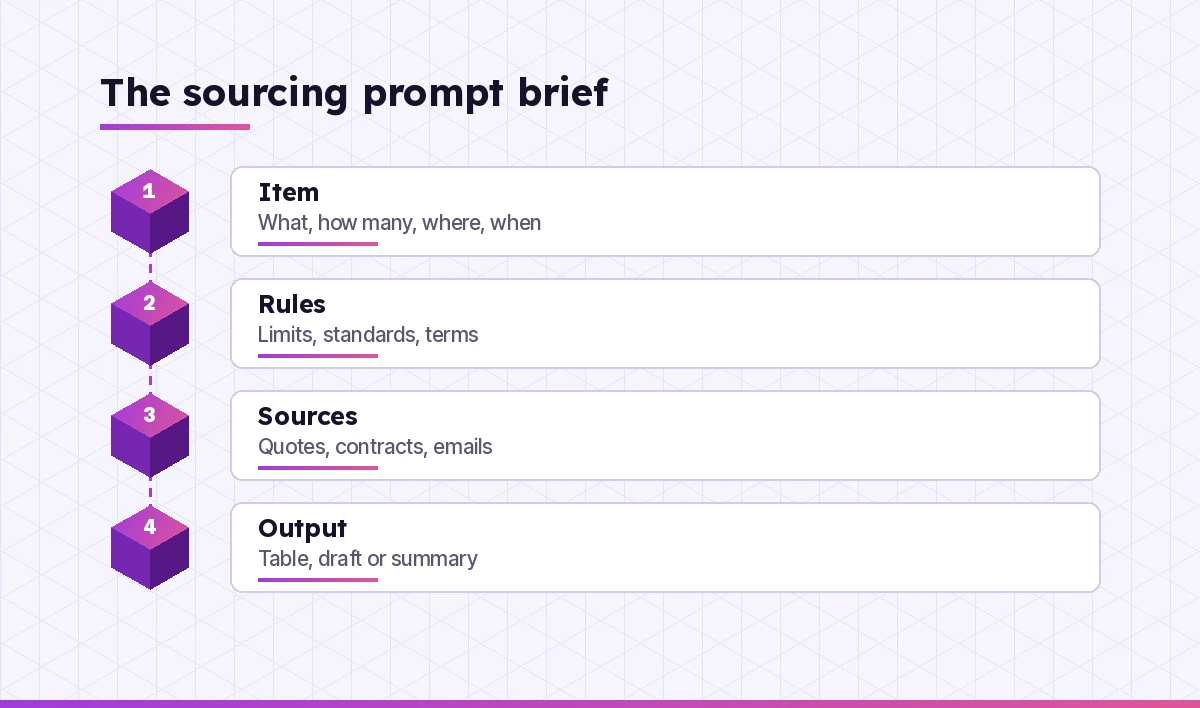
The Four Parts of a Strong Sourcing Prompt
Think of every request as having four parts:
- Item. What you are buying, the volume, the sites and the timeline.
- Rules. Policy limits, mandatory standards, preferred terms and anything non-negotiable.
- Sources. The files, emails or meeting you want Copilot to read. In Microsoft 365 Copilot you can reference files with a forward slash or by name.
- Output. A table, an email draft, a checklist, a one-page summary, and who will read it.
“Compare these quotes” leaves too much to chance. “Compare the three quotes in /Glove RFQ Replies on unit price, minimum order, lead time and payment terms, flag anything that breaks our 60-day terms, and return a table sorted by total annual cost” gives Copilot a job it can actually do well.
Copilot Prompts for Procurement Planning and Needs Analysis
Before you go to market, it pays to get the requirement right. These prompts help turn a messy internal request into a clear specification.
1. Read the email thread from the operations team about new forklifts and list the actual requirements they mention: quantity, capacity, sites, timing and budget. Mark anything that is vague or missing.2. Turn these notes from my call with the IT manager into a one-page requirements summary with sections for scope, must-haves, nice-to-haves, constraints and open questions.3. I am buying cleaning services for 4 office sites. Suggest the questions I should ask the internal stakeholders before writing a scope of work.4. Draft a short category strategy outline for office furniture: current situation, spend drivers, risks, sourcing options and next steps. Leave placeholders where I need to add our real numbers.5. Based on /Spend Extract Q3, list our top 10 suppliers by spend and the categories they cover. Point out any supplier that appears under more than one category.6. Help me write a make-or-buy comparison for outsourcing our payroll. Give me the factors to weigh, not a recommendation.Prompts for RFIs, RFQs and RFPs
Copilot in Word is good at producing a structured first draft that you then tighten. Always run the final version past whoever owns the commercial and legal wording in your organisation.
7. Draft an RFQ for 12,000 pairs of EN 388 safety gloves per year across 3 sites. Include an introduction, scope, delivery requirements, pricing table, submission deadline and contact details placeholders.8. Write an RFP section that asks suppliers to describe their implementation plan, team, timeline and risks for a new expense management system.9. Create a list of 15 supplier questions for an RFI on managed print services, grouped into capability, service levels, security, pricing model and references.10. Turn this scope of work into a pricing schedule template suppliers can fill in, with separate lines for one-off costs, recurring costs and optional extras.11. Review my draft RFP in /Facilities RFP v2 and point out unclear requirements, duplicate questions and anything a supplier could interpret in two different ways.12. Write clear instructions for suppliers on how to submit their response: format, file naming, deadline, how to ask questions and what happens after submission.If you write a lot of bid documents, our guide to Copilot prompts for proposal writing covers the supplier side of the same process, which helps when you want to see your RFP through a bidder’s eyes.
Prompts for Supplier Research and Shortlisting
Copilot can help you organise what you already know about suppliers. When it uses web results, treat them as leads to confirm, not facts.
13. From the supplier profiles in /Packaging Suppliers, build a table with company name, locations, certifications, minimum order and notes. Leave a cell blank if the file does not say.14. Suggest the criteria I should use to shortlist logistics providers for cross-border freight, with a short reason for each criterion.15. Write a supplier pre-qualification questionnaire covering financial stability, insurance, quality certifications, health and safety, data protection and sustainability.16. Summarise the last 6 months of emails with Northline Supplies and list recurring problems, open issues and anything they promised but have not delivered.17. Draft 8 questions to ask a reference customer about a software vendor's implementation and support.Copilot Prompts for Procurement Bid and Quote Comparison
This is where Copilot in Excel earns its keep, and where copilot prompts for procurement teams save the most hours. Make sure your data sits in a formatted table with clear headers before you ask, and always spot-check a few figures by hand.
18. In this table of supplier quotes, add a column for total annual cost using unit price multiplied by annual volume, then sort from lowest to highest.19. Highlight any quote where the lead time is longer than 21 days or the payment terms are shorter than 60 days.20. Create a weighted scoring table for these 4 bids using price 40%, quality 25%, delivery 20% and service 15%. Show the formula you used.21. Compare the three quotes in /Glove RFQ Replies and list the differences in what is included, such as delivery, packaging, samples and warranty, so I can compare like with like.22. Identify any line items where one supplier's price is more than 25% above or below the average of the others, and suggest questions I could ask about them.23. Write a one-paragraph summary of this bid comparison for my director, stating the lowest-cost option, the best-scoring option and any risk I should mention.For heavier spreadsheet work such as pivots and trend checks, the prompts in our Copilot prompts for Excel data analysis guide work well on spend and quote data too.
Prompts for Contracts and Purchasing Terms
Copilot can help you find and explain clauses, but it is not a lawyer. Use it to speed up your reading and to prepare questions, then involve legal for anything that matters.
24. Read /Master Services Agreement Northline and list the contract start date, end date, renewal terms, notice period, payment terms and liability cap, with the clause number for each.25. Explain the termination clause in this contract in plain English and list what we would need to do to exit early.26. Compare the payment terms and price review clauses in these two supplier contracts and show the differences in a table.27. List every obligation our company has under this agreement, such as forecasts, minimum orders or notice deadlines, so I can add them to our contract calendar.28. Flag any clauses in this draft that differ from our standard terms in /Standard Purchasing Terms, and quote the wording that changed.Our dedicated guide to Copilot prompts for contract review goes deeper on clause checks, and the comparing two documents prompts are handy for redlines between versions.
Prompts for Negotiation Preparation
Good negotiations are prepared, not improvised. Copilot is useful as a sparring partner and a note-taker here.
29. Based on the quotes and our volume history, help me prepare for a negotiation with Northline: list our leverage points, their likely objections and three fallback positions.30. Act as the supplier's account manager. I will ask for a 6% price reduction on a 2-year commitment. Respond as they might, then give me feedback on how I framed the ask.31. Draft a negotiation plan with our target, walk-away point, trade-offs we can offer and questions to open the conversation. Leave the numbers as placeholders.32. Write a short summary of what was agreed in the negotiation call transcript, with any items still open and who owns them.Prompts for Supplier Emails and Updates
Copilot in Outlook can draft most routine supplier messages. Set the tone in the prompt, because procurement emails often need to be friendly and firm at the same time.
33. Write a polite email to Northline asking for an updated delivery date for PO 45821, which is now 9 days late, and asking what they will do to prevent further delays.34. Draft a clarification email to all bidders answering the three questions below. Keep the wording neutral so no supplier gets an advantage.35. Write a respectful rejection email to a supplier who was not selected, thanking them, giving one short reason and inviting them to future tenders.36. Draft an award notification email to the chosen supplier that confirms the scope, start date and next steps, without committing to anything not yet in the contract.37. Rewrite this email to a supplier so it is firmer about the missed service levels but still professional.For more ideas on tone and structure, see our list of Copilot prompts for email writing.
Prompts for Spend Analysis and Reporting
Spend data is often messy, with the same supplier spelled five ways. Ask Copilot to tidy it before you ask it to analyse it.
38. In this spend extract, find supplier names that look like duplicates, such as different spellings or suffixes, and suggest a single standard name for each group.39. Summarise spend by category and by quarter, and point out any category where spend grew by more than 15% compared with the previous quarter.40. Show which purchases were made without a purchase order, grouped by department, so I can follow up on maverick spend.41. Write a short monthly procurement update for leadership covering savings achieved, new contracts, open sourcing events and risks. Use the data in /Procurement Tracker October.42. List contracts in this tracker that expire in the next 120 days and draft a reminder email to each contract owner.Worked Example: Comparing Three Glove Quotes
Here is how a short chain of requests might look for the safety glove RFQ from earlier.
Step one, clean the data. Paste or open the supplier replies in Excel and ask: “Combine these three quote sheets into one table with columns for supplier, product code, unit price, minimum order, lead time, payment terms and certification.”
Step two, make it comparable. Follow with: “Add total annual cost for 12,000 pairs and flag any supplier that does not state EN 388 certification.” Check two of the totals with a calculator.
Step three, score it. Ask for the weighted scoring table from prompt 20 and confirm the weights match what you told the bidders in the RFQ.
Step four, write it up. Finish with: “Write a 150-word recommendation note for my director with the scoring table, the preferred supplier, the main risk and the approval needed under our $50,000 threshold.”
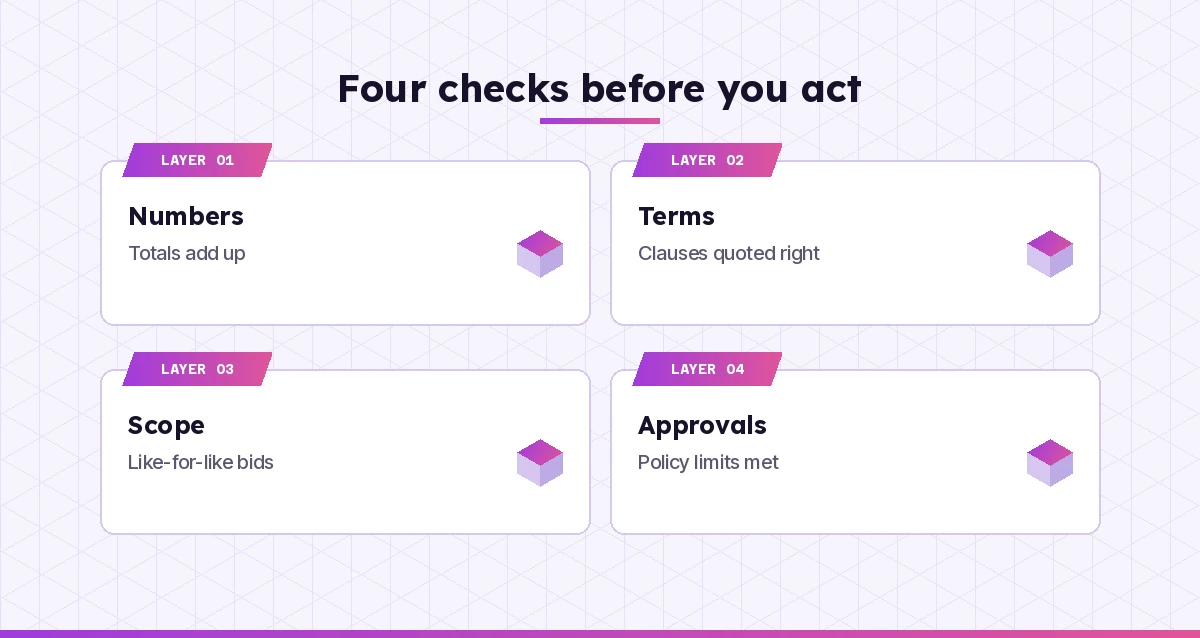
This is where copilot prompts for procurement work best: as a chain of small, checkable steps. The whole chain takes a few minutes, but the judgement calls stay with you: whether the cheapest bid is really like-for-like, whether a supplier’s lead time is realistic, and whether the decision follows your policy.
Good Habits for Buyers Using Copilot
A few habits make Copilot far more reliable for purchasing work:
- Name your files. Pointing Copilot at a specific document beats asking it to search everything.
- Ask for sources. Request clause numbers, cell references or the email it used, so you can verify quickly.
- Keep sensitive data in your tenant. Use the work version of Copilot signed in with your company account for supplier pricing and contracts. Microsoft explains how prompts and responses are handled in its Copilot data, privacy and security page.
- Stay fair. Make sure any clarification you send goes to every bidder, and never let a draft leak one supplier’s pricing to another.
- Save what works. Keep your best copilot prompts for procurement in a shared note so the whole team uses the same structure.
If you are new to writing requests, our walkthrough on how to write Copilot prompts explains the basics, and the Copilot prompts for finance list pairs well with procurement for budget and savings work.
Final Thoughts
Copilot will not run your sourcing events for you, but it can take hours off the drafting, reading and tidying that surround them. Start with one stage where you lose the most time, often quote comparison or contract reading, write a short brief, and reuse the prompts above until they fit the way your team buys. Check every number and every clause before it reaches a supplier, and you will get the speed without the risk.
Frequently Asked Questions
Can Copilot write an RFP or RFQ for me?
Yes. Copilot in Word can draft a structured RFP or RFQ from a short brief or from your notes, including scope, requirements, pricing tables and submission instructions. Treat it as a first draft and have the commercial and legal wording reviewed before you send it to suppliers.
Is it safe to put supplier pricing into Copilot?
Use Microsoft 365 Copilot or Copilot Chat signed in with your work account, which is covered by your organisation’s data protection terms. Avoid pasting confidential pricing or contracts into consumer AI tools, and follow your company’s policy on what data can be shared.
Can Copilot compare supplier quotes in Excel?
It can. Put the quotes in a formatted Excel table with clear headers, then ask Copilot to add total cost columns, highlight outliers, or build a weighted scoring table. Always spot-check a few calculations yourself before using the results.
Can Copilot review procurement contracts?
Copilot can pull out key terms such as renewal dates, payment terms, notice periods and liability caps, and explain clauses in plain English. It does not replace legal advice, so involve your legal team for anything that affects risk or commitments.
What are the best Copilot prompts for procurement beginners?
Start with simple, high-value requests: summarising a supplier email thread, drafting a clarification email, turning notes into a requirements summary, and building a quote comparison table. Add context about what you are buying and your rules to get better results.
Does Copilot know our purchasing policy?
Only if it can access it or you tell it. Reference your policy document by name or paste the relevant rules, such as approval limits and payment terms, at the start of the chat so Copilot can apply them to its answers.