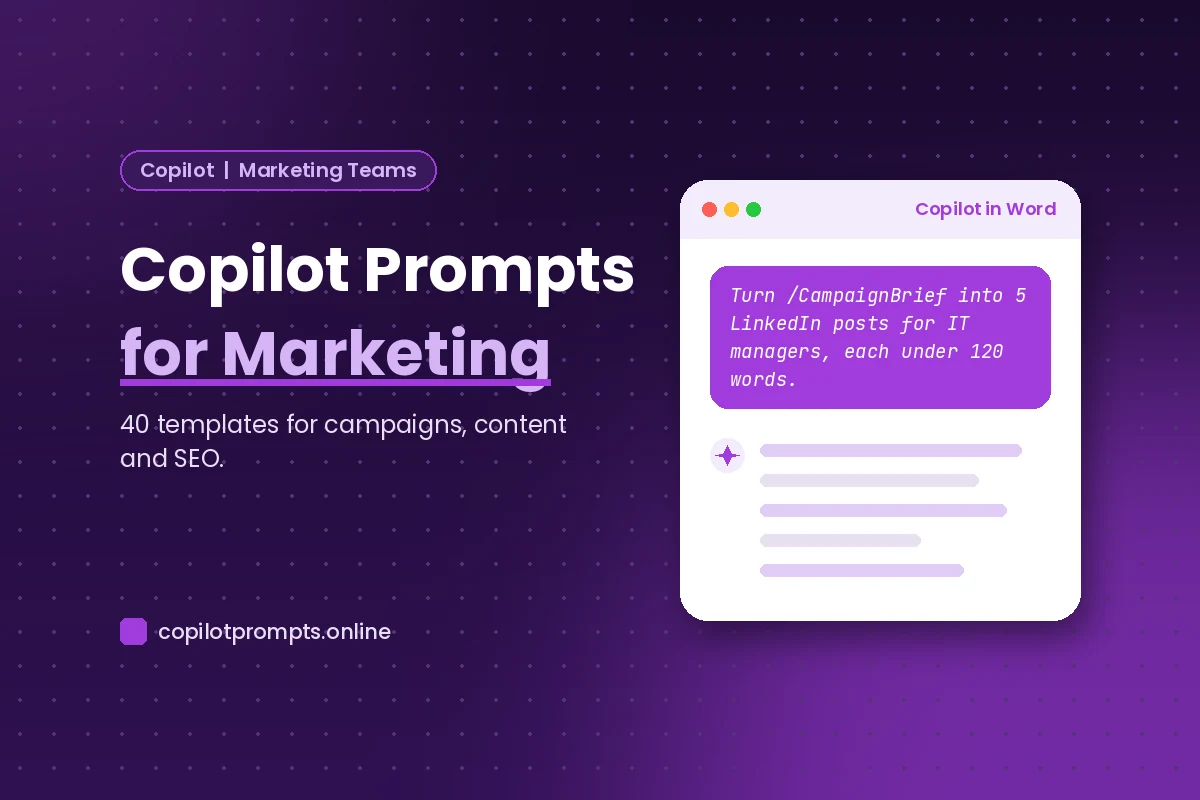
Copilot Prompts for Marketing: 40 Proven Templates for Campaigns, Content and SEO
Copilot prompts for marketing help busy teams move from a blank page to a usable first draft in minutes, whether that draft is a campaign brief, a week of social posts, a nurture email or a monthly performance summary. This guide collects 40 tested templates for Microsoft 365 Copilot, organized around the real jobs a marketing department juggles every week.
Each of these copilot prompts for marketing uses square-bracket placeholders like [audience] or [product]. Swap in your own details, attach or reference the right file, and treat the output as a starting point. Copilot is fast at structure, variations and tone shifts. Your brand judgment, your customer knowledge and your fact-checking are what turn its drafts into work you are proud to ship.
Where Copilot Fits in a Marketer’s Day
Marketing work is spread across many apps, and Copilot shows up inside most of them. Knowing which one to open saves a lot of back-and-forth.
- Copilot in Word drafts long-form content such as blog posts, landing page copy, case studies and campaign briefs, and it can rewrite a section in a different tone.
- Copilot in PowerPoint turns a brief or report into a pitch deck or campaign review, complete with speaker notes.
- Copilot in Outlook writes and polishes emails to agencies, partners and internal stakeholders, and summarizes long threads.
- Copilot in Teams recaps brainstorms and campaign stand-ups so nobody has to take notes.
- Copilot in Excel analyzes campaign exports, builds PivotTables and charts, and explains formulas.
- Microsoft 365 Copilot Chat can pull from your work files and emails when you need to find last quarter’s messaging or a decision buried in a thread.
If you want the official overview of what each app can do, the Microsoft 365 Copilot documentation on Microsoft Learn is the best place to start. For the general mechanics of writing requests, our guide on how to write Copilot prompts covers the basics in more depth.
The Five Details Every Marketing Prompt Needs
A vague request gets a vague answer, and in marketing vague copy is worse than no copy because it sounds like everyone else. The most reliable requests give Copilot five pieces of context.
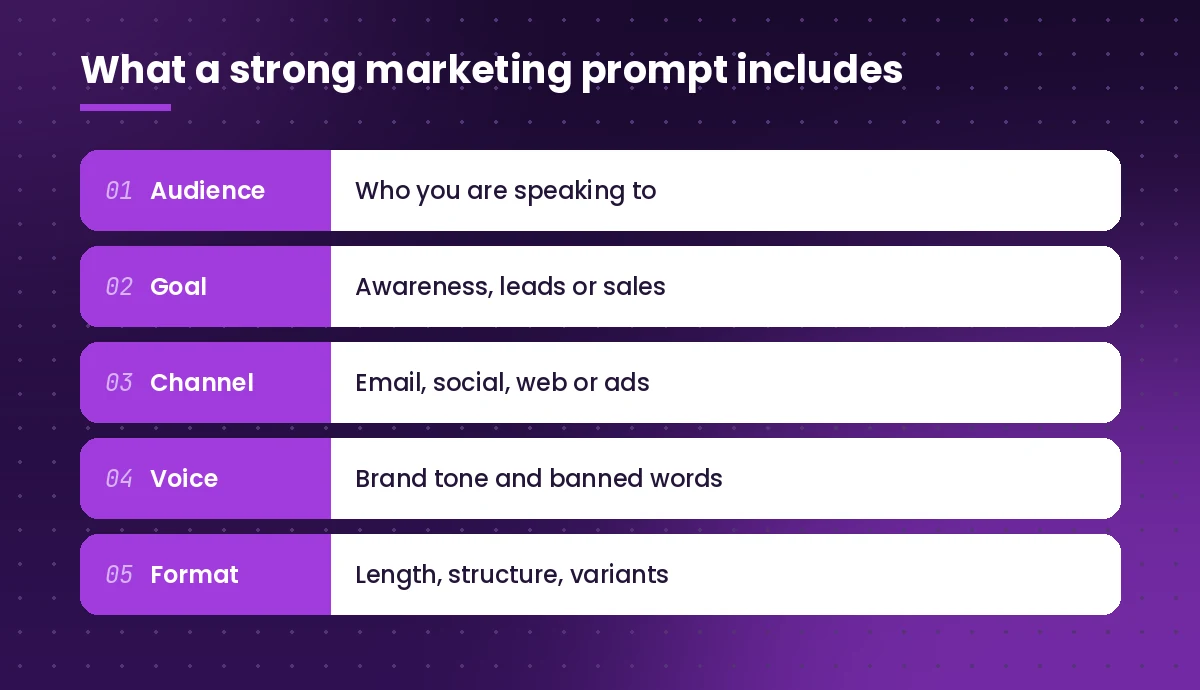
- Audience. Name the persona, their role, their main problem and how much they already know about you.
- Goal. Say what the piece should achieve: awareness, sign-ups, demo requests, renewals or event attendance.
- Channel. A LinkedIn post, a paid search ad and a nurture email need very different lengths and hooks.
- Voice. Describe your brand tone in a few words and list phrases you never use. Pasting a short sample of approved copy helps a lot.
- Format. Give word counts, the number of variants you want, and the structure, such as headline, body and call to action.
You do not need all five every time, but the more of them you include, the less editing you will do afterwards.
Copilot Prompts for Marketing Campaign Planning
Planning is where copilot prompts for marketing save the most thinking time, because it can turn scattered notes into a structured plan you can react to.
1. Campaign brief from notes
Using the notes in /[file name], write a one-page campaign brief for [product or offer]. Include: objective, target audience, key message, three proof points, channels, timeline, budget range and success metrics. Flag anything that is missing from my notes as a question.2. Campaign concept options
Suggest five campaign concepts for launching [product] to [audience]. For each, give a name, a one-line big idea, the main emotional hook and two example headlines. Make the concepts clearly different from each other.3. Messaging framework
Create a messaging framework for [product]. Include a positioning statement, a value proposition under 25 words, three key messages with supporting proof points, and objection-handling lines for the top three objections from [audience].4. Content calendar
Build a four-week content calendar for [campaign name] across LinkedIn, our blog and email. Show it as a table with columns for date, channel, topic, format, call to action and owner. Spread the posts evenly and avoid publishing two emails in the same week.5. Persona summary
Write a buyer persona for [job title] at [company size] companies in [industry]. Cover goals, daily frustrations, where they look for information, the words they use to describe their problem, and what would make them trust a new vendor.6. Launch checklist
Create a launch checklist for [campaign] grouped by two weeks before, launch day and two weeks after. Include assets, approvals, tracking setup and internal communication tasks.Copywriting and Content Creation Prompts
Content marketing eats more hours than any other task on most teams. These templates help you get a solid draft fast, then spend your time on the parts only a human can do well: angle, insight and voice.
7. Blog post outline
Create a detailed outline for a blog post titled "[title]" aimed at [audience]. Include an introduction hook, H2 and H3 headings, the key point for each section, and ideas for one example or story per section.8. First draft from an outline
Using the outline above, write a 1,200-word first draft. Keep paragraphs under four sentences, use a friendly but expert tone, and end with a call to action to [desired action]. Do not invent statistics; mark any place where data would help with [DATA NEEDED].9. Headline variations
Write 10 headline options for an article about [topic]. Mix styles: two how-to, two numbered lists, two questions, two benefit-led and two curiosity-led. Keep each under 65 characters.10. Landing page copy
Write landing page copy for [offer]. Include a headline, subheadline, three benefit blocks with short titles, a social proof section placeholder, an FAQ with four questions and a closing call to action. Audience: [audience]. Tone: [tone].11. Case study from interview notes
Turn the customer interview notes in /[file] into a case study with sections for the challenge, the solution, the results and a pull quote. Only use results stated in the notes, and keep it under 700 words.12. Rewrite for a different audience
Rewrite this paragraph for [new audience], who are less technical and care most about [priority]. Keep the meaning, shorten it by about a third and remove jargon: [paste text]13. Product description
Write three product descriptions for [product]: a 25-word version, a 75-word version and a 150-word version. Lead with the main benefit, then features, and finish with who it is best for.14. Brand voice check
Review this draft against our brand voice guidelines in /[guidelines file]. List every sentence that breaks the guidelines, explain why, and suggest a rewrite: [paste draft]When you are working in Word, our collection of Copilot prompts for Word has more editing and rewriting templates you can combine with these.
Social Media Prompts
Social channels reward volume and variety, which makes them a natural fit for an assistant that can produce ten angles on one idea in seconds. Short, specific copilot prompts for marketing on social work best here.
15. Post series from one asset
Turn the blog post in /[file] into five LinkedIn posts. Each should take a different angle, open with a strong first line, stay under 150 words and end with a question to spark comments.16. Platform adaptation
Adapt this announcement for LinkedIn, X and Instagram. Match each platform's typical length and style, suggest relevant hashtags for each, and keep the core message identical: [paste announcement]17. Hook ideas
Give me 15 opening lines for social media posts about [topic] aimed at [audience]. Use a mix of bold statements, surprising questions, short stories and practical tips.18. Comment replies
Draft polite, helpful replies to these customer comments on our latest post. Keep each under 40 words, stay on brand and never promise anything about pricing or release dates: [paste comments]19. Carousel script
Write the text for an eight-slide carousel explaining [concept]. Slide one is a hook, slides two to seven each cover one point in under 25 words, and slide eight is a call to action.20. Monthly theme ideas
Suggest a social media theme for each week of [month] that ties into [campaign or season] and relevant industry events for [industry]. Include two post ideas per theme.Email Marketing Prompts
Email still does a lot of heavy lifting for nurture and retention. These copilot prompts for marketing emails cover the sequences most teams need.
21. Welcome sequence
Write a three-email welcome sequence for new subscribers who downloaded [lead magnet]. Email one delivers the resource, email two shares a useful tip, email three introduces [product] softly. Include subject lines, preview text and a single call to action per email.22. Subject line testing
Write eight subject lines for an email about [offer] to [segment]. Make four curiosity-based and four benefit-based, keep all under 50 characters and avoid spam trigger words like "free" and "guaranteed".23. Re-engagement email
Draft a re-engagement email for subscribers who have not opened anything in 90 days. Keep it short and honest, remind them of the value they signed up for, and give them a clear option to stay subscribed or leave.24. Event invitation
Write an invitation email for our webinar "[title]" on [date]. Highlight three things attendees will learn, introduce the speaker in one line, and include a reminder version to send the day before.25. Newsletter summary
Summarize these three articles into a short newsletter section. Give each a catchy title, a two-sentence summary and a "Read more" line: [paste links or text]Many of these overlap with outreach work, so if you also support a sales team, the Copilot prompts for sales guide pairs well with this section.
SEO and Content Optimization Prompts
Copilot does not replace a dedicated keyword research tool, but it is a strong partner for planning topics, structuring pages and tightening on-page copy.
26. Topic cluster plan
Our main topic is [topic]. Suggest a pillar page and 10 supporting article ideas that cover related questions a searcher might have. For each, give a working title and the search intent: informational, commercial or transactional.27. Meta title and description
Write three meta title and description pairs for a page about [topic] targeting the phrase "[keyword]". Titles under 60 characters, descriptions under 155 characters, each with a clear benefit.28. FAQ section
List eight questions people commonly ask about [topic], then write a concise, accurate answer of 40 to 60 words for each. Avoid repeating the same phrase in every answer.29. Content refresh
Review this older article and suggest how to update it: outdated sections, missing subtopics, places that need examples, and a stronger introduction. Do not rewrite it yet, just give me the list: [paste article]30. Readability pass
Edit this section for readability. Break long sentences, replace passive voice where it helps, add a subheading if the section runs long, and keep every fact unchanged: [paste text]Market Research and Competitor Prompts
With web grounding turned on, Copilot can summarize public information quickly. Always open the sources it cites and confirm the details before you rely on them.
31. Competitor snapshot
Summarize how [competitor] positions [product] on its public website. Cover target audience, main promises, pricing model if published and tone of voice. List the sources you used.32. Comparison table
Create a table comparing our product with [competitor A] and [competitor B] on these criteria: [criteria]. Use only information from /[our product sheet] and the competitors' public pages, and mark anything you cannot confirm as "Unverified".33. Survey analysis
Analyze the open-ended responses in /[survey file]. Group them into themes, count how many responses fall into each theme, and pull two representative quotes per theme.34. Trend brief
Write a one-page brief on recent trends in [industry] marketing that matter to [audience]. Cite your sources and separate well-established trends from early signals.Campaign Reporting Prompts in Excel
Reporting is where many marketers lose a Friday afternoon, and it is the most overlooked use of copilot prompts for marketing. Copilot in Excel can do the slicing and the first draft of the commentary. For more spreadsheet templates, see our Copilot prompts for Excel guide.
35. Channel performance
Using the table in this sheet, summarize spend, clicks, conversions and cost per conversion by channel for [month]. Add a column chart of conversions by channel and highlight the channel with the lowest cost per conversion.36. Month-over-month changes
Compare this month's campaign results with last month's. Show the percentage change for each metric and flag any change larger than 20% in either direction.37. Executive summary
Write a five-bullet executive summary of these campaign results for leadership. Lead with the most important outcome, mention one thing that underperformed and suggest one next step. Use only numbers from the sheet.38. Report to deck
Create a 10-slide campaign review presentation from /[report file]. Include a title slide, results overview, channel breakdown, top content, lessons learned and next quarter priorities, with speaker notes for each slide.That last prompt runs in PowerPoint. Our Copilot PowerPoint prompts collection has more ideas for polishing the deck once the first version is ready.
From One Brief to a Full Launch Kit
The real time savings come when you chain prompts together instead of starting fresh each time. Here is a simple workflow that turns a single brief into most of the assets a launch needs.
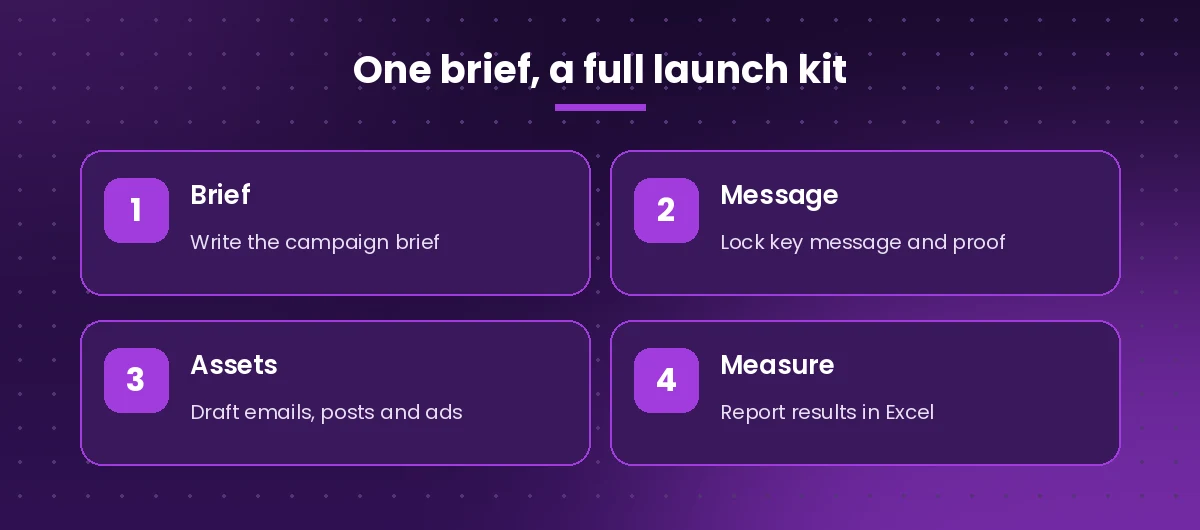
- Write the brief. Use prompt 1 to create the campaign brief and save it as a Word file in OneDrive or SharePoint.
- Lock the message. Run prompt 3 on that brief, edit the result until you are happy, and save it alongside the brief.
- Draft the assets. Reference both files with the slash command in every following request, so emails, posts and ads all share the same message.
- Measure and learn. After launch, export results to Excel and use prompts 35 to 37 to report.
Two extra templates make this workflow smoother:
39. Asset pack from the brief
Using /[campaign brief] and /[messaging framework], create a launch kit: one announcement email, three LinkedIn posts, two paid search ads with headlines under 30 characters and descriptions under 90 characters, and a 50-word internal update for the sales team.40. Consistency check
Compare these campaign assets with /[messaging framework]. Point out any asset that uses a different promise, tone or call to action, and suggest a fix for each: [paste assets]Mistakes to Avoid When Using AI for Marketing Copy
Even good templates fail if a few habits slip. Watch for these.
- Publishing without editing. First drafts often sound polished but generic. Add your own examples, opinions and customer language.
- Trusting claims you did not check. Ask Copilot to mark unverified facts, and confirm product details, prices and competitor information yourself.
- Leaving out the audience. Copy written for “everyone” convinces no one. Name the persona in every request.
- Ignoring brand and legal rules. Regulated industries have rules about claims and disclosures. Copilot does not know your compliance requirements unless you tell it, and even then a human should review.
- Sharing sensitive data carelessly. Copilot respects your organization’s permissions, but you should still follow internal policies on customer data and unreleased plans.
Microsoft’s own guide to writing effective Copilot prompts recommends giving a goal, context, expectations and source, which lines up closely with the five details above.
Build Your Own Prompt Library
The fastest teams do not retype requests. They save the ones that work. Keep a shared document or a Copilot Notebook with your best templates, your brand voice summary and your personas, and update it whenever someone finds a better wording. Over time, these copilot prompts for marketing become a team asset that helps new hires produce on-brand work from their first week.
Start with three or four templates from this list that match work you do every week, run them on a real project, and refine the wording based on what you had to fix. Within a month you will have a small set of requests that reliably produce copy close to final.
Frequently Asked Questions
What are the best copilot prompts for marketing beginners?
Start with simple, high-value requests: a campaign brief from notes, headline variations, a LinkedIn post from a blog article and an executive summary of campaign results. Each one includes the audience, the goal and the format, so you learn good habits while saving time.
Can Microsoft 365 Copilot write social media posts?
Yes. Copilot in Word or Copilot Chat can draft posts for LinkedIn, X, Instagram and other platforms, adapt one message across channels and suggest hashtags. Give it the platform, the audience, a word limit and your brand tone for the best results.
Is AI-generated marketing copy good for SEO?
It can be, as long as a person edits it for accuracy, adds original insight and real examples, and makes sure it genuinely answers the searcher’s question. Search engines reward helpful content regardless of how the first draft was produced.
How do I keep Copilot’s copy on brand?
Paste or reference your brand voice guidelines, include a short sample of approved copy, list words you never use and ask Copilot to check new drafts against those guidelines before you edit them.
Can Copilot analyze marketing campaign data?
Copilot in Excel can summarize performance by channel, calculate changes between periods, build charts and PivotTables and draft commentary. It works best when your export is formatted as a table with clear column headers.
Does Copilot replace a marketing team?
No. It speeds up drafting, research summaries and reporting, but strategy, creative judgment, customer insight, approvals and accountability for every claim still sit with your marketers.