Copilot Prompts for Cover Letter Writing: 30 Proven Templates That Land Interviews
Copilot prompts for cover letter writing turn a blank page and a job ad into a tailored, honest first draft in minutes, so you spend your time on the parts only you can write. This guide gives you 30 copy-ready templates, from decoding the job posting to the final proofread, plus advice on keeping the letter sounding like a real person instead of a template.
Most hiring managers skim a cover letter in well under a minute. They want to see three things quickly: that you understand the role, that you have done something relevant, and that you can write clearly. Microsoft Copilot is very good at the structure and the clear writing, which is why Copilot prompts for cover letter drafts save so much time. The relevant achievements have to come from you, and the prompts below are built around that split.
What Copilot Can and Can’t Do for Your Application
Before you paste anything, set realistic expectations. Copilot is a drafting partner, not a ghostwriter who knows your career.
Where it helps most:
- Pulling the must-have skills and repeated phrases out of a long job ad.
- Turning rough bullet notes about your experience into smooth paragraphs.
- Matching your tone to the company, whether that is a bank, a charity or a startup.
- Cutting a 500-word letter down to a tight 300 words without losing the point.
- Spotting vague claims that need a number or an example.
Where you stay in charge:
- Facts. Copilot can invent a plausible-sounding achievement if you leave gaps, so give it real details and check every line.
- Company research. Its knowledge of a specific employer may be thin or out of date, so verify anything it says about the business on the company’s own site.
- Voice. A letter that sounds like everyone else’s is easy to skip. You’ll add one or two sentences that are clearly yours.
You can use these Copilot prompts for cover letter work in Microsoft 365 Copilot Chat, in the free Copilot app, or inside Word. If you draft in Word, Microsoft’s guide to drafting content with Copilot in Word shows where the draft and rewrite options live in your version.
Gather Your Inputs Before You Prompt
A good cover letter is built from four ingredients. Spend ten minutes collecting them and all the Copilot prompts for cover letter writing in this guide will produce a sharper answer.
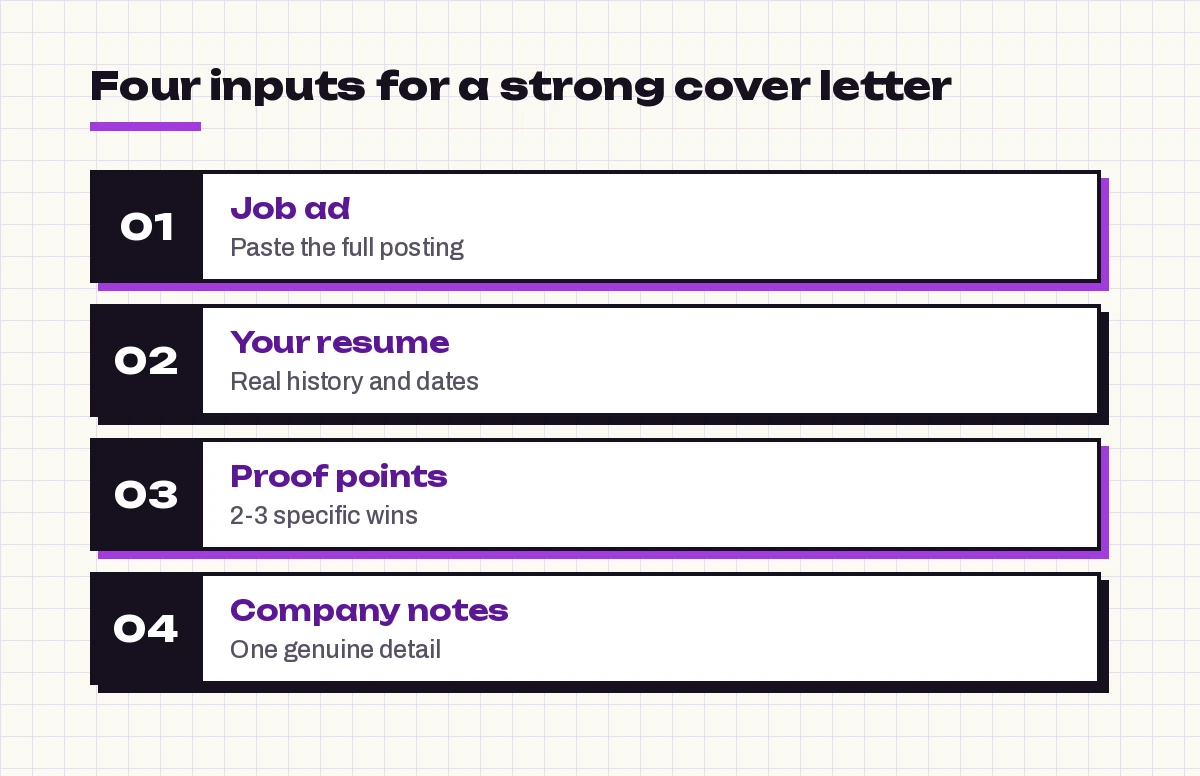
- The full job ad. Paste the whole thing, not just the title. Responsibilities and “nice to have” lines often hint at what the team is struggling with.
- Your current resume. Paste the text or, in Microsoft 365 Copilot, reference the file so Copilot can see your actual history.
- Two or three proof points. Specific wins with context: what the problem was, what you did, and what changed. Numbers help, but only real ones.
- Company notes. A line or two from the company’s About page, a recent announcement or a product you use. This is what makes the opening feel personal.
If your resume itself needs work first, start with our Copilot prompts for resume writing, then come back here. The two documents should tell the same story.
Copilot Prompts for Cover Letter Research
These first prompts don’t write anything yet. They help you understand what the employer actually wants, which is the step most people skip.
1. Decode the job ad
Here is a job posting: [paste job ad]. List the 5 most important skills or experiences the employer is looking for, in order of priority. For each one, quote the exact words from the ad that tell you this.2. Find the hidden problem
Read this job description: [paste job ad]. Based on the responsibilities, what problem is this team probably trying to solve by hiring someone? Give me 2-3 possibilities and explain your reasoning briefly.3. Map your fit
Compare my resume [paste resume] with this job ad [paste job ad]. Make a table with three columns: requirement, my matching experience, and gaps. Be honest about gaps and don't stretch my experience to fit.4. Pick your strongest stories
From my resume [paste resume], which 2 achievements are most relevant to this role [paste job title and key requirements]? Explain why each one matters to this employer in one sentence.5. Prepare a gap answer
The job asks for [requirement I don't fully meet]. My closest experience is [describe it]. Suggest two honest ways to address this in a cover letter without apologizing or overselling.Prompt 3 is the one to keep. The table it returns becomes your outline: the strongest matches go in the body, and anything in the gaps column either gets a brief honest mention or stays out.
Copilot Prompts for Cover Letter First Drafts
Now you have the raw material. The goal of a first draft is not perfection; it is a complete letter you can react to. Give Copilot a word limit and a structure so it doesn’t ramble.
6. Full draft from your notes
Write a cover letter for the [job title] role at [company]. Use only the facts below and do not invent achievements or numbers.
My background: [3-4 bullet points]
Achievements to feature: [proof point 1], [proof point 2]
Why this company: [your genuine reason]
Keep it under 300 words, in 4 short paragraphs, with a confident but warm tone.
7. Draft in Word from your resume
Using /[My Resume] and the job description below, draft a one-page cover letter for [job title] at [company]. Lead with the achievement most relevant to the role. Job description: [paste].8. The problem-solution draft
Write a cover letter that opens by naming the challenge this team likely faces: [problem from prompt 2]. Then show how my experience with [relevant achievement] prepares me to help. End with a short, specific call to action. Maximum 280 words.9. Draft for a career changer
I'm moving from [current field] to [new field]. Write a cover letter for [job title] that connects these transferable skills: [skills], using these examples: [examples]. Address the change in one positive sentence near the start, not at the end.10. Draft for an internal role
Write a short internal application letter for the [job title] position on the [team] team. I currently work as [role] in [department]. Highlight [2 achievements] and mention that I already know [systems, people or processes]. Keep it under 220 words and less formal than an external letter.11. Draft for a graduate or first job
I'm a recent graduate in [subject] applying for [job title]. My relevant experience is [projects, internships, part-time work, volunteering]. Write a cover letter that shows initiative and willingness to learn without sounding inexperienced. Under 280 words.Read the draft once out loud. Anything you wouldn’t say in an interview should be rewritten or removed.
Openings and Closings That Get Read
The first two sentences decide whether the rest gets read. These Copilot prompts for cover letter openings give you options; choose or blend them yourself.
12. Five opening lines
Give me 5 different opening sentences for a cover letter for [job title] at [company]. Avoid "I am writing to apply" and other clichés. Base them on this detail: [achievement or company fact]. Label each one with its style, for example bold, story-led or direct.13. Opening from a referral
[Name], who is a [role] at [company], suggested I apply for the [job title] role. Write 3 natural opening sentences that mention the referral without sounding like name-dropping.14. Story-led opening
Turn this short story into a 2-sentence cover letter opening: [brief anecdote about a moment that shows your skill]. Keep it relevant to [job title] and end on what I learned.15. Closing paragraph options
Write 3 closing paragraphs for my cover letter for [job title]. Each should restate my value in one line, show enthusiasm without gushing, and invite a conversation. Under 60 words each.16. Subject line for an emailed application
Suggest 5 email subject lines for sending my application for the [job title] role (reference [number if any]) to a hiring manager. Keep them clear and under 60 characters.Tailor One Letter for Many Roles
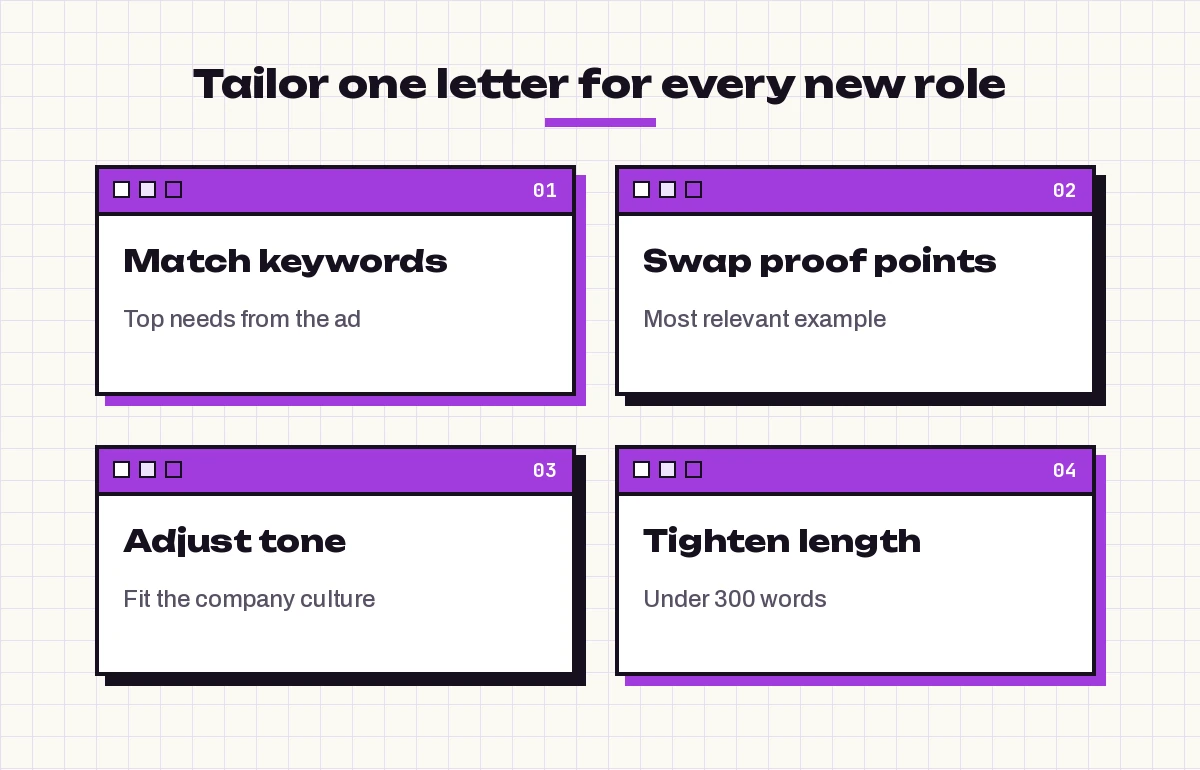
If you’re applying to several similar roles, you don’t need to start from zero each time. Build one strong base letter, then adapt it. These Copilot prompts for cover letter template work keep the core while swapping the details that matter.
17. Adapt the base letter to a new ad
Here is my base cover letter: [paste]. Here is a new job ad: [paste]. Rewrite the letter for this role. Keep my achievements and voice, but change the emphasis to match the top 3 requirements in the new ad. List the changes you made at the end.18. Weave in the right keywords naturally
Check my cover letter [paste] against this job ad [paste]. Which important terms from the ad are missing? Suggest where to add them so they read naturally, and don't add any skill I haven't shown evidence of.19. Swap the proof point
In this letter [paste], replace the second paragraph's example with this one: [new achievement]. Keep the length and flow the same.20. Change the tone for the company
Rewrite my cover letter [paste] in a tone suited to [type of company, e.g. a formal law firm / a friendly startup / a public sector agency]. Keep every fact the same and the length within 10% of the original.21. Make a short version for online forms
Condense this cover letter [paste] into a 120-word version for an application form's "Why are you interested?" box. Keep the strongest achievement and the reason for joining.Keep a simple folder or table with each company, the version you sent and the date. When an interview comes, you’ll know exactly which story you told.
Prompts to Edit, Tighten and Proofread
A first draft from any writer, human or AI, is usually too long and a little generic. This round of Copilot prompts for cover letter editing sharpens it.
22. Cut the fluff
Edit my cover letter [paste] to under 280 words. Remove filler phrases, repeated ideas and generic claims like "hard-working team player". Show me the edited version, then list what you removed.23. Find the weak claims
Highlight every sentence in this cover letter [paste] that makes a claim without evidence. For each one, ask me a question that would help me add a specific example or result.24. Make it sound like me
Here is a paragraph I wrote myself in my natural style: [paste a short sample]. Rewrite my cover letter [paste] so it matches that voice, sentence length and level of formality.25. Read it as the hiring manager
Act as a busy hiring manager for [job title] who has 40 applications to review. Read this cover letter [paste] and tell me: what you remember after one read, what made you want to keep reading, and what you'd skip.26. Final proofread
Proofread this cover letter [paste] for spelling, grammar, punctuation and consistency in tense and company name. Use [US/UK] English. Show only the corrections in a table: original, corrected, reason.27. Check for invented details
Compare this cover letter [paste] with my resume [paste]. List any claim, number, job title or date in the letter that does not appear in my resume, so I can confirm or remove it.Prompt 27 is worth running on every AI-assisted letter. It is the quickest way to catch a stray detail before a recruiter does.
Prompts for Special Situations
Some applications need a different kind of letter altogether.
28. Speculative letter when no job is posted
Write a short speculative letter to [company] asking about [type of role] opportunities. Mention why I'm interested in them specifically ([reason]) and what I could contribute ([2 skills with examples]). Under 200 words, with a polite request for a brief conversation.29. Explaining an employment gap
I have a gap in my career from [dates] because of [reason you're comfortable sharing]. Write one or two calm, positive sentences for my cover letter that explain it briefly and point to what I did or learned during that time.30. Follow-up after applying
Write a brief, polite follow-up email to [hiring manager name] about my application for [job title], sent on [date]. Restate my interest in one line and mention one relevant strength. Under 100 words.For the follow-up, our guide to Copilot prompts for follow-up emails has more variations for different timings and tones.
Common Mistakes and Quick Fixes
| Problem | Likely cause | Fix |
|---|---|---|
| Letter sounds generic | No company detail in the prompt | Add one real fact about the employer and your reason for applying |
| Achievements you never had | Gaps left for Copilot to fill | Tell it “use only these facts” and run prompt 27 |
| Too long | No word limit given | Always state a maximum, around 250-300 words |
| Repeats the resume | Prompt asked for a summary of experience | Ask it to expand on 2 stories instead of listing roles |
| Overly formal or stiff | Default tone | Give a tone and a sample of your own writing |
| Same letter for every job | Base letter not adapted | Use prompts 17 and 18 for each new ad |
A 20-Minute Workflow That Works
You don’t need all 30 Copilot prompts for cover letter writing on every application. For most jobs, this short routine is enough:
- Minutes 1-5: run prompts 1 and 3 to understand the role and map your fit.
- Minutes 5-10: draft with prompt 6, or prompt 17 if you already have a base letter.
- Minutes 10-14: pick an opening from prompt 12 and a closing from prompt 15.
- Minutes 14-18: tighten with prompt 22 and add your own voice with prompt 24.
- Minutes 18-20: run prompts 26 and 27, then read it aloud one last time.
Treat these Copilot prompts for cover letter examples as a starting point. Over a few applications you’ll build a small library of strong paragraphs that you can reuse and adapt. That’s where these templates save the most time. To get better results from any request, not just job applications, our guide on how to write Copilot prompts explains the structure behind them, and the Copilot prompt for LinkedIn profile guide helps you keep your online profile in line with the story your letter tells.
Frequently Asked Questions
Can Microsoft Copilot write a cover letter for me?
Yes. Copilot can draft a complete cover letter from a job ad and your notes or resume. The result is strongest when you give it real achievements, a word limit and a tone, and you should always edit and fact-check the draft before sending it.
What is the best Copilot prompt for a cover letter?
A good all-round prompt names the job title and company, lists the facts Copilot may use, tells it not to invent anything, and sets a length and tone. Prompt 6 in this guide follows that pattern and works well as a starting point.
Will employers know my cover letter was written with AI?
They might if it sounds generic or contains details that don’t match your resume. Adding specific examples, a genuine reason for applying and a few sentences in your own voice makes the letter read as yours, which is what matters to a reader.
Can I use Copilot in Word to write a cover letter?
Yes. If you have Copilot in Word, you can use the draft option, describe the letter you want and reference your resume file. You can then ask Copilot to rewrite or shorten selected paragraphs directly in the document.
How long should a cover letter written with Copilot be?
Most cover letters work best at around 250 to 400 words, which fits comfortably on one page. Always give Copilot a word limit in your prompt, because without one it tends to write longer than needed.
Is it safe to paste my resume into Copilot?
With Microsoft 365 Copilot at work or school, your prompts are covered by your organization’s data protections. For personal accounts, remove details you don’t need to share, such as your full address or phone number, before pasting your resume.