Copilot Prompts for SQL: 45 Proven Templates for Faster, Safer Queries
Copilot prompts for SQL work best when they read like a ticket you would hand a careful colleague: the database engine, the tables involved, the result you expect and the rules the query must respect. Give GitHub Copilot that much and it can draft, explain, fix and tune T-SQL, PostgreSQL or MySQL in seconds. Leave it out and you get a confident query against tables that don’t exist.
This guide collects 45 copilot prompts for SQL grouped by the job in front of you, from writing a first SELECT to reading an execution plan. Each one works in Copilot Chat inside VS Code, Visual Studio, JetBrains IDEs and SQL Server Management Studio (SSMS), and most also work in Microsoft 365 Copilot when you only need to understand a query rather than run it.
Where Copilot Fits in Your SQL Workflow
You can reach Copilot from more places than most people realize, and the place you choose changes how much context it has.
- SSMS 22 and later. Microsoft’s GitHub Copilot in SSMS overview explains that Copilot can answer questions about the database you are connected to, help write and fix T-SQL, and run queries under your own login’s permissions. Newer builds add code completions and an agent mode that can read execution plans with your approval.
- VS Code or a JetBrains IDE. Ideal when SQL lives next to application code, such as migrations, ORM models or stored procedures kept in a repository. Attach the schema file with
#fileand Copilot reads the real column names. - Visual Studio. Handy for database projects and
.sqlfiles that ship with .NET solutions. - Microsoft 365 Copilot or Copilot Chat in a browser. Fine for explaining a query someone pasted into an email, but it can’t see your database, so you must paste the schema yourself.
The rule that follows from this list is simple, and it shapes all the copilot prompts for SQL below. The less Copilot can see, the more you have to tell it.
The Four Things Every SQL Prompt Needs
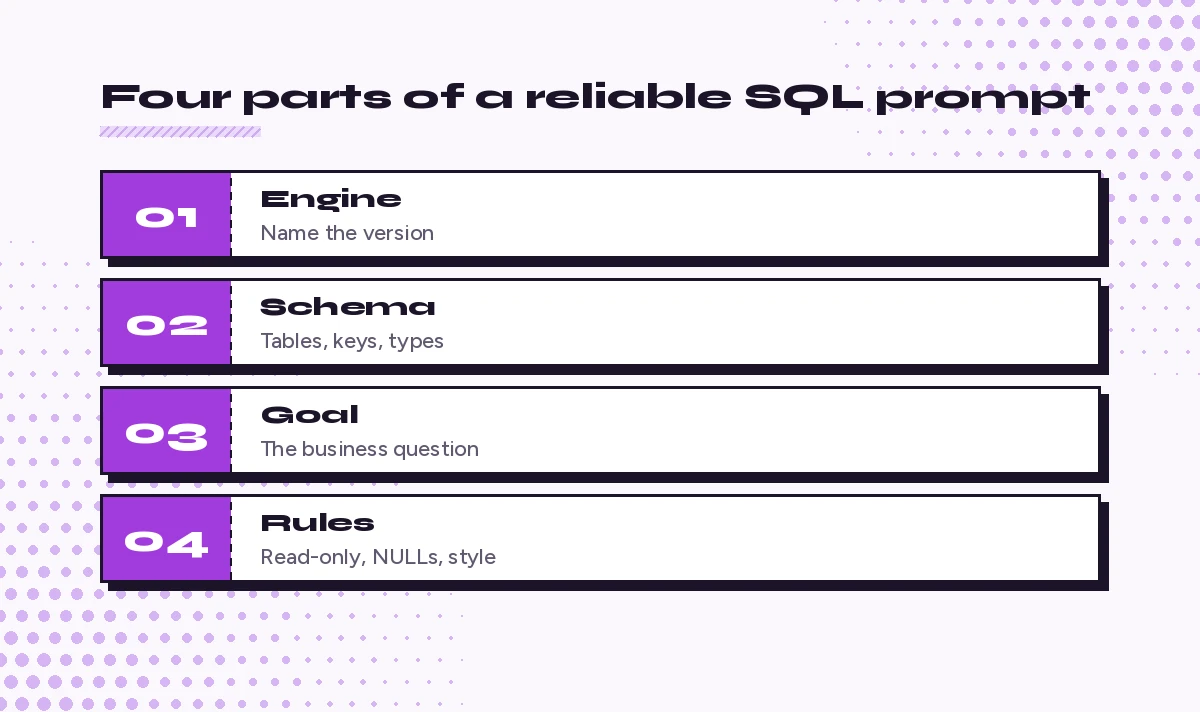
Before the templates, here is the structure that strong copilot prompts for SQL share. Skip any of these and the quality of the answer drops quickly.
- Engine and version. SQL Server 2022, Azure SQL Database, PostgreSQL 16 and MySQL 8 differ on functions, paging syntax and date handling. Say which one.
- Schema. Table names, columns, data types, keys and roughly how many rows. A
CREATE TABLEscript is perfect. - Goal in business terms. “Monthly revenue per region for active customers” beats “sum the orders table.”
- Constraints. Read-only or not, performance limits, naming conventions, whether NULLs matter, what the output columns should be called.
Here is a reusable frame you can keep in a snippet file:
Engine: [SQL Server 2022 / PostgreSQL 16 / MySQL 8]
Schema: [paste CREATE TABLE statements or attach the file]
Goal: [what the result should answer, in plain words]
Output columns: [names and order]
Rules: [read-only, no SELECT *, handle NULLs, use CTEs, etc.]
Write the query, then explain each step in one line.
If your team repeats the same rules every day, put them in a repository instructions file instead. Our guide to the Copilot instructions file shows how to set naming and style rules once.
Copilot Prompts for SQL Query Writing
These are the everyday copilot prompts for SQL reporting. Swap the brackets and paste.
1. Basic report query
Using the schema below, write a SQL Server query that returns each customer's name, email and total order value for orders placed in the last 90 days. Exclude cancelled orders. Sort by total value, highest first.
[schema]
2. Top N per group
Write a query that returns the top 3 best-selling products in each category by units sold this year. Use a window function, not a correlated subquery, and show category, product, units and rank.3. Year-over-year comparison
Build a query comparing monthly revenue this year with the same month last year. Return month, revenue_this_year, revenue_last_year and percent_change. Months with no sales should still appear with zero.4. Running total
Add a running total of daily sales to this query, reset at the start of each month. Explain how the window frame works.
[query]
5. Customers who never did something
List customers who signed up more than 60 days ago but have never placed an order. Show two versions, one with NOT EXISTS and one with LEFT JOIN, and tell me which is safer when the orders table has NULL customer IDs.6. Pivot for a report
Turn this result into a pivot with one row per sales rep and one column per quarter. Use conditional aggregation so it also works outside SQL Server.
[query]
7. Deduplicate rows
The contacts table has duplicate emails. Write a query that keeps the most recently updated row for each email and shows which rows would be removed. Do not delete anything yet.8. Date bucketing
Group these events into 15-minute buckets and count events per bucket for yesterday only. Engine is PostgreSQL 16.9. Natural language to SQL with checks
Question: Which suppliers had late deliveries in three or more consecutive months? Write the query, list any assumptions you made about the schema, and ask me if a column you need is missing instead of inventing it.That last line, asking Copilot to say when a column is missing, is one of the most useful habits you can build. It stops quiet guessing.
Prompts to Explain and Document Existing SQL
Inherited queries are where copilot prompts for SQL save the most stress. In editors that support it, the /explain and /doc commands work well here, and our GitHub Copilot slash commands cheat sheet covers the full list.
10. Plain-language walkthrough
/explain this stored procedure step by step for someone who knows basic SQL. Point out anything that changes data.11. Business summary
In five bullets, describe what business question this query answers and what each output column means. Avoid SQL jargon.12. Header comment
/doc Add a header comment to this procedure with purpose, parameters, return set, side effects and an example call.13. Join map
Draw a simple text diagram of how the tables in this query join, including join type and key columns.14. Spot hidden logic
Find any filters, CASE expressions or hard-coded values in this query that a new analyst could easily miss. Explain why each one matters.15. Data dictionary draft
From these CREATE TABLE statements, draft a data dictionary table with column, type, nullable, description and example value. Mark descriptions you are unsure about with (verify).Prompts for Debugging and Fixing Errors
When a query fails, paste the exact error message, not a paraphrase. For bugs that cross into application code, our GitHub Copilot prompts for debugging go deeper.
16. Error message fix
/fix This query fails with the error below. Explain the cause in one sentence, then give the corrected query.
Error: [paste exact message]
17. Wrong row count
This query returns more rows than expected. I suspect a join is multiplying rows. Find where the fan-out happens and show a fix that keeps one row per order.18. NULL surprises
My totals are lower than the source system. Check this query for places where NULL values could be dropped or turn a sum or comparison into NULL, and fix them.19. Conversion errors
Find every implicit data type conversion in this query, explain which ones can fail or slow things down, and rewrite them with explicit conversions.20. Deadlock reading
Here is a deadlock graph in XML. Explain in plain words which sessions blocked each other, on which objects, and two practical changes that could prevent it.21. Logic check against a sample
Here are 10 sample rows and the result I expected. Walk through the query row by row and show where its result differs from mine.Prompts for Performance Tuning
Copilot can read a plan and suggest changes, but it can’t feel your production load. Treat its tuning advice as a shortlist to test, never as a final answer.
22. Read an execution plan
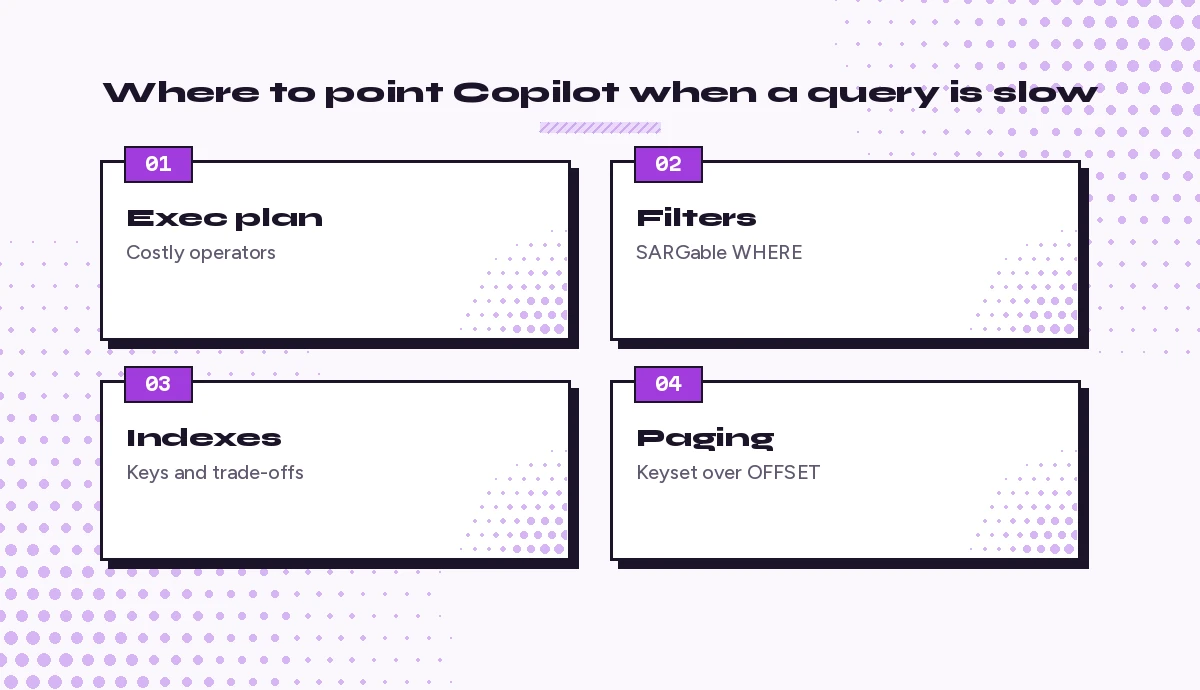
Attached is the actual execution plan (.sqlplan). Identify the three most expensive operators, explain why they are expensive and suggest one change for each.23. SARGability check
Review the WHERE clause for patterns that prevent index seeks, such as functions on columns or leading wildcards, and rewrite them so an index can be used.24. Index suggestion with trade-offs
Suggest an index that would help this query. Include key columns, included columns, and the write and storage cost I should weigh before creating it.25. Rewrite a cursor
Rewrite this cursor-based procedure as a set-based query. Keep results identical and list any edge cases I should test.26. Parameter sniffing suspicion
This procedure is fast for some parameter values and very slow for others. Explain whether parameter sniffing could be the cause and list options to try, from least to most invasive.27. Paging at scale
Replace OFFSET paging in this query with keyset paging for a table with millions of rows. Show the query for the first page and the next page.28. Compare two versions
Compare these two versions of the same query. Which one is likely to scale better as the orders table grows, and why? Tell me what to measure to confirm.Prompts for Schema Design and Migrations
Schema changes deserve extra care because they are hard to undo, so copilot prompts for SQL migrations should always ask for a rollback. 29. Design a table
Design tables for a subscription billing feature: customers, plans, subscriptions and invoices. Include primary keys, foreign keys, sensible data types and two indexes you would start with. Explain each choice briefly.30. Normalization review
Review this table for repeating groups or columns that belong elsewhere. Propose a normalized design and the migration steps to get there.31. Safe migration script
Write a migration that adds a non-null status column to a large table without long blocking. Include a rollback script and the order to run each step.32. Constraint audit
List the business rules implied by this schema that are not enforced by constraints, and write CHECK, UNIQUE or foreign key constraints for the ones that should be.33. Seed data
Generate 50 rows of realistic but fake test data for these tables as INSERT statements. Keep foreign keys valid and avoid real names or emails.34. ORM to SQL
Here is my Entity Framework model. Write the SQL Server CREATE TABLE statements it should produce and flag any mismatch with the current database schema below.Prompts for Translating Between SQL Dialects
Moving a query between engines is tedious and easy to get subtly wrong.
35. Dialect conversion
Convert this T-SQL query to PostgreSQL 16. List every function or syntax change you made and anything that behaves differently, such as string comparison or date math.36. Stored procedure port
Port this SQL Server stored procedure to a MySQL 8 procedure. Keep transaction behavior the same and note any feature that has no direct equivalent.37. SQL to Python
Rewrite this aggregation as pandas code that produces the same result from a DataFrame with the same columns. Then show the original SQL beside it for comparison.38. Spreadsheet logic to SQL
This Excel formula calculates a commission tier. Translate the logic into a SQL CASE expression and test it against these five example values.Analysts who move between spreadsheets and databases will find more cross-tool ideas in our Copilot prompts for data analysts.
Prompts for Testing and Review
39. Test cases for a query
Write test cases for this query: inputs, expected outputs and edge cases such as empty tables, NULLs, ties and dates on month boundaries.40. tSQLt unit tests
/tests Write tSQLt unit tests for this stored procedure, including one test for the error path.41. Peer review
Review this SQL as a senior database developer. Check correctness, readability, performance and security. Rank issues by severity and suggest exact fixes.42. Security check
Check this application code for SQL injection risk. Show how to rewrite each risky query with parameters.43. Style cleanup
Reformat this query using uppercase keywords, one column per line, meaningful aliases and CTEs instead of nested subqueries. Do not change its logic.For a broader review checklist, see our Copilot prompt for code review.
Prompts for Admin and Day-to-Day DBA Tasks
44. Health check queries
Write read-only queries for SQL Server that show the largest tables by size, indexes with low usage and the longest-running active queries right now. Explain how to read each result.45. Backup and maintenance plan
Draft a weekly maintenance checklist for a mid-size SQL Server database: backups, integrity checks, index and statistics upkeep. For each item, say what to verify afterwards.Habits That Keep Copilot’s SQL Safe
Good copilot prompts for SQL are only half the story. These habits matter just as much, especially once Copilot can run queries for you.
- Start read-only. Ask for SELECT statements first and review them before any UPDATE, DELETE or schema change. In SSMS, Copilot runs queries with your login’s permissions, so a low-privilege login for exploration is a sensible safety net.
- Never paste secrets or real personal data. Use column names and fake sample rows instead of production records.
- Ask for assumptions. End important prompts with “list your assumptions.” Wrong assumptions are the main source of bad SQL.
- Wrap changes in a transaction. Ask Copilot to include
BEGIN TRANSACTION, a verification SELECT and a commented-outCOMMITso you decide when it lands. - Measure, don’t trust. Compare row counts, run the actual plan and check timings before and after any tuning suggestion.
- Iterate in the same chat. Follow-ups like “now exclude test accounts” or “make it work for multiple currencies” keep the context Copilot already has.
Common Mistakes and Quick Fixes
| Mistake | What happens | Better prompt habit |
|---|---|---|
| No engine named | Wrong functions or paging syntax | Open with the engine and version |
| No schema shared | Invented table and column names | Attach the schema file or paste CREATE TABLE |
| Vague goal | Query answers a different question | Describe the business question and output columns |
| Accepting the first answer | Hidden fan-out or NULL bugs | Ask for a walkthrough with sample rows |
| Running writes directly | Accidental data changes | Request a transaction with a verification step |
Turning These Templates Into a Team Library
Once a few of these copilot prompts for SQL work well for your database, save them. In VS Code you can store reusable prompt files in your repository so everyone runs the same version, which our guide to Copilot prompt files explains. Keep a short list per job: reporting, debugging, tuning and migrations. Review it every few months, because Copilot features, models and SSMS releases keep changing.
If you are newer to Copilot in general, our collection of GitHub Copilot prompts is a good companion to these SQL-specific ones. And for the full list of chat features in each editor, GitHub’s own Copilot Chat cheat sheet is worth bookmarking.
Working with query results in code? Our Copilot prompts for Python cover pandas cleaning, merging and reshaping once the data leaves the database.
Frequently Asked Questions
Can GitHub Copilot write SQL queries?
Yes. Copilot can write SQL for SQL Server, PostgreSQL, MySQL and other engines from a plain-language request. Results are far better when you name the engine, share the schema and describe the output columns you want. Always review and test the query before running it on real data.
How do I use Copilot in SQL Server Management Studio?
Microsoft documents GitHub Copilot support in SSMS 22 and later. You add the AI Assistance workload through the Visual Studio Installer, sign in with a GitHub account that has Copilot access, then use the chat window or inline chat to ask questions and write T-SQL against the database you are connected to.
What are the best Copilot prompts for SQL beginners?
Start with explain and document prompts, such as asking Copilot to walk through an existing query step by step or describe what each output column means. Then move to simple report queries where you provide the schema and expected columns. Copilot prompts for SQL that ask it to list assumptions are especially helpful while you are learning.
Can Copilot optimize slow SQL queries?
It can suggest likely fixes, such as rewriting non-SARGable filters, replacing cursors with set-based logic or proposing an index, and it can read an attached execution plan. Treat its advice as ideas to test. Measure timings and compare plans before and after each change.
Is it safe to give Copilot access to my database?
In SSMS, Copilot runs queries with your own login’s permissions, so it can only do what you can. Use a read-only or low-privilege login for exploration, never paste passwords or real personal data into prompts, and review any statement that changes data or schema before it runs.
Does Copilot work with PostgreSQL and MySQL too?
Yes. In editors such as VS Code and JetBrains IDEs, Copilot can write and explain PostgreSQL, MySQL, SQLite and other dialects. Name the engine and version in your prompt so it uses the right functions and syntax, and ask it to list differences whenever you convert a query between dialects.
One Comment