Copilot Prompts for Job Descriptions: 36 Proven Prompts for Clear, Inclusive Job Ads
Copilot prompts for job descriptions can turn a messy pile of hiring notes into a clear, well-structured role profile in minutes, which is handy when the hiring manager has three bullet points and a deadline. The risk is just as real, though: a lazy request produces a generic ad full of buzzwords, inflated requirements and wording that quietly puts good candidates off.
This guide walks through how to brief Copilot properly, then gives you 36 copilot prompts for job descriptions, grouped by the stages of writing a role, from scoping the job to publishing it on a careers page. Each group ends with what to check before anything goes live, and there is a worked example near the end so you can see a full drafting session from start to finish.
Why Use Copilot Prompts for Job Descriptions
Writing a role profile looks simple until you try it. You need to explain what the person will actually do, separate real requirements from wish-list items, describe the team honestly, and do all of it in language that is easy to scan on a phone. Most hiring managers write one or two of these a year, so they rarely get much practice.
Microsoft 365 Copilot helps because it works inside the tools you already use for hiring:
- Word for drafting the full description, rewriting sections and adjusting tone.
- Outlook for pulling details out of the email thread where the role was approved.
- Teams for summarising the intake meeting between HR and the hiring manager.
- Excel for building a skills matrix or a leveling grid across similar roles.
- Copilot Chat for quick rewrites, shorter versions and job board copy.
It is not a replacement for knowing the job. Copilot only knows what you give it or what it can reach in your files, as Microsoft explains in its Microsoft 365 Copilot overview. If the intake notes are vague, the draft will be vague too, just more polished.
Start With a Short Role Brief
The fastest way to improve every draft is to paste a short brief at the top of the chat. It gives Copilot the facts it would otherwise guess.
Context: I am a hiring manager at a 300-person logistics software company.
Role: Customer Success Manager, mid-level, reports to the Head of Customer Success.
Location: hybrid, 3 days a week in our Manchester office.
Team: 6 people, each managing about 40 mid-market accounts.
Success in year one: renewal rate on assigned accounts, fewer escalations, smooth onboarding.
Must-haves: 3+ years in a customer-facing SaaS role, confident running review calls.
Nice-to-haves: logistics or supply chain background, Salesforce experience.
Output: plain English, under 600 words, short bullets, no jargon or cliches.
Every one of the copilot prompts for job descriptions below works better with this brief in place. Save a version of this in OneNote or a Word file for each role family you hire for. When you reuse it, only the details change, and the quality of the output stays consistent.
What Makes a Strong Hiring Prompt
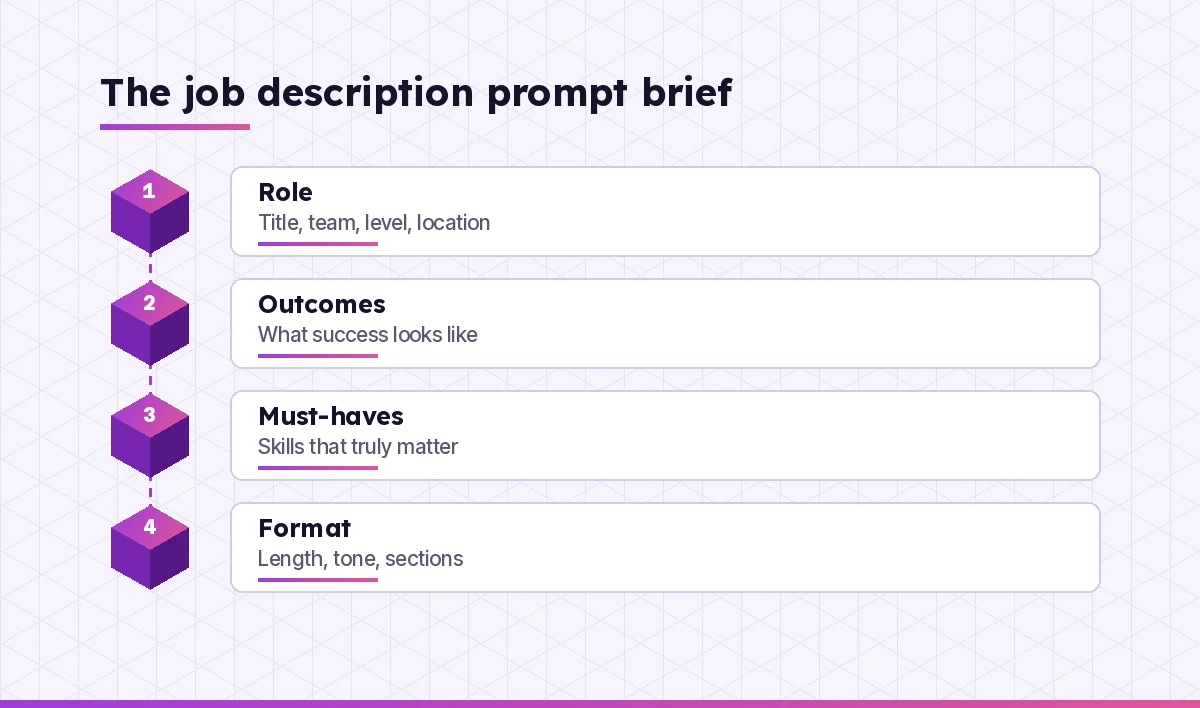
Every good request for a role profile covers four things:
- The role itself. Title, team, seniority, location and working pattern. Without these, Copilot invents them.
- Outcomes, not just tasks. What should this person achieve in their first six to twelve months? Outcomes make the duties section far more specific.
- Real requirements. Separate the skills someone needs on day one from the ones they can learn. Long requirement lists tend to discourage capable applicants from applying.
- The format. Length, tone, section order and where the text will be used. A careers page, a LinkedIn post and an internal transfer notice all need different shapes.
If a draft comes back generic from your copilot prompts for job descriptions, the fix is almost always to add one of these four, not to rewrite the prompt from scratch.
Prompts to Scope the Role Before Writing
Before you write a word of the ad, get clear on the job. These prompts help when the role is new or has changed since the last hire.
1. Turn intake notes into a role summary
Here are my notes from the hiring intake meeting: [paste notes].
Summarise the role in 5 bullets: purpose, main responsibilities,
who it works with, how success is measured, and anything still undecided.
List any gaps I should clarify with the hiring manager.
2. Summarise the Teams intake call
Summarise this meeting as a role brief for a job description.
Include: role purpose, top 5 responsibilities, must-have skills,
nice-to-have skills, salary range if mentioned, and open questions.
Quote the hiring manager where they described what good looks like.
3. Find what changed since the last version
Compare /Customer Success Manager JD 2024 with my new notes below.
Which responsibilities are new, which have gone, and which requirements
should change? Show it as a 3-column table: keep, update, remove.
[paste notes]
4. Define outcomes for the first year
For a mid-level customer success manager at a SaaS company,
suggest 5 measurable outcomes for the first 12 months.
Make them realistic for someone new to our product and avoid
targets I have not given you; use placeholders like [X%] instead.
5. Separate must-haves from nice-to-haves
Here is a list of requirements the hiring manager wants: [paste list].
Sort them into must-have on day one, can learn in the first 6 months,
and not needed. Explain each decision in one short line.
6. Spot overlap with existing roles
Compare this draft role with the job descriptions in /HR/Role Profiles/Customer.
Flag any responsibilities that overlap with existing roles and suggest
how to make the boundaries clearer.
Check before moving on: make sure the hiring manager agrees with the outcomes and the must-have list. Those two decisions shape everything else.
Prompts to Draft the Full Description
Once the role is scoped, open Word and let Copilot produce a first draft. This is where copilot prompts for job descriptions save the most time. Point it at your brief and your house template so it follows the structure your company already uses.
7. Draft from the brief
Using the role brief above, write a job description with these sections:
About the role, What you will do, What you will bring, Nice to have,
How we work, and What we offer. Keep it under 600 words, use short bullets,
and write directly to the candidate as "you".
8. Follow your company template
Draft a job description for a Data Analyst using the structure and tone of
/HR/Templates/Job Description Template.docx. Fill every section from my
notes below and mark anything you had to assume with [CHECK].
[paste notes]
9. Write a stronger opening paragraph
Write 3 alternative opening paragraphs for this job description.
Each should explain in 2 to 3 sentences why the role exists and what impact
it has. Avoid phrases like "fast-paced", "rockstar" and "ninja".
10. Turn tasks into outcome-led bullets
Rewrite these responsibilities so each bullet starts with a strong verb
and shows the result of the work, not just the activity.
Keep each bullet under 20 words.
[paste responsibilities]
11. Describe the team honestly
Write a short "About the team" section from these facts: [team size,
manager, how the team works, tools used, typical week]. Keep it factual
and friendly. Do not add claims about culture I have not given you.
12. Add a day-in-the-life paragraph
Based on the responsibilities in this document, write a realistic
"A typical week" paragraph of about 80 words. Mention meetings,
focused work and who the person collaborates with.
13. Draft a technical role
Write a job description for a mid-level backend engineer working in
Python and PostgreSQL on our billing platform. Responsibilities should
mention code review, on-call once a month and working with product managers.
Requirements should name specific skills, not years of experience alone.
Check the draft: read it as the person who will do the job. If a responsibility would surprise them, it is either wrong or missing context.
Prompts for Clear, Inclusive Wording
Small wording choices change who applies. Copilot is useful as a second reader that flags phrases you have stopped noticing. Remember that the final judgement is yours and your HR team’s, and that job advertising is covered by employment law in most countries; in the US, for example, the EEOC guidance on prohibited practices includes job advertisements.
14. Review for biased or exclusionary language
Review this job description for wording that could discourage some
candidates from applying, such as gender-coded words, age-related phrases,
or unnecessary physical requirements. List each phrase, explain the concern
briefly, and suggest a neutral alternative.
15. Cut inflated requirements
Look at the "What you will bring" section. Which requirements seem higher
than the responsibilities need? Suggest a shorter list of no more than
6 essentials and explain what you removed.
16. Replace jargon with plain English
Rewrite this job description at a reading level most adults find easy.
Replace internal acronyms and corporate jargon with plain words,
but keep technical skill names exactly as written.
17. Swap years of experience for skills
Where this description asks for a number of years of experience,
rewrite the requirement to describe the skill or result instead.
Example: "5+ years in sales" becomes "you have closed mid-market deals
and managed your own pipeline".
18. Add an encouraging application note
Write a 2-sentence note for the end of this job ad that encourages
people to apply even if they do not meet every requirement.
Keep it sincere and specific to this role, not generic.
19. Check accessibility of the process
Suggest a short paragraph explaining how candidates can ask for
adjustments during the hiring process. Use this contact: [email].
Keep it warm and under 50 words.
Prompts for Pay, Benefits and Working Pattern
Candidates scan for salary, location and flexibility first. Many places now require pay ranges in ads, so confirm what applies to you with HR before publishing.
20. Write a clear compensation section
Write a "What we offer" section using only these facts:
salary range [range], bonus [details], holiday [days], pension [details],
learning budget [amount], and hybrid policy [details].
Do not add benefits that are not on this list.
21. Explain the working pattern
Explain our hybrid working pattern in 3 short bullets for a job ad:
[office days, core hours, travel expectations]. Make it clear and specific
so candidates can judge whether it fits their life.
22. Summarise benefits from the handbook
From /HR/Employee Handbook 2026.docx, list the benefits that apply to
full-time UK employees. Keep each one to a single short line and
reference the section where you found it so I can check it.
23. Check consistency with the offer letter
Compare the pay and benefits in this job description with
/HR/Templates/Offer Letter.docx. Flag anything that does not match.
Check before posting: numbers in the ad should come from HR or your reward team, never from Copilot’s suggestions. If it filled in a figure, delete it.
Prompts to Repurpose One Description Into Many Formats
One approved description usually needs several versions. Copilot is good at reshaping text without changing the facts, which saves a surprising amount of time.
24. Short job board version
Turn this job description into a 200-word version for job boards.
Keep the title, location, salary range, top 4 responsibilities and
top 4 requirements. Keep the original meaning exactly.
25. LinkedIn post
Write a LinkedIn post from me, the hiring manager, announcing this role.
Under 120 words, friendly and specific, one line about why I enjoy
working on this team, and end with how to apply. Use 3 hashtags at most.
26. Internal mobility notice
Rewrite this job description as an internal vacancy notice for our
intranet. Mention the internal application deadline [date], who to talk to,
and keep it under 250 words.
27. Recruiter screening sheet
From this job description, create a one-page screening guide for recruiters:
5 knock-out questions, 5 skills to probe, and red flags to listen for.
Keep questions related to the job requirements only.
28. Interview question bank
Based on the responsibilities and requirements in this document,
write 10 structured interview questions, each linked to one requirement.
Add what a strong answer would include.
29. Candidate FAQ
Write 6 short FAQs a candidate might have about this role and our hiring
process, using only the details in this document. Leave a [CHECK] placeholder
where the answer is not in the document.
If you also run interviews, the Copilot prompts for interview preparation guide covers the candidate side, which is useful when you want to see your questions from the other chair.
Prompts for Leveling and Role Families
When you hire several similar roles, consistency matters. These prompts help HR teams keep a family of roles aligned.
30. Build a leveling grid in Excel
Create a table comparing Junior, Mid and Senior versions of this role.
Columns: scope, typical decisions, stakeholders, technical depth and
leadership expectations. Keep each cell under 15 words.
31. Write the senior version
Using this mid-level job description, write a senior version.
Increase scope and ownership, add mentoring, and adjust requirements.
Show what changed in a short list at the end.
32. Map skills across roles
From the job descriptions in /HR/Role Profiles/Engineering, build a skills
matrix: rows are skills, columns are roles, and cells say required,
useful or not needed. Flag skills that appear with different names.
33. Standardise titles
Here are 12 job titles used across our teams: [list]. Suggest a consistent
naming convention and map each current title to a proposed one.
Note any titles that may confuse external candidates.
Prompts to Review and Polish
The last pass is where Copilot earns its keep, and where copilot prompts for job descriptions protect you from small but embarrassing errors. Ask it to read like a candidate, an editor and a compliance reviewer in turn.
34. Read it as a candidate
Read this job description as an experienced candidate deciding whether
to apply. What is unclear, what feels off-putting, and what questions
would you still have? Be direct.
35. Tighten it
Cut this job description by about 25% without losing any requirement,
responsibility, pay detail or application instruction.
Show the shortened version only.
36. Final consistency check
Check this document for inconsistencies: job title used differently,
location or working pattern stated twice in different ways, requirements
that contradict responsibilities, and spelling of product names.
List each issue with a suggested fix.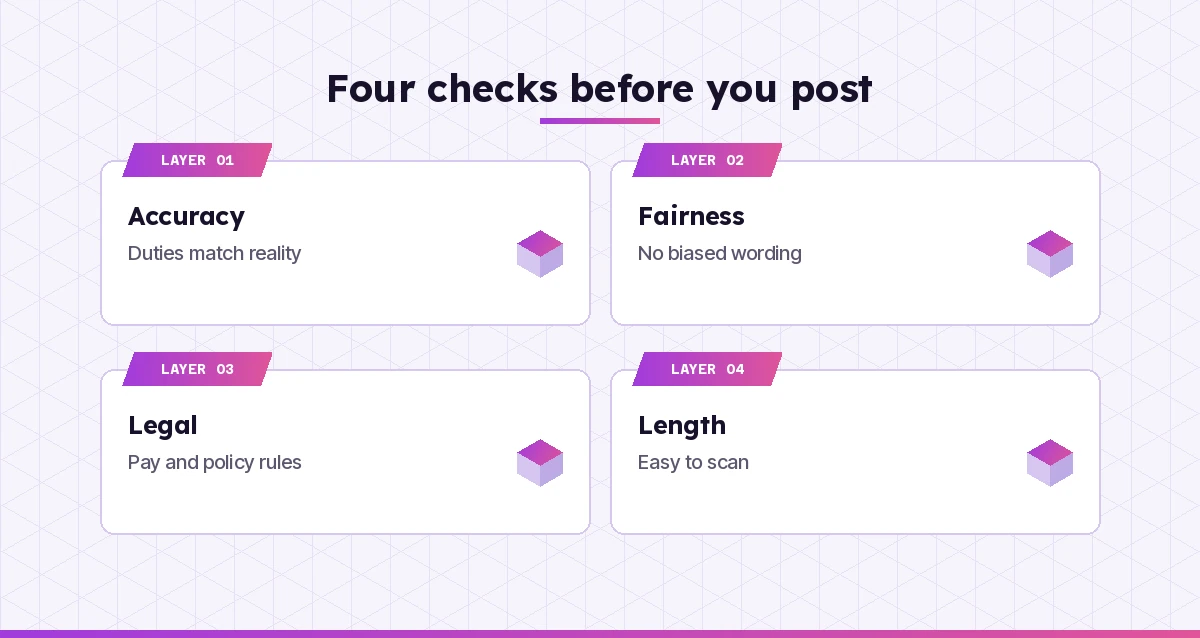
Worked Example: From Notes to a Posted Role
Here is how a typical session flows for a hiring manager filling a Customer Success Manager vacancy.
- Collect the facts. They open Copilot in Teams after the intake call and use prompt 2 to get a role brief, including two open questions about travel and the salary band.
- Settle the requirements. After a quick chat with HR, they run prompt 5. Copilot moves “Salesforce administrator certification” from must-have to nice-to-have, which matches what the team actually needs.
- Draft in Word. They paste the brief and run prompt 8 with the company template. Copilot marks two assumptions with [CHECK], both about benefits, which HR fills in.
- Fix the wording. Prompt 14 flags “digital native” and “high-energy go-getter”. The manager swaps them for clearer phrases about the skills involved.
- Make the versions. Prompts 24 and 25 produce the job board copy and a LinkedIn post. The manager edits the post so it sounds like them.
- Final pass. Prompt 36 catches that the ad says “hybrid” in one section and “office-based” in another. One edit later, the role is ready.
The whole thing takes far less time than writing from a blank page, and the human decisions still sit with the people who own the hire.
| Stage | Prompt numbers | Who checks it |
|---|---|---|
| Scope the role | 1 to 6 | Hiring manager |
| Draft | 7 to 13 | Hiring manager and HR |
| Wording | 14 to 19 | HR or talent team |
| Pay and benefits | 20 to 23 | Reward or HR |
| Other formats | 24 to 29 | Recruiter |
| Leveling | 30 to 33 | HR business partner |
| Final review | 34 to 36 | Hiring manager |
Common Mistakes to Avoid
- Letting Copilot invent facts. Salary, benefits, team size and reporting lines must come from you. Ask it to use placeholders when it does not know.
- Copying old requirements forward. Last year’s description may ask for skills the role no longer needs. Run prompt 3 to compare.
- Writing for the hiring panel, not the candidate. Internal language makes sense to you and nobody else. Prompt 16 helps.
- Skipping the human review. Even a well-built job description template from Copilot needs someone who knows the role to read every line.
- Pasting personal data you do not need. Leave candidate names and CVs out of drafting chats; they are not needed to describe a role.
For the wider people workflow, our Copilot prompts for HR guide covers policies, onboarding and employee communication, and the Copilot prompts for recruiters list picks up where this one stops, with sourcing messages and candidate follow-ups.
Final Thoughts
A good job ad does two things: it helps the right people recognise themselves in the role, and it helps everyone else decide quickly that it is not for them. Copilot makes the drafting fast, but the clarity comes from your brief. Start with prompt 1 or 7 from these copilot prompts for job descriptions on your next vacancy, keep the brief you write, and you will have a repeatable process that produces clear, fair and accurate descriptions every time.
Frequently Asked Questions
Can Copilot write a job description from scratch?
Yes. Copilot in Word or Copilot Chat can draft a full job description from a short brief that names the role, team, level, location, responsibilities and requirements. The more specific your brief, the less generic the draft, and you should always review it before posting.
Where do I use Copilot prompts for job descriptions in Microsoft 365?
The most common place is Copilot in Word, where you can draft and rewrite the document directly. Copilot in Teams is useful for summarising the intake meeting, Outlook for pulling details from approval emails, and Excel for leveling grids and skills matrices.
Can Copilot check a job ad for biased language?
It can flag gender-coded words, age-related phrases and unnecessary requirements, and suggest neutral alternatives. Treat it as a helpful second reader rather than a compliance check, and have HR review the final wording against your local rules.
Should I let Copilot suggest the salary range?
No. Pay ranges should come from your HR or reward team based on your own salary bands and local pay transparency rules. Give Copilot the approved range and ask it to present it clearly instead.
Can Copilot use our company job description template?
Yes. Reference the template file by name in your prompt, for example with a forward slash in Word or Copilot Chat, and ask it to follow that structure. Ask it to mark anything it had to assume so you can fill the gaps.
Is it safe to use Copilot for hiring documents?
Microsoft 365 Copilot used with your work account follows your organisation’s data protection and access controls. Role descriptions rarely need personal data, so keep candidate names and CVs out of drafting chats and follow your company’s AI policy.