Copilot Prompts for Recruiters: 30 Proven Prompts to Hire Faster
Copilot prompts for recruiters turn Microsoft 365 Copilot into a hiring assistant that drafts job ads, writes outreach messages, builds interview kits and summarises debriefs, so you spend less time on admin and more time talking to candidates. This guide gives you 30 practical prompts organised by stage of the hiring funnel, plus the habits that keep the output fair, accurate and on brand.
Recruiting is full of writing that has to be good but rarely has to be original: the fifth version of a job advert this month, the follow-up to a hiring manager who has gone quiet, the rejection email that needs to be kind without promising anything. That is exactly the kind of work an AI assistant handles well, provided you give it clear context and keep a human in charge of every decision.
Why Copilot Prompts for Recruiters Save So Much Time
Talent acquisition sits across almost every Microsoft 365 app. Requisitions arrive by email, intake meetings happen in Teams, scorecards live in Excel and offer letters start life in Word. Because Microsoft 365 Copilot works inside those apps and can reference the files, chats and meetings you already have access to, it can pull the pieces together instead of making you copy and paste between windows.
A few tasks where recruiting teams usually notice the biggest change:
- Job descriptions and adverts. Turning a hiring manager’s rough notes into a structured, inclusive posting.
- Candidate outreach. Personalised first messages and polite follow-ups that do not read like a mail merge.
- Interview preparation. Competency-based question sets, scorecards and interviewer briefing notes.
- Pipeline reporting. Summaries of where each role stands, built from a tracker spreadsheet.
- Candidate communication. Scheduling notes, status updates, rejections and offer emails.
None of this replaces your judgement about people. Copilot is a drafting and summarising tool, so treat every answer as a first draft that you review before it goes anywhere near a candidate.
How to Write Recruiting Prompts That Work
Microsoft’s guidance on writing effective Copilot prompts breaks a good request into four parts: a goal, context, expectations and a source. In hiring terms that looks like this:
- Goal. What you need, for example “a job advert” or “five screening questions”.
- Context. The role, seniority, team, location, salary band if you can share it, and who the reader is.
- Expectations. Length, tone, format (bullets, table, email) and anything to avoid.
- Source. The file, email or meeting Copilot should use, referenced with a slash or by name.
If you want a reusable structure you can save and fill in, our Copilot prompt template walks through the same framework with blanks for each part.
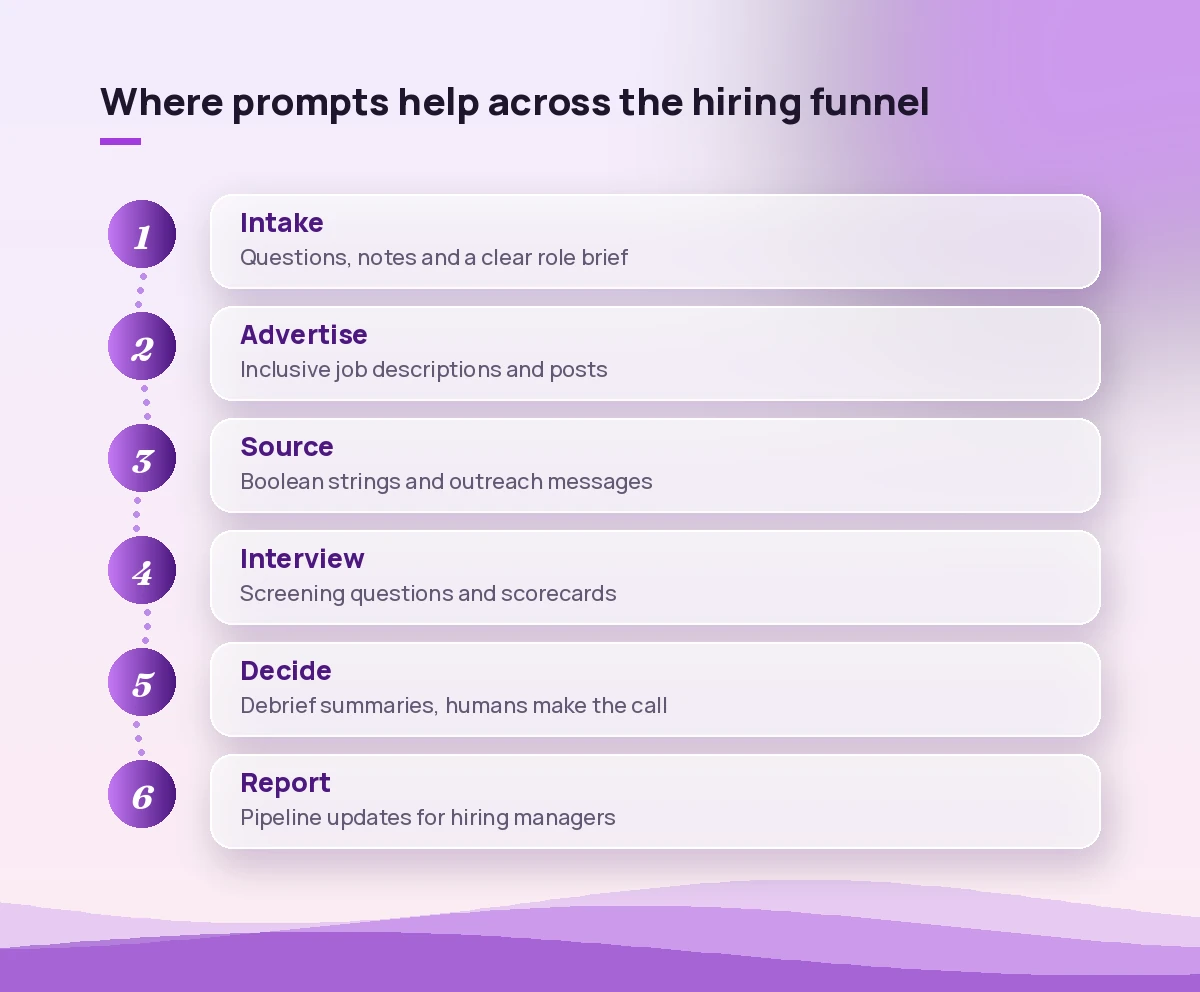
Prompts for Intake Meetings and Role Briefs
A strong search starts with a clear brief. These recruiting prompts help you prepare for the intake conversation and capture what the hiring manager actually wants.
1. Prepare intake questions
I am meeting a hiring manager to open a new [job title] role in the [team] team. Draft 12 intake questions that cover must-have skills, nice-to-have skills, success in the first 90 days, team dynamics, interview stages and deal-breakers. Group them under short headings.2. Summarise the intake meeting
Summarise the intake meeting for the [job title] role from this Teams meeting. List the must-have skills, nice-to-have skills, salary range mentioned, interview panel, timeline and any open questions I still need answered. Use bullet points.3. Turn notes into a role brief
Using /[intake notes file], write a one-page role brief for the [job title] search. Include purpose of the role, key responsibilities, required experience, ideal background, target companies to source from, and agreed interview process. Keep it under 400 words.4. Challenge an unrealistic wish list
Here is the hiring manager's list of requirements: [paste list]. Point out requirements that may be contradictory or unusually rare in combination, and suggest which ones could be moved to nice-to-have to widen the talent pool. Explain your reasoning briefly.Prompts for Job Descriptions and Adverts
Job descriptions are where AI hiring help pays off quickly, because most postings follow a familiar shape. Give Copilot the facts and let it handle structure and tone.
5. Draft a job description
Write a job description for a [job title] at [company type, size, industry]. Include a short company overview, what the person will do, what they need, what we offer, and how to apply. Use plain language, second person ("you will"), and keep the requirements list to 6 bullets or fewer.6. Make a posting more inclusive
Review this job advert for wording that could discourage qualified people from applying, such as gender-coded words, unnecessary jargon, inflated years of experience or vague "rockstar" language. Suggest neutral replacements in a two-column table: original phrase, suggested rewrite.7. Write a shorter social version
Turn this job description into a 120-word LinkedIn post that highlights the three most attractive things about the role and ends with a clear call to apply. Keep the tone warm and professional, no hashtags beyond two.8. Create variations for different channels
Rewrite this job advert in three versions: a 60-word job board summary, a 150-word internal mobility post for our intranet, and a 40-word message I can share with my referral network.Candidate Sourcing and Outreach Prompts
Outreach is where personalisation matters most. If you write a lot of recruiting email, pair these with our wider list of Copilot prompts for email writing.
9. Build a Boolean search string
Create three Boolean search strings to find [job title] candidates with experience in [skill 1], [skill 2] and [industry]. Include common alternative job titles and exclude [roles to exclude]. Explain what each string targets.10. Write a first-touch message
Write a short outreach message to a [job title] candidate whose background includes [relevant detail from their profile]. Mention why their experience caught my eye, one specific thing about the role, and ask for a 15-minute call. Under 90 words, friendly, no hype.11. Follow up without being pushy
Write a polite follow-up to a candidate who has not replied to my message about the [job title] role sent last week. Keep it under 60 words, give them an easy way to say no, and mention one new detail about the role.12. Re-engage silver medallists
Draft an email to candidates who reached the final stage for a previous [job title] role but were not hired. Tell them about a new opening for [new role], explain why I thought of them, and invite them to a quick catch-up.13. Ask for referrals
Write a Teams message to my colleagues asking for referrals for the [job title] role. Include a two-line summary of the role, the ideal background, and how to submit a referral. Keep it upbeat and under 100 words.Screening and Interview Preparation
These prompts help you build a consistent, structured process, which is fairer for candidates and makes comparisons easier for the panel.
14. Screening questions
Write 8 phone screening questions for a [job title] role that check for [must-have skills]. For each question, note what a strong answer would include and one possible red flag.15. Competency-based interview questions
Create a structured interview guide for a [job title] covering four competencies: [competency 1], [competency 2], [competency 3], [competency 4]. Give two behavioural questions per competency using the STAR format, plus follow-up probes.16. Interview scorecard
Build an interview scorecard table for the [job title] role. Columns: competency, what good looks like, rating 1 to 4 with a short description for each level, and notes. Base the competencies on /[role brief].17. Brief the interview panel
Write a short briefing email to the interview panel for [candidate name], interviewing for [job title] on [date]. Include which competencies each interviewer covers, the candidate's background in three bullets, and a reminder to submit scorecards within 24 hours.18. Compare CV to role requirements
Compare /[candidate CV] against /[job description]. List which requirements are clearly met, partly met and not evidenced, quoting the relevant line from the CV for each. Do not make a hiring recommendation.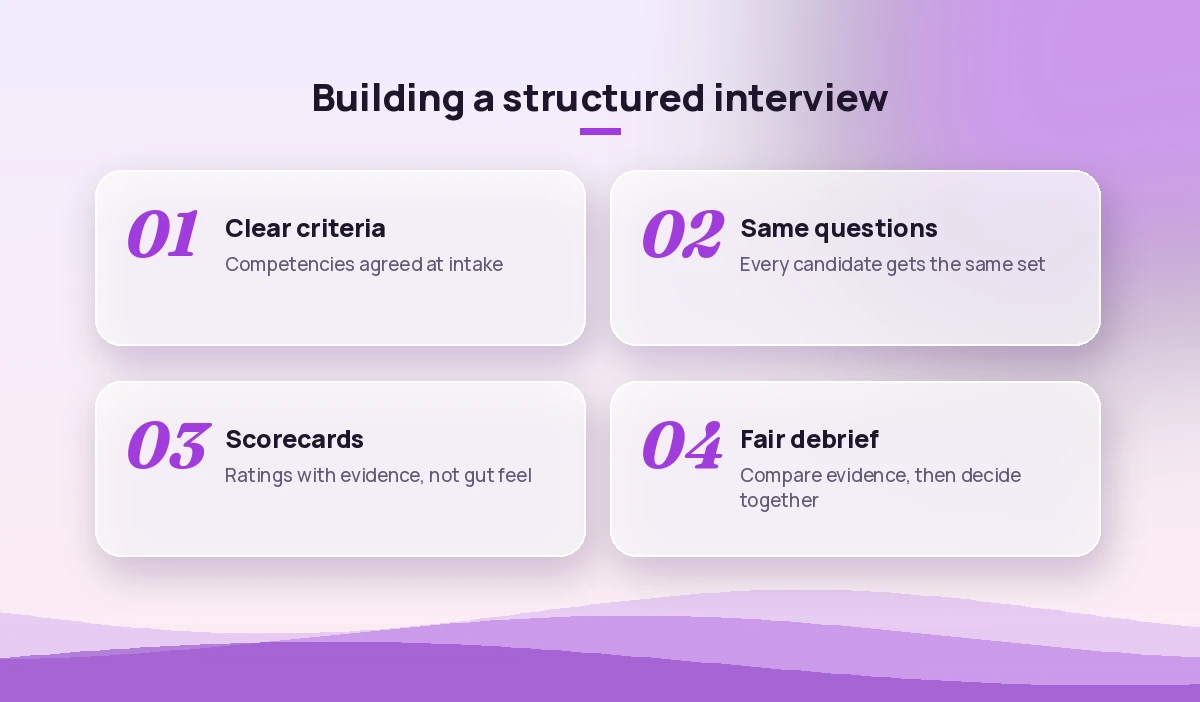
Prompts for Interview Debriefs and Decisions
Debriefs generate a lot of notes and not always a clear decision. Use Copilot to organise the evidence, then make the call as a team.
19. Summarise interviewer feedback
Summarise the interview feedback for [candidate name] from these scorecards: [paste or reference files]. Group strengths, concerns and open questions by competency, and highlight where interviewers disagreed.20. Prepare a debrief agenda
Create a 30-minute debrief agenda for the [job title] panel. Include time to review each competency, discuss disagreements, check for consistency across candidates and agree next steps.21. Recap the debrief meeting
From this Teams meeting, summarise the hiring decision for [candidate name], the reasons given, any conditions or concerns, and the action items with owners. Keep it factual.For more ways to capture outcomes from meetings, see our guide to Copilot prompts for meeting action items.
Candidate Communication Prompts
Candidate experience often comes down to clear, timely updates. These templates help you stay responsive even when your requisition load is heavy.
22. Interview invitation
Write an interview invitation for [candidate name] for the [job title] role. Include the format (video or onsite), duration, who they will meet, what to prepare, and a link placeholder for booking a time. Warm, clear, under 150 words.23. Status update during a delay
Write a short update to a candidate whose process for the [job title] role has been delayed by about a week. Apologise briefly, give the new expected timeline, and confirm we are still very interested.24. Respectful rejection after interview
Draft a rejection email to a candidate who interviewed for the [job title] role. Thank them for their time, mention one genuine strength from the process, keep the reason general, and invite them to apply for future roles. Under 120 words.25. Offer email
Write a warm offer email for [candidate name] for the [job title] role, summarising the start date, salary [amount], key benefits and the deadline to respond. Note that the formal offer letter is attached. Excited but professional tone.26. Pre-start welcome note
Write a welcome message for a new hire starting on [date] in the [team] team. Include what happens on day one, who will meet them, and what to bring. Friendly and under 150 words.Recruiting Metrics and Reporting Prompts
Hiring managers and leaders want to know where things stand. If your tracker lives in Excel, Copilot in Excel can help you analyse it; our post on Copilot prompts for Excel data analysis covers the basics.
27. Pipeline summary
Using the data in this table, summarise the pipeline for each open role: number of candidates at each stage, roles with no candidates past screening, and roles open longer than 45 days. Present it as a table.28. Weekly update for hiring managers
Write a weekly recruiting update for the [department] leadership team based on /[pipeline tracker]. Cover new hires, offers out, roles at risk and what I need from managers this week. Use short headings and bullets.29. Spot process bottlenecks
Look at the stage dates in this table and identify where candidates wait longest between stages. Suggest three practical changes to shorten time-to-hire, based only on the patterns in the data.30. Quarterly hiring review
Draft a one-page quarterly hiring review using /[tracker] and /[previous review]. Include roles filled, roles still open, main sourcing channels, lessons learned and priorities for next quarter.Tips for Using AI in Hiring Responsibly
Recruitment decisions affect people’s livelihoods, so a little care goes a long way:
- Keep decisions human. Use Copilot to summarise and draft, not to rank or reject candidates. That is why prompt 18 explicitly says “do not make a hiring recommendation”.
- Check every fact. Salary figures, benefits, dates and names must be verified before a message is sent.
- Watch for bias. Ask Copilot to review your own wording for exclusionary language, and apply the same structured questions to every candidate.
- Protect personal data. Only reference candidate files you are allowed to access, and follow your organisation’s retention and privacy policies.
- Know the rules. Some regions regulate automated tools in hiring. Check with your legal or HR team about what applies to you.
Our broader collection of Copilot prompts for HR covers onboarding, policy and employee relations if you also work outside talent acquisition.
Common Mistakes Recruiters Make With Copilot
Giving too little context. “Write a job ad for a developer” produces generic filler. Name the stack, seniority, team and what makes the role worth taking.
Sending outreach unedited. Candidates can spot a template. Add one detail that only you could know, like a project they mentioned or a mutual connection.
Asking for opinions on people. Questions such as “Is this candidate a good fit?” invite the model to guess. Ask it to map evidence to criteria instead, and keep the judgement for the panel.
Forgetting to iterate. If the first draft is too long or too formal, say so in a follow-up. Short refinement prompts like “make it warmer and cut it to 80 words” usually fix the problem in one step.
Where to Find More Hiring Prompts
Microsoft keeps a growing library of examples in the Copilot Prompt Gallery, where you can filter by app and job type and save prompts you like. Combine those with the 30 recruiting prompts above, save your favourites, and adjust the placeholders for each search. Over a few weeks you will build a personal kit that covers most of the writing in your week.
Final Thoughts
The best way to start is small. Pick one stage that eats the most time, perhaps outreach or interview prep, and use the matching prompts for a week. Once the output feels reliable, add the next stage. Used well, these copilot prompts for recruiters give you back hours of admin each week while keeping the human parts of hiring, the conversations and the judgement calls, firmly with you.
Frequently Asked Questions
What are the best copilot prompts for recruiters?
The most useful ones cover intake briefs, job descriptions, candidate outreach, structured interview questions, debrief summaries and pipeline reports. Start with the stage that takes most of your time and adapt the placeholders to each role.
Can Microsoft 365 Copilot screen candidates for me?
It can compare a CV against a job description and list which requirements are evidenced, but it should not make hiring decisions. Keep ranking, shortlisting and rejection decisions with people, and follow your organisation’s policies on AI in hiring.
How do I make AI-written job ads more inclusive?
Ask Copilot to review the advert for gender-coded words, jargon, inflated experience requirements and vague buzzwords, and to suggest neutral rewrites in a table. Then review the changes yourself before publishing.
Do I need a paid licence to use these prompts?
Prompts that reference your emails, meetings and files need a Microsoft 365 Copilot licence. Prompts where you paste in the information yourself also work in the free Copilot Chat, though without access to your work data.
Is it safe to put candidate data into Copilot?
Microsoft 365 Copilot respects your existing permissions and your organisation’s data protections, but you should still only use candidate information you are allowed to access and follow your company’s privacy and retention rules.
How can I personalise outreach messages written by Copilot?
Give Copilot one or two specific details from the candidate’s background in the prompt, set a word limit, and add a personal line of your own before sending. Short, specific messages tend to get better responses than long generic ones.